
What is a VPS and what is it for?
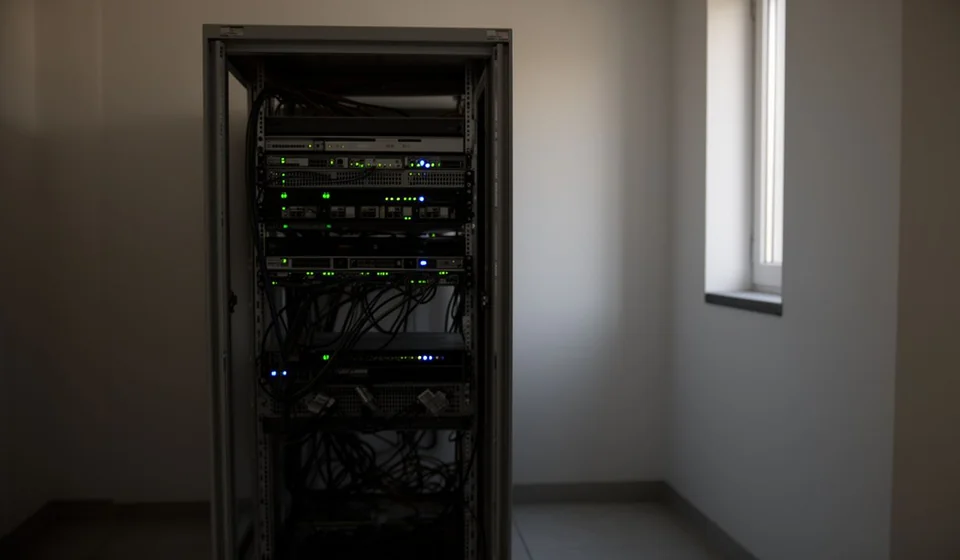
What is a VPS and what is it for?
A VPS —short for Virtual Private Server— is an independent virtual server created on top of a more powerful physical server. Instead of sharing a single machine among dozens of websites, each VPS gets an isolated, guaranteed slice of that hardware: its own operating system, its own RAM, its own processor cores, its own disk and its own network configuration. It is administered, rebooted and updated as if it were a dedicated physical server, unaffected by what happens to the other VPS instances hosted on the same physical machine. In simple terms, a VPS is a server that does not occupy an exclusive physical computer but behaves as if it were your own. It sits midway between shared hosting —where all customers share the same resources— and a dedicated server —where an entire machine belongs to you alone. That middle position makes it one of the most widely used options for hosting websites with growing traffic, online stores, web applications and services that need stability and control without paying for a full physical server.Technical definition: what exactly is a VPS
The technical definition of VPS combines two ideas. The first is virtualization: the server is not physical hardware reserved for you, but a virtual machine run by special software called a hypervisor on top of a physical server. The second is resource privacy: unlike shared hosting, where memory and processing power are divided unevenly among all customers, a VPS gives you a slice of resources that is reserved and guaranteed for you alone. When you sign up for a VPS, what you actually get is:- Administrator (root) access to the system, with the freedom to install, configure and remove any software.
- Your own operating system: usually Linux (Ubuntu, Debian, AlmaLinux, CentOS) or Windows Server.
- Fixed amounts of RAM, CPU cores and disk space that no other customer can consume.
- Your own IP addresses and, if the project requires it, the ability to assign several.
- Independent reboot and shutdown, without affecting —or being affected by— the other VPS instances on the same physical server.
How does a VPS work? Virtualization explained
A VPS works thanks to virtualization. A powerful physical server —with many cores, plenty of RAM and several disks— is split by a hypervisor into several independent virtual machines. Technologies such as KVM, Xen or VMware, and platforms that bundle them such as Proxmox, are responsible for that split. Each virtual machine receives a portion of the physical resources and runs its own operating system, as if it were a separate computer. There are two main technical approaches. Full virtualization (KVM, Xen, VMware) presents each VPS with virtualized hardware components and lets it run its own operating system kernel, with strict isolation between neighbours. Operating-system-level virtualization (OpenVZ or modern containers such as LXC) shares the host server's kernel among several VPS instances, allowing higher density in exchange for slightly less independence. For the person managing the server, the result is equivalent: a system with root access, its own services and its own configuration rules. That architecture explains the most important practical advantage of a VPS over shared hosting: isolation. If another customer on the same physical server suffers an attack, exhausts every resource or installs something badly configured, your VPS does not notice. Your memory stays available, your sites keep responding and your operating system keeps running, because each virtual machine lives in its own isolated space.Differences between shared hosting, VPS and dedicated server
To choose well, it helps to compare the three main forms of web hosting. The following table summarizes their key differences:| Aspect | Shared hosting | VPS | Dedicated server |
|---|---|---|---|
| Resources | Shared and variable among many customers | Guaranteed and exclusive to you | The entire machine is exclusive |
| Price | Low; ideal to get started | Mid-range, depending on chosen capacity | High; includes full hardware |
| Control | Limited to the panel and file manager | Root access and your own operating system | Full control over hardware and software |
| Performance | Depends on the other customers | Stable and predictable | Maximum, with no interference |
| Maintenance | Handled by the provider | Up to you, or via a panel with support | Up to you, with provider assistance |
| Recommended use | Blogs and small sites | Mid-traffic sites, stores and applications | High traffic volumes and extreme workloads |
What is a VPS used for? Most common uses
A VPS is useful for any project that needs a server with control, stable performance and guaranteed resources. Its most common uses are:- Websites with medium or high traffic: established blogs, corporate portals or news sites that shared hosting can no longer sustain.
- Online stores with large catalogs, many products or payment gateways that demand stability and security.
- Web applications and your own services: backends, APIs or software as a service (SaaS) installed and managed directly on the server.
- Development and testing environments: cloning a site to test updates, plugins or changes before pushing them to production.
- Complementary services: your own mail server, a dedicated database, backups, a VPN or monitoring for other systems.
- Special technical projects: game servers, bots, automations or scheduled tasks (cron) that must keep running around the clock.
What is AWS, or an "Amazon VPS"?
Amazon Web Services (AWS) is Amazon's cloud platform: a collection of more than two hundred computing services that you contract over the internet and pay for based on usage. When people talk about an "Amazon VPS" or a "VPS in AWS", in most cases they mean Amazon EC2 (Elastic Compute Cloud), the AWS service that offers virtual servers on demand. With EC2 you can create a virtual machine —called an instance— in a few minutes: you pick an operating system image (Amazon Linux, Ubuntu, Windows Server, among others), an instance type that defines the amount of virtual CPU and memory, a geographic region and the storage. The instance turns on when you need it and turns off when you do not, and billing is based on usage time rather than a fixed monthly fee with immovable resources. That difference in model is the key to understanding AWS compared with a classic VPS. A traditional VPS from a hosting provider is paid as a monthly plan with a fixed capacity that you expand by contacting the provider. AWS, on the other hand, is built to scale: you can resize the instance, create copies, spread the load across several and combine it with complementary services such as object storage (S3), managed databases (RDS) or content delivery (CloudFront). That flexibility has a cost: usage-based billing forces you to watch your consumption, and the sheer number of services makes the learning curve steeper than that of a traditional VPS. For anyone who wants something closer to a classic VPS without leaving Amazon's cloud, AWS also offers Amazon Lightsail: virtual servers with a fixed monthly price, a simple administration panel and networking, DNS and backup features included. In short: when someone searches for a "VPS in AWS", technically they are talking about EC2; when they want the simple version of that idea, Lightsail is the natural entry point.VPS or shared hosting? How to decide
The practical question almost every project eventually asks is whether to move from shared hosting to a VPS. The answer does not depend on the size of the business, but on what your site or application needs. These signs indicate that it is time to make the jump:- The site slows down during peak traffic hours or goes down when it receives a spike in visits.
- The shared plan limits CPU, memory or process usage, and you keep getting "quota exceeded" warnings.
- You need software the shared plan does not let you install: Python, Node.js, task queues, Docker or specific language versions.
- You want to control security, updates and server configuration without depending on provider support.
- You plan to host several sites or applications with different configurations on a single server.
