
What is web design?
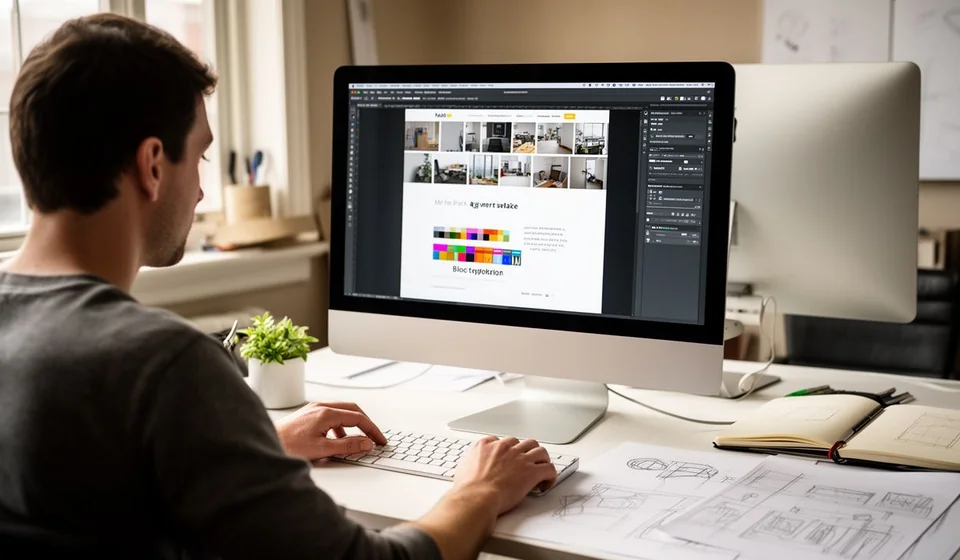
What is web design?
If you have ever wondered why some websites look professional while others seem improvised, the answer almost always has to do with web design. Behind every well-crafted page there is a visual planning process that combines aesthetics and functionality: choosing colors, arranging spaces, organizing text, preparing images and making sure everything works well on both the phone and the computer. It is not about decorating for the sake of decorating; it is about building an experience that guides visitors toward what they are looking for and turns their visit into a useful action, whether that is buying, looking up information or sending a message.
This article explains what web design is, what a web designer does, how it differs from web development, what the elements of good design are, what mockups and prototypes are, which tools are commonly used and what you should consider when hiring a professional.
What web design is
Web design is the discipline that plans, creates and organizes the visual and structural side of a website so that it is attractive and, at the same time, easy to use. It combines elements of graphic design, such as color, typography and composition, with user experience criteria, such as clear navigation, reasonable loading times and adaptation to different devices.
A well-designed page fulfills two roles at once. On the one hand, it communicates the identity of a brand or a person: colors, shapes and visual tone create a first impression that can build trust or trigger rejection within seconds. On the other hand, it has to be functional: visitors must find information quickly, understand how to move around and complete actions without frustration. A site can look spectacular and still fail if nobody finds the right button or if it takes too long to load.
It is also worth clarifying that web design is not a static activity. Websites get redesigned, trends change and devices keep evolving; that is why designers work with principles that are constantly updated, such as mobile adaptation, accessibility and speed. The final goal is not to build a pretty page, but to build a page that fulfills its purpose for both the people who visit it and the person or company that publishes it.
What a web designer does
A web designer's job goes far beyond making a site look nice. It is a job of analysis and decision-making in which every element has a reason to exist. Among the most common tasks are:
- Designing the structure and layout: deciding where each content block goes, how sections are organized and how the visitor's eye moves across the page.
- Choosing the color palette: selecting combinations that are consistent with the brand and the message, taking care of contrast so the text stays readable.
- Working with typography: picking suitable fonts and defining sizes, hierarchies and spacing so reading on screen is comfortable.
- Taking care of the user experience: anticipating what visitors need at every step and reducing friction in menus, forms and calls to action.
- Designing for multiple devices: creating versions that adapt to phones, tablets and computers, which is known as responsive design.
- Preparing the visual assets: selecting and adjusting images, icons and illustrations that reinforce the message without slowing the page down.
In addition, designers often take part in content decisions: ordering texts by importance, writing button labels or proposing the structure of the home page. On small projects they may even build the site using a visual editor; on large projects they hand their designs over to a development team that turns them into code.
Web designer vs. web developer
Web design and web development are often confused, but they are different professions that work as a team. While the designer focuses on how the site looks and feels, the developer focuses on how it works on the inside: writing the code, connecting databases, programming the forms and making sure everything responds correctly.
| Aspect | Web designer | Web developer |
|---|---|---|
| Main goal | Define the appearance and the visual experience | Build the technical functioning of the site |
| Typical tools | Design software and visual editors | Programming languages and databases |
| Deliverables | Sketches, mockups, prototypes and style guides | Live websites, features and systems |
| Question it answers | How does it look and how is it used? | How is it built and how does it work? |
In practice, the boundaries blur. There are designers who know how to code and developers with a good eye for visuals, and many modern tools let you build complete websites without writing any code. Still, understanding the difference helps you hire the right person, divide the work and communicate better with each professional.
Key elements of good web design
Good web design is recognized less by its decorations and more by how well it does its job. These are some of the elements that every effective website should take care of:
- Usability: the site should be easy to understand and navigate, even for someone visiting it for the first time.
- Visual hierarchy: important elements must stand out through size, color or position, so the eye finds the essentials first.
- Loading speed: slow pages drive visitors away; the design should stay light on images and resources.
- Mobile-first approach: designing for the small screen first guarantees that the mobile experience, the most common one, is flawless.
- Consistency: repeating patterns, colors and styles across all pages creates a feeling of order and professionalism.
- Accessibility: high-contrast text, readable sizes and clear navigation allow more people to use the site.
- Visible calls to action: every page should clearly state the next step: call, write, buy or book.
These principles are not a luxury: they directly affect results such as how long visitors stay on the site, how much they trust the brand and how many inquiries or sales the business receives.
What mockups and prototypes are
Before writing a single line of code, designers usually work with visual representations of the site. The simplest one is the wireframe, a low-fidelity sketch that shows the block structure without colors or details. The next step is the mockup, a static and realistic version of what the page will look like, with colors, fonts and images already defined.
The prototype goes one step further: it is an interactive model in which the client can click the buttons, browse the menus and feel the navigation, even though the real programming does not exist yet. These models make it possible to test ideas with users and clients before investing in development, to fix structural mistakes while they are still cheap to change and to align expectations: everyone sees the same thing before building starts.
Which tools a web designer uses
Modern web designers support their work with a set of tools that has evolved a lot in recent years:
- Design software: applications such as Figma, Adobe XD or Sketch are used to create mockups, prototypes and complete visual systems, and they allow teams to work together in the same file.
- Visual editors: platforms such as WordPress, Wix, Squarespace or Webflow let you put together functional sites by dragging and configuring elements, with no need to write code.
- Supporting tools: image editors such as Photoshop or Canva, photo and icon libraries, contrast checkers and tools that measure site speed.
The choice of tool depends on the project: a personal portfolio does not demand the same as the online store of a company with hundreds of products. What matters is that the professional masters the whole process: researching, structuring, designing, validating and leaving the site ready to publish.
How much a web designer charges and how to hire one
One of the most common questions is how much it costs to hire a web designer, and the honest answer is that there is no single price. The value depends on factors such as the number of pages, the complexity of the features, whether content writing is included, whether the logo also needs to be designed, the delivery time and whether the professional will maintain the site after launch.
Instead of comparing only prices, it is better to evaluate the work with useful criteria:
- Review the portfolio: ask for examples of real websites, not just sample images, and check whether they look good on a phone.
- Define the scope in writing: how many pages, which sections, which deliverables and how many rounds of revisions the proposal includes.
- Ask about maintenance: who updates the texts, fixes problems and renews the domain or the security certificate.
- Value communication: a good designer asks questions, proposes ideas and explains decisions clearly.
It is also wise to be wary of offers that are too cheap: design work requires hours of analysis and fine-tuning, and an unrealistic price usually ends in generic templates or extra charges. The sensible approach is to look for a transparent proposal that details what is delivered, in what timeframe and with what support.
Web design vs. UX and UI design
In the digital world, the terms UX and UI are heard more and more often. They are related to web design but do not mean exactly the same thing. UX, or user experience, studies how a person feels when using a digital product: it investigates what they need, how they think and where they get stuck, in order to design flows and structures that work. UI, or user interface, focuses on the visual side of that interface: the buttons, menus, colors and styles that the person sees and touches.
Web design can be understood as the craft that brings both perspectives together in the context of websites, adding knowledge of communication and marketing on top. A web designer applies UX criteria when organizing information and UI criteria when defining the visual look. On small projects, one person fills all the roles; on large teams, each specialty has its own professional.
In short, web design is much more than the aesthetics of a page: it is the bridge between a business and its customers on the internet. A well-designed site communicates trust, guides the visitor and turns interest into action. Every company that wants to sell or make itself known needs a carefully crafted website, regardless of its sector; from a neighborhood store to a software provider like Kardex Tauro, much depends on the first impression its page makes.
