
What Barcode Scanner Is Right for Inventory?
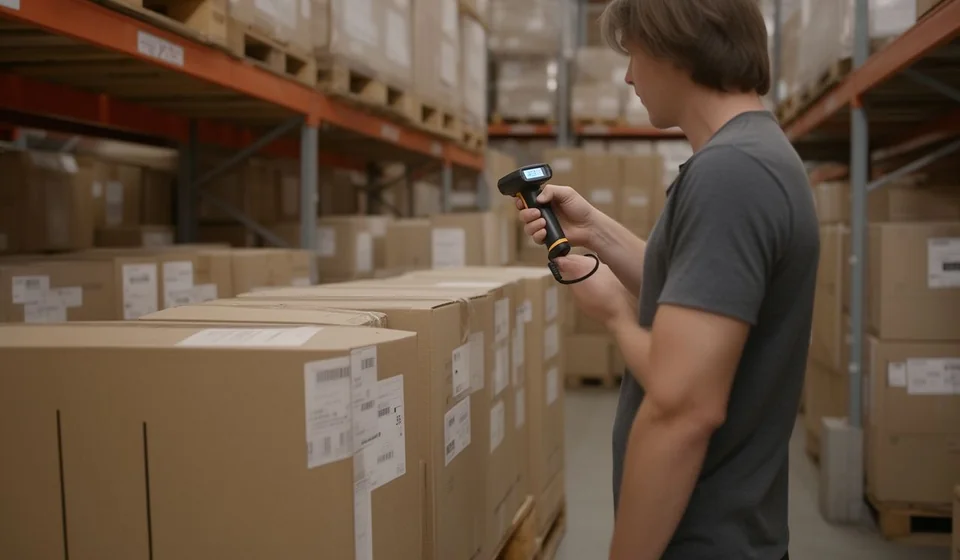
What Barcode Scanner Is Right for Inventory?
When a small business decides to stop typing codes by hand, a question that sounds simple but is not comes up: which barcode scanner should I buy? The market offers dozens of models with very different shapes, prices and capabilities, and whoever chooses without information ends up paying for features they never use or, worse, buying a device that cannot read the codes the business actually handles.
The right answer depends not on the most expensive or the smallest scanner, but on the type of codes the business manages, the way the warehouse works and the program the scanner will connect to. This article explains the types of scanners that exist, what to look at before buying one, what to use them for in inventory and what the most common mistakes are when choosing them.
How barcode scanners work
A barcode scanner is simply a device that translates the printed bars into an alphanumeric code and sends it to the computer as if someone had typed it at great speed. That is why, for the inventory program, it is like having an extremely fast typist entering the code of every product, with the difference that the scanner never confuses a number and never types it twice.
That translation can be done in two main ways, and that is where the most important classification for anyone buying a scanner comes from:
- Laser reading (1D codes): uses a beam of light to read traditional barcodes, the vertical bars found on almost every package, such as the EAN codes of consumer products.
- Image reading (2D imager): takes a photograph of the code and decodes it. Besides reading traditional 1D codes, it reads two-dimensional codes such as QR codes, which hold much more information.
This difference is not a technical detail: it defines how long the device will last and which codes it will be able to read. If the business handles products that already carry QR codes, or wants to use codes with more data than a simple number, image reading is the safe choice.
Types of scanners according to how they are used
Besides reading technology, scanners are classified by how they are used in the warehouse. Each type solves a different problem, and choosing the wrong one turns a tool meant to speed things up into an obstacle.
| Scanner type | How it works | What it is for |
|---|---|---|
| Handheld laser or 1D | You aim and fire the beam at the code; it only reads one-dimensional bars. | Businesses that sell consumer products with EAN codes and do not need to read QR codes. |
| Handheld 2D imager | Takes a photo of the code and decodes it; reads 1D, QR and damaged or blurry codes. | Warehouses that receive merchandise with QR codes, long serials or labels in poor condition. |
| Wireless (Bluetooth or radio frequency) | Reads the code and sends it without cables to the computer, within a range of several meters. | Cycle counts and shipping tasks where the worker moves around the whole warehouse. |
| Base or presentation scanner | The scanner stays fixed on the counter or desk and products are passed in front of it. | Invoicing points and counters where merchandise passes through a single place. |
| Handheld with USB cable | Connects to the computer with a cable, is powered by the same port and works right away. | Businesses with a single workstation and a limited budget. |
A small warehouse usually does not need just one scanner, but the right combination: a base scanner for invoicing at the counter and a wireless one for counts in the warehouse. Buying only the cheapest one usually leaves unfinished precisely the task the business most wants to speed up.
What to check before buying a scanner
Before looking at the price, it is worth checking five points that define whether the scanner will really work. The first is the connection: USB scanners connect with a cable and are the simplest, while wireless scanners with Bluetooth or radio frequency give freedom of movement. Some models offer both options and can be switched, which is useful when the same device is used at the counter and in the warehouse.
The second point is compatibility with the program. Most scanners work like a keyboard: they send the read code as if it were typed text, and that is why they integrate with almost any software. Even so, it is worth confirming that the scanner sends the full code, with the Enter key at the end, so the inventory program records the movement without extra steps.
The third point is the reading distance. Some scanners require touching the device to the code and others read from several centimeters or even meters away. For tall shelves or stacked merchandise, a good reading distance saves climbing up and down stairs all the time.
The fourth point is durability. A scanner that will fall to the warehouse floor dozens of times needs a tough housing and drop protection. Desk models, on the other hand, can be lighter because they are not handled as roughly.
The fifth point is price, but looked at intelligently: it is not about buying the cheapest one, but the one that meets the needs above without paying for extras that will never be used. A wireless 2D scanner costs more than a cabled one, but if it avoids buying two devices, it ends up being the most economical choice.
What to use it for in inventory
A barcode scanner is not a decorative accessory: it transforms the four central tasks of inventory. The first is merchandise receiving: when a delivery arrives, the code of each box or unit is read and the system records the entry without typing, so the process goes from minutes to seconds and typing errors disappear.
The second is shipping or dispatch: when selling or delivering merchandise, the scanner confirms that the code going out is exactly the one being recorded, preventing a similar reference from being shipped by mistake. The third is the physical count: during cycle or full counts, the worker walks the warehouse reading codes and the system compares what was read against what is recorded, without writing on paper or transcribing later.
The fourth is invoicing: at the point of sale, reading the product code instead of searching for it on a list speeds up customer service and reduces lines. Kardex Tauro integrates this capture of codes and serials with entries, exits and invoicing, so a single scan updates the product stock ledger in real time.
Common mistakes when choosing a scanner
The most frequent mistake is buying a 1D laser scanner when the business already handles QR codes, for example on supplier labels or on products that require traceability. The scanner does not recognize them and the money is poorly invested. The opposite also happens: paying more for a sophisticated 2D scanner when only EAN codes of consumer products are read.
The second mistake is choosing only by price and ending up with a fragile device that stops working after a few months. The third is buying a wireless scanner without checking the real range or battery life, and discovering that it turns off in the middle of the count. The fourth is ignoring compatibility: although almost all scanners emulate a keyboard, some require special configurations and, if nobody in the business knows how to apply them, the device ends up forgotten in a drawer.
Finally, there is the mistake of not buying any scanner because the inventory seems too small to justify it. In a business with more than a hundred references, the time lost typing codes and the errors that generates almost always cost more than the simplest scanner on the market.
Conclusion
The scanner that works for inventory is the one that reads the codes the business actually manages, connects without complications to the program already in use and withstands the daily work of the warehouse. For most small businesses, a 2D image scanner covers all present and future needs; for those that only handle standard product codes, a well-built 1D laser scanner may be enough.
The important thing is not to choose blindly: check the type of codes, the connection, the reading distance, the durability and the price, and remember that the scanner is only half of the solution. The other half is an inventory program that receives that reading and updates the stock ledger instantly, as Kardex Tauro does with the codes and serials captured by the scanner. With the right device and the correct software, inventory stops being a dreaded task and becomes a fast, reliable process.
