
Inventory app on your phone: what it can do and what it cannot
Inventory app on your phone: what it can do and what it cannot
Promising a customer a product that is not on the shelf, receiving goods without checking them, or discovering at the end of the month that units are missing with no explanation: almost any business that holds inventory has lived through one of these scenes. The typical reaction is to look for an inventory app on your phone and start recording everything there, or simply to write the day's sales in a WhatsApp chat and trust that it will balance out from memory at closing time.
Your phone is a real control tool, but it does not work magic. Before installing yet another app or turning the device into the memory of the business, it is worth answering honestly: which tasks are done well on a phone screen, which are not, and why the formal record kept by an inventory system is still the one that tells the truth about your stock.
What a phone does well for inventory control
Used as a complement rather than a replacement, the phone solves tasks that a few years ago required dedicated barcode readers, paper sheets, or a trip back to the warehouse just to find out something:
- Checking stock from anywhere. If your inventory system lives in the cloud or on a network server, you can ask how many units of a product are available before promising it to a customer, wherever you are. The condition is that the answer comes from the central system, not from a list someone updates by hand when they remember to.
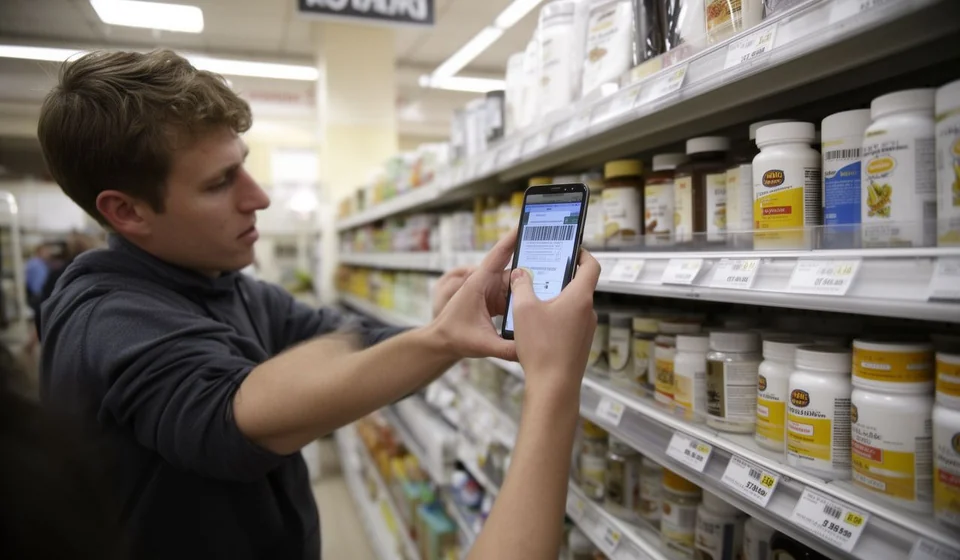
- Scanning barcodes with the camera. The camera on a modern phone reads barcodes and QR codes without extra hardware. That makes the phone a great ally for identifying products quickly during a count or when receiving goods.
- Taking photos as evidence. A dated photo of an empty shelf, a damaged unit, an expired batch or a received delivery is worth more than a vague note. If a difference shows up later, the image shows how things really were and helps explain what happened.
- Running quick counts. Counting apps accumulate the units you scan and compare them against an expected list. For cycle counts by section or quick verification passes, counting with the phone in hand is faster than doing it with pen and paper.
- Capturing orders on the road. A salesperson visiting customers can record orders with quantities and photos on the spot, ready for someone else to invoice and dispatch when they get back to the shop.
Notice the pattern: in almost every case the phone is the instrument, but the trustworthy data lives somewhere else. The scanner identifies the product; the question of how much should be there is answered by the system.
What a phone cannot do (or does with risk)
Here is the part that is rarely explained with honesty. An inventory app on your phone is excellent at reading and showing data, but inventory control is not only about reading: it is about recording, valuing and keeping every movement in order.
- Replacing invoicing and formal recording. A sale is not registered until it produces a formal movement: an invoice, a delivery note or an issue with a date, an owner and a reference. A WhatsApp message with a photo of a sold product is not a stock card movement, no matter how well intentioned the person who sent it is.
- Keeping an orderly history. The value of a stock card lives in the complete history: every receipt and every issue, in order, with its origin and its document. On a phone, between photos, screenshots and chats, the history fragments: you record one way today, another way tomorrow, and three months later nobody knows what each note means.
- Handling costs and valuation. Working out what your sales cost requires rules, such as average cost, applied consistently across every purchase. That is a system calculation, not a finger operation. Doing it by eye on the phone produces valuations that do not survive a serious review.
- Stopping two people from corrupting the record. When several employees write on the same phone, or each one on their own, the figures collide: one records a sale that another already noted, or both count the same return. Without a single central record, mismatches are not an accident; they are the rule.
- Working without rules. Control does not live in the tool but in the rules: who can record, who authorizes an adjustment, when the count happens. A phone does not enforce those rules; a system with users, permissions and approval flows does.
The danger of inventory in your head or in the chat
The most common case is not the company with no tools, but the business that believes it has control because everything is written down in the group chat or in the manager's mind. That inventory has three serious problems.
First, it is invisible: what lives in one person's head disappears the day that person is not there. Second, it cannot be audited: a WhatsApp conversation is useless to an accountant, an auditor or a partner who needs to know what happened to the goods. Third, and most painful, it falls apart at the end of the day: the manager sells and keeps the tally in memory, the cashier records half of it, someone returns a unit without saying a word, and when it is time to balance, nobody can explain the difference between what the memory says and what is actually on the shelf.
When the mismatch is discovered, blame gets shared around, but the underlying problem is structural: there is no single record imposing order. No phone inventory app fixes that by itself, because the disorder was never in the tool: it was in the absence of a system where every movement is written once, with its date and its owner, as happens when the stock card updates automatically with every invoice in a program like Kardex Tauro.
Which task goes on the phone and which one goes in the system
A practical table helps you decide without extremism. The general rule is simple: on the phone, whatever is reading, capturing or counting; in the desktop or network system, whatever is recording, authorizing and valuing.
| Task | Works well on the phone? | Needs a desktop or network system? |
|---|---|---|
| Checking stock and availability | Yes, if the app queries the central system over the network or cloud | The data must live in the central system to be trustworthy |
| Recording a formal sale (invoice or delivery note) | Not recommended: a message or a loose note is not a record | Yes: the formal movement is generated in the system |
| Scanning codes during a physical count | Yes: the camera reads codes fast and accumulates units | The count result is compared against the system |
| Authorizing adjustments or inventory differences | No: changing stock cannot depend on informal permission | Yes: adjustments require review and role-based approval |
| Valuing inventory and handling costs | No: valuing by eye produces figures that do not hold up | Yes: costing is applied automatically and consistently |
Read the table backwards and you get the principle: anything that modifies stock, such as a sale, an adjustment or a receipt, must go through the system; anything that only helps capture or ask, such as scanning, counting, checking or photographing, can be done very well from the phone.
How to use the phone well: as a complement to a central system
The right way to take advantage of the phone is not to replace the inventory system, but to put the phone at its service. In practice, this comes down to a few simple rules that any team can follow from day one.
- Formal recording only happens in the system: every invoice, delivery note, purchase or adjustment leaves a movement with date, owner and reference. The phone does not generate movements on its own.
- The phone is used to read and capture: scanning codes during counts, checking stock before promising, taking the photo of the damage or the delivery and attaching it to the related movement afterwards.
- Quick notes from the day, such as orders taken on the road or issues at the store, are entered into the system before the shift ends. They are never kept as a parallel truth to the official record.
- Differences found in a count are not corrected from the phone: they are reported and authorized by someone with responsibility, leaving a record of the adjustment and of who approved it.
With these rules, the business gets the best of both worlds: the phone's agility at the point of sale, in the warehouse or on the road, and the discipline of a single record where the stock card updates by itself with every invoice, as Kardex Tauro does. The phone stops being the business's fragile memory and goes back to being what it is: a tool that checks and captures, connected to a system that records, values and controls.
Conclusion
The question is not whether to use an inventory app on your phone. The question is what you will use it for. If the answer is checking, scanning, counting and capturing evidence, the phone is an excellent ally for control. If the answer is replacing formal records, history, costs and approvals with notes and chats, the phone becomes the doorway to mismatches.
Inventory control is not about having the data at hand: it is about having the right data, in order and backed up. The phone puts the data at hand; the inventory system takes care of the rest.
