
Barcode types: EAN, UPC, Code 128 and which one to use on your products
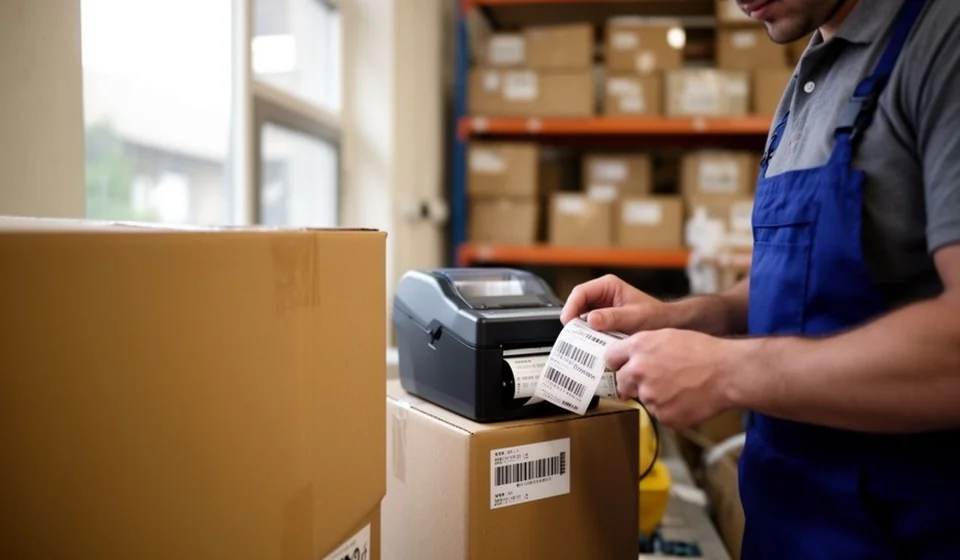
Barcode types: EAN, UPC, Code 128 and which one to use on your products
If you sell products — wholesale, retail or online — sooner or later you will have to put a barcode on them. The uncomfortable question is which one. Open any label catalogue and you will find dozens of names: EAN, UPC, Code 128, Code 39, QR… and every print shop or supplier will ask you to choose. Picking wrong does not produce an immediate, visible error: the label prints, gets applied and looks perfect. The problem shows up later — in the warehouse, at invoicing time, or when the supermarket sends the batch back because your code is not registered with the GS1 system.
This article explains, in practical terms, what each barcode symbology is, what each one is really used for, and how to decide which one fits your case: selling through retail with a checkout scanner, or controlling your own warehouse. It also covers the rule that prevents the most expensive mistake of all: your internal product code colliding with the factory code and silently corrupting your stock records.
What is a symbology, and why it is not the same as a code
A barcode is not the data: it is the visual representation of the data. The symbology is the language used to draw that data: the set of rules that defines how many bars, how many spaces, which widths and which characters each code can represent. EAN-13, UPC-A, Code 128 and Code 39 are different symbologies — like different alphabets: they all write, but they are not interchangeable. A scanner must know the symbology to interpret it; almost every modern scanner handles several, but what the code actually carries (how many digits, whether it accepts letters, whether it must be registered with GS1) depends on the one you choose.
That is why the decision is not cosmetic. The symbology determines how many different products you can identify, whether it supports letters or only numbers, how dense the label can be and, most importantly, whether that code can be scanned at a third party’s checkout or only inside your own operation. Before you think about label design, think about who is going to scan it.
EAN-13: the global retail standard
EAN-13 is the 13-digit symbology that dominates retail almost everywhere: supermarkets, drugstore chains, big-box stores and most shops that sell packaged goods use it. When you buy a soft drink or a bottle of shampoo, the code scanned at the register is, in almost the whole world, an EAN-13 (the United States and Canada use its close cousin, UPC-A).
What makes EAN-13 special is not the symbology itself but the system behind it: GS1, the international organization that administers commercial identification standards. The first digits of the code identify the country or region where the prefix was issued: these country prefixes are assigned by GS1 to local member organizations, and each one hands them to the manufacturers in its territory. Colombia uses prefixes starting with 770, Mexico with 750, Peru with 775 and Brazil with 789 or 790, for example. After the country prefix comes the company prefix, then the item reference and, at the end, a check digit that catches reading errors.
Practical consequence: a real EAN-13 is not invented, it is obtained. You need to join your country’s GS1 member organization (or buy a range of codes from an authorized provider) so the codes you print are unique and recognized at checkouts worldwide. Random codes that belong to no GS1 range may work inside your warehouse, but they have no validity at a third party’s point of sale.
UPC-A: the standard for the United States and Canada
UPC-A is the 12-digit code that rules in the United States and Canada. It is the older sibling of EAN-13: same symbology family, same GS1 prefix logic (GS1 US and GS1 Canada assign company prefixes in their territories). If your main market is North American — for example, if you export or sell on marketplaces that require a UPC — you will need valid GS1 UPC codes. If you sell in your home market or in European markets, EAN-13 is the natural standard; modern checkout systems read both without trouble, and EAN and UPC codes coexist in almost every global manufacturer’s catalogue.
Code 128: the dense alphanumeric workhorse for internal use
Code 128 is a high-density alphanumeric symbology: it can represent all 128 ASCII characters (upper- and lower-case letters, digits and symbols) and packs a lot of information into a small space. It is the favourite for logistics, warehousing, shipping and internal control, because it lets you encode long, descriptive internal references: “REF-WH-2026-0147”, for example, or combinations of product code plus batch plus shelf location.
Its big operational advantage: you need no registration or membership to generate it. Any label printer, any barcode generator and most inventory programs can create a Code 128 with the numbering you define. That makes it the ideal tool for labelling what only you will scan: your own products, your locations, your transfer boxes, your assets.
Keep the key words in mind: “internal use”. A Code 128 you generate yourself is not a recognized commercial code: if your product reaches a chain that requires a registered EAN-13, your internal label will not work at that checkout.
Code 39: the simple classic
Code 39 was for decades the industry’s standard symbology: it supports uppercase letters, digits and a handful of symbols, prints reliably even at modest quality, and many older industrial systems still read it. Today it survives mainly in simple applications, asset tags, document identification and sectors with legacy equipment. It is less dense than Code 128 — each character takes more space — so for small labels carrying a lot of information, Code 128 usually wins. If you are starting from scratch with no legacy hardware to respect, Code 128 is the better default for most internal jobs.
QR: more data, different jobs
A QR code is a two-dimensional symbology: it stores the data in a matrix of modules, in two dimensions, so it can hold far more than a linear code. A QR can carry hundreds of characters or even a web link, and it is read with a phone camera, with no point-of-sale scanner needed. It is excellent for taking the customer to an instruction page, the product sheet, the manual or the warranty registration.
But at the moment of truth — the checkout scan — the linear barcode still rules. Register scanners are tuned to read EAN-13 or UPC-A instantly; a QR on the packaging is an information add-on, not a replacement for the product code. If your point-of-sale system reads linear codes (as most do), you need the linear code to invoice and can add the QR as an extra.
Side by side: five symbologies compared
A practical summary of the differences that matter when labelling:
| Symbology | Typical use | Length | Who uses it | Cost to obtain |
|---|---|---|---|---|
| EAN-13 | Consumer product at the retail point of sale | Fixed, 13 digits | Manufacturers and brands selling through supermarkets, drugstore chains and retail in most of the world | Requires GS1 membership or purchased codes (annual fee) |
| UPC-A | Consumer product at the point of sale | Fixed, 12 digits | Manufacturers selling in the United States and Canada | Requires GS1 US or GS1 Canada codes (annual fee) |
| Code 128 | Internal control: warehousing, logistics, own references | Variable; dense; alphanumeric | Companies labelling their own inventory, carriers and logistics operators | Free to generate with your own numbering |
| Code 39 | Simple labels, assets, industry with legacy equipment | Variable; alphanumeric; low density | Industry, asset and document identification | Free to generate with your own numbering |
| QR | Extra information, links, traceability; not a checkout replacement | Up to hundreds of characters (2D matrix) | Brands, packaging, signage, product sheets | Free to generate |
How to decide: two questions that settle it
Before buying labels or choosing a print shop, answer two questions:
- Will my product pass through a third party’s point of sale — a supermarket, a drugstore chain, any store with a register that is not mine? If yes, you need a registered commercial code: EAN-13 for most of the world, UPC-A if your market is the United States or Canada. That means obtaining the code through GS1 (or an authorized issuer) and recording it correctly in your systems; whatever inventory software you use, Kardex Tauro included, must store that official code as the product identifier.
- Is the code only for my own operation — warehouse, dispatch, internal control? Then a Code 128 with your own numbering is enough: it is free to generate, requires no registration, and you can print it yourself on any label printer.
Many companies live in both worlds: they use the registered EAN-13 on the commercial label of the product that goes to market, and an internal Code 128 on location labels, transfer boxes or handling units. The key is not to mix them, as you will see next.
The golden rule: your internal code must never collide with the factory EAN
This is the mistake that causes the most headaches, and it goes like this. You buy a product that already carries a barcode printed by the manufacturer — say, a real, registered EAN-13. To control your warehouse, you decide to assign your own internal code: you copy the code from the packaging, or generate a similar one, and label over it. Then the trouble starts: one day an employee scans the factory code (because the internal label peeled off, was placed badly, or the product arrived unlabelled) and your system interprets it as a different product that does not exist, or as another item with a different name. The result: stock that appears and disappears, products missing from reports and count differences nobody can explain.
The rule is simple and leaves no middle ground:
- Either you adopt the manufacturer’s code (the original EAN) as the code for that product across your entire system, and create no parallel code;
- or you use exclusively internal codes with your own prefix — a series only you control, for example a range only you assign — and that internal code is the only one scanned in your warehouse.
What you must never do is mix: the same product with two live codes, one from the factory and one internal, is a time bomb. If you decide to use your own codes, be strict: remove or void the factory labels on incoming products, or make sure every scanning point — receiving, warehouse, dispatch — always uses the same label. In an inventory system such as Kardex Tauro, the code you record as the product identifier is the one that must physically stay on the package: record and label must be a single thing.
Example: the commercial label and the internal label are not the same
Make it concrete with two typical labels in the same warehouse:
- Commercial label (what the customer sees): a GS1-registered EAN-13, 13 digits, printed by the manufacturer on the package. It is the code read at supermarket checkouts, and it is not transferable: it belongs to the brand owner.
- Internal label (what your warehouse sees): a Code 128 with your own numbering, for example “WH-0147” or your inventory system’s product code. Only your scanners read it, it exists only inside your operation, and you can print it the moment the goods arrive.
If the same product needs both, keep the original commercial label and add the internal one on the handling case or on the unit your warehouse scans — never half-replace one with the other. And when you register each product in your inventory software, record exactly which code is the official one. With that discipline, warehouse scans and physical counts will always match what your stock record says.
