
Label printer: how to choose your first one (thermal, size and cost)
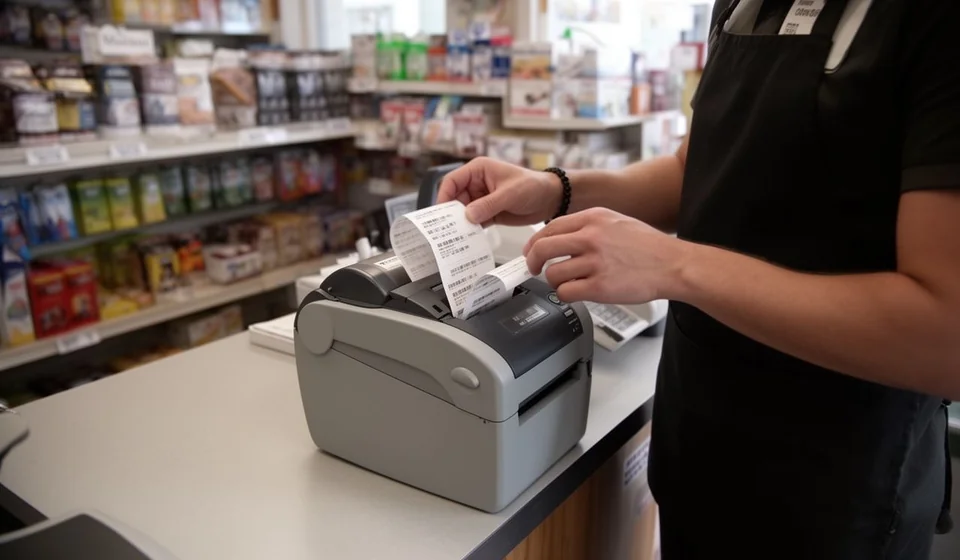
Label printer: how to choose your first one (thermal, size and cost)
The day comes when your business stops writing prices with a marker on the packaging and you realize you need a label printer. Maybe you sell at a counter and want clean product labels with name, code and price. Maybe you started keeping inventory and need to mark boxes in the storeroom so you know what is there and where it is. Or maybe you have begun shipping orders and want shipping labels that stay legible all the way to the destination.
The most common mistake when buying a first label printer is looking at the price of the machine first and everything else second. The usual result is a printer that works well for the first month and then gets expensive because of the supplies, or a printer that cannot handle the kind of label you actually need. This article explains how to decide properly the first time: starting with the technology, then the size, then the real cost, so you buy with criteria instead of a hunch.
Decide the technology first, not the brand
Before comparing brands and models, understand that there are three ways to print a label, and each solves a different problem. Choosing the wrong path is the most expensive mistake, because the printer itself is not the costly part: what costs you is realizing six months later that the machine does not fit what your business needs.
Direct thermal: no ink and no ribbon
Direct thermal printing uses no ink and no ribbon. The printer heats specific points on a special thermal paper, and that heat darkens the paper to form text and codes. That is why it only works with thermal paper: if you load plain paper, the label comes out blank.
Its great advantage is simplicity. You do not buy ink, you do not buy ribbon, you do not change cartridges: the only supply is the paper roll. Turning it on, loading the roll and printing takes seconds, and anyone in the shop can do it without training. It is the most widely used technology for price labels, product barcodes, dates and any label that does its job in less than a year.
Its limitation is how long the print lasts. A direct thermal label darkens with heat, direct sunlight, rubbing and some chemicals. A price label at a counter, indoors and away from direct sun, easily lasts six to twelve months. But a fixed-asset label in an unroofed warehouse, or a plate on equipment that rubs against other items, can become unreadable much sooner. If the label must last for years, this technology is not the right one.
Thermal transfer: for labels that must last for years
Thermal transfer also prints with heat, but between the printhead and the label there is a ribbon coated with solid ink. The heat transfers that ink onto the paper, and the result is far more resistant: it holds up to rubbing, moisture, moderate heat, light and many chemicals. A well-printed thermal transfer label is still legible years later, which is exactly what you need for fixed assets, equipment, inventory plates in the storeroom, serial numbers and anything that is labeled once and must be read for the whole useful life of the item.
Its downside is the cost per label and the operation. On top of the paper roll you buy rolls of ribbon, and the ribbon must be replaced when it runs out. The paper and the ribbon must be of compatible width, and the ribbon type (wax, resin or wax-resin) must match the label material. It sounds technical, but you learn it in an afternoon; most supply vendors tell you the right combination for the model you buy.
There are also printers that do both: they run in direct thermal mode when you use thermal paper without ribbon, and in transfer mode when you load ribbon. Buying one of these gives you the flexibility to change uses without changing machines.
Laser or inkjet printer with label sheets
You can also print labels on a regular laser or inkjet printer using letter-size sheets that come pre-cut with adhesive labels. This is the cheapest way to start: you probably already own the printer in your office, and you only buy the sheets.
It works well for low volume: thirty labels today, twenty the day after tomorrow, for products that do not turn over much. But it has clear limits. Each sheet must be aligned in the software, and if the printer pulls the paper badly, the labels come out misaligned. Printing a single label wastes the rest of the sheet. Water and rubbing can damage ink or toner in some cases. And for high volume it becomes tedious: printing five hundred price labels with an office laser printer is slow and expensive per wasted sheet. It is a good first option only if your volume is very low and you already own the machine.
Quick comparison of the three technologies
| Technology | Equipment cost | Cost per label | Print durability | Ideal use |
|---|---|---|---|---|
| Direct thermal | Low: from about USD 60 on entry models | Low: only the thermal paper roll, no ink or ribbon | 6 to 12 months; degrades with sun, heat and rubbing | Counter prices, product labels, dates, short-lived codes |
| Thermal transfer | Medium: from about USD 100-150 on entry models | Medium: paper roll plus ribbon roll | Years; resists rubbing, moisture, light and chemicals | Fixed assets, equipment, serials, locations and storeroom labels |
| Laser or inkjet with label sheets | Low if you already own the printer; you only buy the sheets | Low at small volumes; high if you waste sheets | Variable; ink and toner fail with water and heavy rubbing | Very low volume, occasional labels, office use |
What printer width you need
The width of the printer defines the maximum width of the label it can print. It is measured in inches and in millimeters, and it is worth understanding both because rolls are sold both ways. You do not need the widest printer on the market: you need the one that covers your widest label.
2-inch printers (40 to 50 mm label width) are the classic point-of-sale and counter models. They print price labels, small barcodes and small product labels. They are affordable, take little space and are more than enough for selling at a counter or in a small store.
3-inch printers (60 to 75 mm) are the most balanced for a business that combines sales and a storeroom. They print slightly larger price labels, product labels with more text, and storeroom labels where code, short description and location all fit. If you are only buying one printer and you are not sure what you will need, the 3-inch model is the safest bet.
4-inch printers (100 mm) are the logistics and shipping models: they print parcel labels, large barcodes and box labels that must be read from a distance with a scanner or travel through carrier systems. They are bigger, more expensive, and worth it only if shipping and logistics are a central part of your operation.
Resolution: 203 dpi is almost always enough
Resolution is measured in dpi (dots per inch). Entry thermal printers offer 203 dpi, and for the vast majority of cases that is enough: barcodes print crisp and read without trouble on any scanner or phone app. Reading a code depends more on good contrast and a clean label than on resolution.
300 dpi is worth it in two cases: very small labels with a lot of information, such as tiny barcodes on jewelry, electronics or spare parts; and labels with dense small text that must be read with the naked eye. If you print regular price, product or storeroom labels, 203 dpi is correct and you do not pay extra for nothing.
The real cost: it is not the machine price, it is the cost per label
When you compare quotes, separate two numbers: what the printer costs today and what each label costs to print over the next year. The second number almost always weighs more. A cheap printer with expensive or hard-to-find supplies costs you more than a mid-priced printer with cheap rolls that are easy to get.
Entry thermal printers sit, broadly, between 60 and 150 dollars depending on width, brand and features. Label rolls and ribbons are the recurring expense, so quote the roll from the start and work out the cost per label: divide the roll price by the number of labels it holds. A roll of one thousand labels at 10 dollars costs one cent per label; a roll of two hundred labels at 8 dollars costs four cents. At high volume, that difference shows up in your cash flow.
Also check how available the supply is in your area. The best printer in the world is useless if the correct-width roll can only be imported with weeks of waiting. Ask the vendor which rolls and ribbons they stock, and buy the model that consumes what you can actually get.
What to print as a minimum on each label
A pretty label is useless if it does not carry the right information. For product labels that go to the counter or the shelf, the minimum is product name, code (barcode or QR) and price. The code is what lets you record the sale or the count without writing by hand; the visible price avoids arguments at the register.
For storeroom and storage labels, the minimum is item code, short description and location. Location is what makes the difference: a box with its code and its assigned place (for example, shelf and level) is found in seconds, and a cycle count is done without opening the whole warehouse. If you label fixed assets, add the serial or internal plate of the equipment, because the printed code identifies the record, but the serial connects to the warranty and maintenance.
Compatibility with your computer and your system
Thermal printers connect by USB, network or Bluetooth, and work on Windows without trouble: you install the manufacturer's driver and the printer appears like any other printer. Models from the major brands use standard languages such as ZPL or EPL, or emulate Zebra drivers and the reference brands, which means any program that prints labels recognizes them without special setup.
That matters for a practical reason: if your inventory or invoicing system prints labels, any thermal printer compatible with those standards works with it; you do not need to buy a "special" printer for the software, nor pay for a separate driver. Before buying, confirm only two things: that the model ships with a Windows driver (virtually all do) and that the system you use prints labels in a language the printer understands, which any standard model on the market does. If your software manages inventory and products with codes, printing labels is just one more step inside that same flow.
Practical advice for your first purchase
With all of the above, the decision comes down to a few questions. If you sell at a counter and what you need are prices and product labels that change often, start with a 3-inch direct thermal printer at 203 dpi: it is the cheapest combination, the simplest to operate and it covers 80% of businesses. If you also label assets or storeroom items that must last for years, step up to a model that also does thermal transfer and buy ribbon from day one.
Buy the first roll together with the printer so you can test from day one, ask the vendor to show you how to load paper and ribbon before you pay, and keep the receipt for the machine. And once you are printing, think about the natural next step: if you keep inventory in spreadsheets, the time will come when you want a system that links each printed code to its product, its price and its stock, and lets you reprint a label in seconds when one gets damaged or lost. That is where an inventory and stock ledger program such as Kardex Tauro completes the cycle: labels become the visible face of the record you already keep in the system.
The right printer is neither the most expensive nor the cheapest: it is the one that combines a technology suited to how long your labels must last, a width that covers your current uses, and a supply you can get without pain. With those three decisions made, your first label printer stops being a trial-and-error expense and becomes a tool that works every day.
