
Point of sale (POS) vs inventory software: differences and when you need each
Point of sale (POS) vs inventory software: differences and when you need each
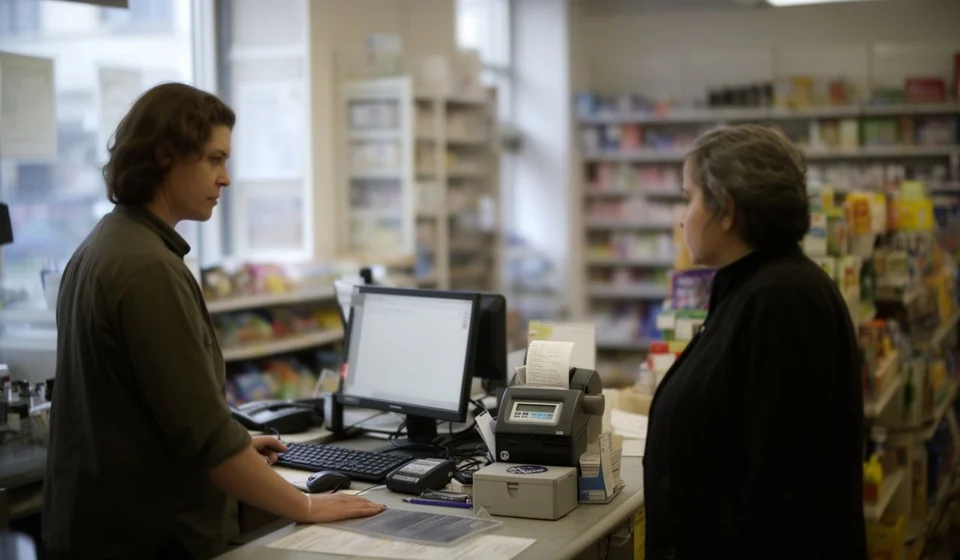
Behind the counter of almost any store there is a question that is not always asked out loud: what tool do I need to charge customers, and what tool do I need to know how much merchandise I have? Many businesses buy a point of sale (POS) believing that it already controls their inventory, and others buy inventory software and end up recording sales by hand because they cannot invoice from it. Both paths lead to the same result: numbers that do not add up at the end of the month.
The confusion is understandable, because today almost every program advertises itself with the same words: invoicing, inventory, reports. But a point of sale and an inventory system solve different problems. The first is designed to serve, in seconds, the customer standing at the register; the second is designed to look after the merchandise through its whole lifecycle, from the moment it enters the warehouse until it leaves through a sale, internal use, or any other reason. Understanding the difference keeps you from paying twice for tools that overlap, duplicating work, or worse, running out of stock right on your busiest day.
What a point of sale (POS) is and what it is for
A point of sale —also called an electronic cash register or POS— is the tool used by the person attending the counter. Its main job is to complete a sale in the shortest possible time: the products are scanned, the total is calculated, the payment method is applied, and the receipt or invoice is handed to the customer. Its strength is the sale, understood as the transaction of the moment, not as the control of what remains on the shelf after that transaction.
- Fast checkout with barcode scanning or product name search.
- Payment method handling: cash, card, bank transfer, and digital wallets.
- Receipt and electronic invoice printing according to the business's tax regime.
- Cashier, shift, and cash count controls.
- Daily cash close with a breakdown of what was sold by product and by payment method.
Some POS systems include a basic inventory module that subtracts the sold quantity. That helps, but it does not turn the POS into an inventory system: that module usually only deducts units and does not record purchases, returns to suppliers, shrinkage, count adjustments, or the cost of the merchandise. As the business grows, the unit count shown by the register starts to drift away from what is actually in the warehouse.
What inventory software is and what it is for
Inventory software —also called a stock ledger system or stock control system— takes care of the merchandise as a whole. It was not born to charge at the counter, but to answer questions like: how much of each product do I have, what did the incoming goods cost, what has gone out and why, and how much is the inventory worth in money. Its strength is the merchandise, and its heart is usually the stock ledger: the ordered record of every entry and every exit with its quantity, its unit cost, and the resulting balance.
- Recording of purchases and merchandise entries with their real cost.
- Exits for sales, internal use, shrinkage, damage, or adjustments.
- Valued stock ledger with the cost of each movement and the updated balance.
- Cycle or full physical counts to compare what the system says with what is in the warehouse.
- Supplier management, purchase orders, and reorder levels.
- Reports on turnover, minimum stock, inventory value, and gross profit per product.
Well-kept inventory software prevents two classic pains: excess merchandise that freezes your cash and stockouts that only appear when the customer asks for the product. But if the business sells at the counter and the software cannot invoice, someone has to record every exit by hand or on a separate sheet, and that is where the system becomes outdated: one busy week is enough for the theoretical inventory to stop matching the real one.
POS, inventory software, or integrated: what each one does
The clearest way to see the difference is to compare them function by function. The following table shows what a point of sale alone can do, what inventory software alone can do, and what a system that integrates invoicing and inventory does.
| Function | Point of sale (POS) | Inventory software | Integrated system |
|---|---|---|---|
| Fast checkout at the counter | Yes, it is its main purpose | No, it is not designed to charge | Yes |
| Electronic invoicing and receipts | Yes | Generally no | Yes |
| Automatic stock deduction when selling | Basic, it only subtracts units | Yes, if the exit is recorded manually | Yes, automatically when the invoice is finalized |
| Valued stock ledger and cost control | No | Yes, it is its core function | Yes |
| Purchasing and supplier management | No | Yes | Yes |
| Physical counts and adjustments | No | Yes | Yes |
| Profit reports per product | Partial, with sales data | Partial, with cost data | Yes, it matches sales with cost |
The table shows why the tools complement each other: the POS brings checkout speed and invoicing; the inventory software brings merchandise and cost control. When the two live in separate programs, someone plays the role of the bridge, almost always with a spreadsheet and several hours a week.
The classic problem: having only a POS or only inventory software
Consider a hardware store that invoices with a POS that has basic inventory. The system subtracts units every time something is sold, so the register figures look reliable. But nobody records merchandise purchases in the POS: supplier invoices go into a folder and the stock enters the warehouse without telling the system. A month later, the POS says there are 12 units of a product left when the shelf has 40 —or the other way around— and nobody knows which number is right. Worse, without a stock ledger or recorded costs, there is no way to know the real profit of the month.
The opposite case is a distribution warehouse that controls its inventory with serious software, with stock ledger and costs, but does not invoice from it because sales happen at the store's point of sale. Every sales exit has to be typed by hand into the inventory system: product, quantity, date. With thirty sales a day, that is an hour of daily work that gets postponed, forgotten, or done wrong, and the stock ledger —the jewel of the system— stops reflecting reality exactly when it is needed most to decide what to reorder.
In both scenarios the problem is not the tool but the gap between the two tools. Information is born in one program and must be copied into another, and every manual copy is an opportunity for error.
When a POS alone is enough
There are businesses where the POS is sufficient. The practical rule is that you handle very few references and do not need a precise cost per product. For example, a fast-food stand that manages ten products, a kiosk with thirty references, or a ticket counter: there the inventory is so simple that subtracting the sold unit from a counter is enough control, and cost is calculated globally at the end of the period.
If your business fits that description, buying full inventory software would mean paying for functions you will not use. The POS does the job, as long as you accept that the stock counter is an approximate reference and not a cost system.
When inventory software alone is enough
The other extreme is a business that does not sell at the counter: a warehouse that supplies other stores, a wholesale distributor, a logistics operator, or a workshop that consumes materials. There is no register there, no line of customers waiting for a receipt in seconds; what matters is that every entry and every exit is recorded with its cost. Pure inventory software is the right tool, and the sale is documented with a dispatch note, an invoice issued from the accounting system, or a delivery order.
The dividing line is not the size of the business but the type of operation: if money comes in over a counter with waiting customers, you need fast checkout; if money comes in through orders and dispatches, you need merchandise control. There are mixed operations, of course, and for those there are integrated systems.
The practical option for most stores: invoice and control in one system
For most stores with a counter, the answer is not choosing between the two tools but using one that does both. An inventory system with integrated invoicing, such as Kardex Tauro, deducts stock automatically when each invoice is finalized and generates the stock ledger movement at the same time: the sale is invoiced for the customer and recorded as a valued exit for the inventory, with no data copied between programs.
The valuable thing about that design is that the inventory maintains itself. The cashier does not have to remember to deduct anything, because the invoice and the merchandise exit are a single act. And since purchases are recorded with their cost, the stock ledger shows the real balance in units and in money, which makes it possible to calculate profit per product and know when to reorder without depending on parallel spreadsheets.
Signs that you need to move to an integrated system
- At the end of the day someone deducts inventory by hand, with a pencil, a form, or a separate spreadsheet.
- The stock shown by the register does not match what you see in the warehouse, and you do not know why.
- You cannot say exactly what last month's sales cost you.
- Purchases are recorded in a different program or folder than sales.
- The physical count is a surprise every time, because nobody adjusts the system between counts.
If you marked two or more signs, the cost of continuing with separate tools is already higher than the cost of unifying them. You do not need to change the whole business at once: an invoicing system with integrated inventory replaces the POS and the stock notebook at the same time, and the counter team only has to learn one screen instead of two.
A decision that deserves time
Before buying, run the three-question test: where is the information for a sale born, where is the inventory updated, and where is the cost calculated? If the answer to all three is not the same program, you will pay for that gap with hours of manual work. A system that invoices at the counter and keeps the stock ledger up to date, such as Kardex Tauro, closes that gap from day one and leaves your reports ready so you can decide with numbers instead of gut feelings.
