
Catalog cleanup: how to remove duplicate and obsolete products
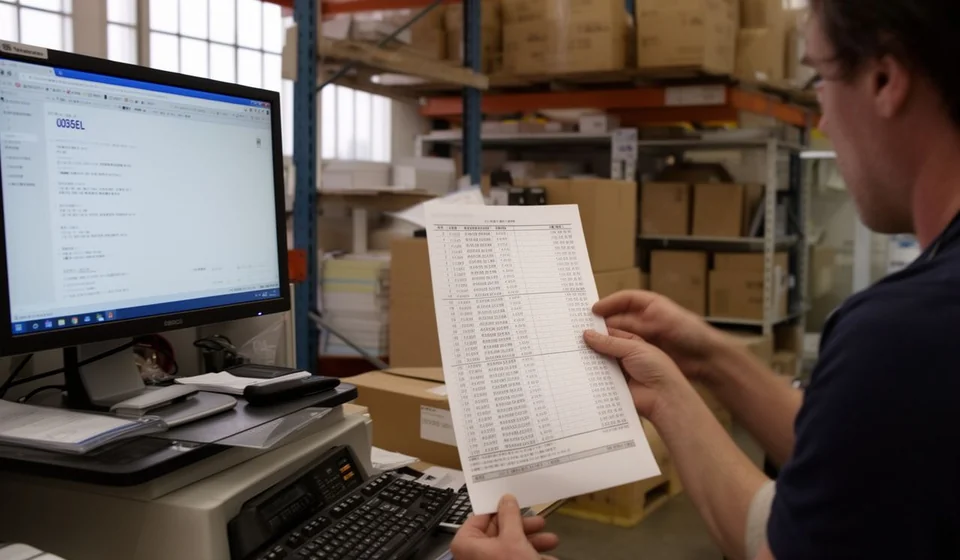
Catalog cleanup: how to remove duplicate and obsolete products
No business decides to dirty its product catalog on purpose: the mess just shows up, little by little, with every rushed entry, every item code someone created because they did not want to wait for the person in charge, every name typed differently depending on who was keying it in. The item master, the list of everything you buy, sell and store, slowly fills with years of quick decisions that nobody ever reviewed. Then one day you realize the same product lives several times: 'Leche 1L', 'LECHE X 1000ML' and 'leche entera 1 l' may be exactly the same milk, with three codes, three records and three separate stock balances.
If your business has been creating products for two years or more without clear rules, stop and look at the catalog before trusting any report: chances are it is full of duplicates and dead references. This is not a cosmetic issue. A dirty catalog splits your inventory, distorts turnover and product profitability, makes physical counts confusing and ends up costing money in wrong purchases. The good news is that it can be fixed. In this article I explain why catalogs get dirty, what that costs you, and how to run a catalog cleanup in ordered steps without shutting the business down or risking day-to-day operations.
Why the catalog gets dirty without anyone deciding it
Catalogs do not get dirty because of one big mistake, but because of the accumulation of small habits. These are the most common causes in businesses that have operated for years on the same system:
- The same item is registered over and over under different names, because every entry depends on the judgment of the person making it. 'Leche 1L', 'LECHE X 1000ML' and 'leche entera 1 l' are the same product spelled three ways.
- Size, color and packaging variations are created as standalone products, with no rule grouping them, and over time combinations that do not exist or that nobody uses pile up.
- Barcodes get repeated, or temporary internal codes are invented to avoid waiting for the responsible person, and those codes stay forever, duplicating the EAN of the original package.
- Packaging or supplier changes create new references while the previous ones are never retired.
- Seasonal products, promotions and trials of new items remain registered even after they stop selling, growing the catalog with dead references.
None of these causes is serious on its own: the problem is the sum. When there is no naming convention, no procedure for creating codes and no single person responsible for adding products, everyone improvises on the spot and the item master absorbs that improvisation for years. That is why catalog cleanup starts by understanding that the mess is nobody's fault in particular, but it is somebody's responsibility to set rules for it.
What a catalog full of duplicates and obsolete items costs you
The first damage is the most visible one: duplicate inventory splits your stock. You think you have 5 units of one reference and 8 of another, when in reality you have 13 units of the same product. With separate records, the system does not warn you that you are about to run out of that item: each record shows a low level and you overbuy, or no record reflects the real demand and you run out of merchandise exactly when sales peak.
The second damage is the loss of trust in reports. Product turnover is calculated over a fraction of the real volume, profitability is scattered across several records, and obsolete items still listed as active pollute any margin analysis. If reports lie, purchasing, pricing and promotion decisions are made blind, and nobody can say with certainty which product actually sustains the business.
The third damage shows up during the physical count: the counter finds merchandise in the warehouse that matches no record, or finds two records for the same package and does not know where to write it down. The count takes longer, fills with notes and ends in adjustments nobody understands. At the same time, obsolete items take up space, freeze capital and keep appearing on purchase orders if nobody cleans them up. A dirty catalog is not a filing problem: it is a problem of money, space and information.
The five-step cleanup plan
Cleanup is not sitting down on a Saturday to delete products. It is an orderly process that should be run in five steps, always over a backup and without rushing: first you detect, then you unify, and only at the end do you retire the obsolete items. The following table summarizes the complete plan:
| Step | What to do | Expected result |
|---|---|---|
| 1. Export and sort | Export the full catalog with code, name, category, cost and stock, and sort it by category and by name. | A single visible list to analyze without touching the live system. |
| 2. Detect duplicates | Normalize names (lowercase, no accents, no double spaces) and also compare repeated EAN barcodes. | A list of duplicate candidates, each one with its evidence. |
| 3. Unify | Choose the master record, add the stock of the duplicates to it and move the history if the system allows it. Retire the duplicates. | A single record per real product, with complete stock. |
| 4. Identify obsolete items | Check sales from the last 6 to 12 months and flag references with no movement. | A list of products to liquidate, return to the supplier or retire. |
| 5. Create the golden rule | Define the naming and coding convention, name a single person responsible for creating products and schedule the quarterly review. | The catalog stays clean after the cleanup. |
Before you start, export the full catalog with code, name, category, cost and stock, and keep a backup copy. All the analysis happens on that list, without touching the live system, and changes are applied in small, controlled batches. Detection works by normalizing names: convert everything to lowercase, remove accents and double spaces, and sort by name within each category; duplicates jump right out. Cross-check the barcode too: the same EAN appearing on two records is almost definitive evidence of a duplicate.
To unify, choose the record that stays as the master: the one with the best name under your convention, the one with purchase and sales history, and the code your customers or your team already know. Add the stock of the duplicates to it and, if the system allows it, move the movement history as well; if it does not, at least move the stock and record it in the log. Duplicate records are retired, never deleted: deleting destroys history and breaks past reports.
Unification by the numbers: a complete example
Let us use a concrete example in the dairy category. A business discovers that whole milk in 1 liter presentation is registered four times, under different names and codes:
| Record in the system | Code | Stock | Decision made |
|---|---|---|---|
| Leche entera 1 L | LEC-001 | 5 | Kept as the master record |
| Leche 1L | LEC-114 | 8 | Duplicate: its 8 units are added to the master and it is retired |
| LECHE X 1000ML | LEC-227 | 0 | Duplicate with no stock: retired |
| leche entera 1 l | LEC-302 | 0 | Duplicate with no stock: retired |
Before the cleanup, the system showed 13 units spread across four records and the purchasing manager believed there were two different references. After the unification, a single record remains, LEC-001, with 13 units, one code and one cost. The two records with no stock are retired immediately and the one that had 8 units now feeds the master record. If the system had allowed it, the sales history of the three absorbed records would also have been moved, so that the product turnover reflects all of its real demand.
The same exercise, applied to the whole category, produced these results:
| Indicator | Amount |
|---|---|
| References reviewed in dairy | 412 |
| Duplicates detected | 58 |
| Real products identified among the duplicates | 21 |
| Records absorbed by the master records | 37 |
| Obsolete items retired (no sales in 12 months) | 19 |
| Units concentrated into live records | 146 |
In total, the 412 references in the category became 356: 37 records were absorbed into the 21 real products that already existed and 19 obsolete items were retired. The 146 units that were scattered or sitting still ended up concentrated in live records, where the system and the team can actually see them. That is the effect of a cleanup done well: it is not about deleting for the sake of deleting, but about making sure every real product has a single record with its complete stock.
How long it takes and how to do it without stopping the business
Time depends on catalog size. A business with 500 references can finish the cleanup in one weekend; one with 4,000 or 5,000 references will need between three and six weekends if it works by category. The key is not trying to do everything at once: cleaning by category lets you move forward without blocking operations and with verifiable results from the first session. A realistic pace for a medium catalog looks like this:
- Weekend 1: dairy, meat and frozen foods.
- Weekend 2: groceries and beverages.
- Weekend 3: cleaning supplies, hygiene and stationery.
- Weekend 4: general review, closing pending items and team training.
So that the cleanup does not stop the business, follow these rules: always work on the export and do not lock the system during peak hours; apply changes in small batches, at closing time or during low-traffic moments; never delete a record, only retire it, so history is preserved; back up before every batch and keep a change log with date, person in charge and reason, which will be your best ally in an audit. And before touching a record with stock, check the cost: each duplicate can carry a different cost, and you must decide in advance which one prevails so the inventory value is not distorted.
Common cleanup mistakes, and how to avoid them
- Deleting instead of retiring: you lose history and break past reports. Retiring, which is the same as deactivating while keeping the record, is always safer.
- Cleaning without a backup: one mistake applied in a batch can throw the whole inventory out of balance. Back up before every change session.
- Unifying without checking costs and suppliers: define a rule, such as keeping the master record cost or using a weighted average, and apply it consistently across the whole cleanup.
- Trying to finish in a single day: fatigue produces mistakes and rushed decisions. Move forward by category and celebrate each closed batch.
- Not telling the team: if cashiers, salespeople and buyers do not know which records stayed active, they will recreate the duplicates next week. Communicate the changes and train everyone on the new convention.
The golden rule so the catalog never gets dirty again
Cleanup is the hard part, but keeping the catalog clean is a matter of daily discipline. The golden rule has three parts: a written, visible naming and coding convention, for example product type plus brand plus presentation, like 'LECHE ENTERA 1L', with a code that never changes; a single person authorized to create or modify products; and a quarterly catalog review to catch new duplicates before they grow. Inventory software that lets you export the item master, cross-check barcodes and query sales by reference, such as Kardex Tauro, turns this review into a matter of hours instead of weeks.
Catalog cleanup is not a project that ends on a Sunday: it is the first time you put things in order, and the quarterly review is what guarantees the order stays. Start with the category that hurts the most, the one that concentrates the most sales or causes the most trouble at count time, and complete the plan step by step. Within a couple of months you will have an item master you can trust, reports that tell the truth and a physical count that is fast again. If you want to do it with the least friction possible, check how Kardex Tauro handles product retirements and unifications: that kind of detail is what separates a cleanup that takes months from one that gets done on weekends.
