Inventory startup kit in Excel: 3 downloadable templates
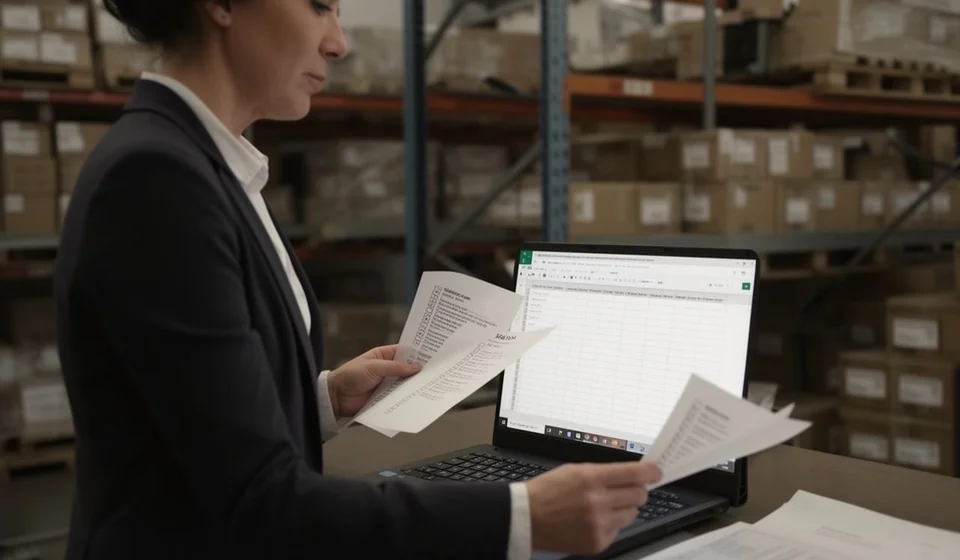
Inventory startup kit in Excel: 3 downloadable templates
Getting your business inventory in order does not require expensive software or weeks of preparation. With three well-designed Excel files you can build a complete opening record, classify every product and leave a written trail of the exact moment your stock control began. This startup kit brings those three pieces together: the opening inventory template, the categories and locations template and the opening inventory record template. All three files are free, work in Excel and in any compatible spreadsheet, and are ready for you to fill in with your own data: you only need to complete the columns, with nothing to install and no formulas to write. By the time you finish this guide, your warehouse, store or workshop will have a clear, measurable starting point you can compare against from now on.
⬇ Download opening inventory (.xlsx)
⬇ Download categories and locations (.xlsx)
⬇ Download opening inventory record (.xlsx)
What this kit is for and when to use it
This kit is designed for the three moments when order matters most: when a business is just opening and no stock record exists yet; when a store or warehouse has been running without control and needs a reliable opening inventory; and when the person in charge of the warehouse changes and you need a clear picture of what is on hand before handing over the role. It is also useful before migrating to a computer system, because no software can work well without an organized starting point.
The three files complement one another. The opening inventory records what exists, in what quantity and at what cost. Categories and locations sorts those products into groups and physical spots inside the warehouse. The opening record documents in writing who took part in the count, when it happened and what the final figure was. Used together, they form the base for any later inventory control: movements, issues, purchases and periodic counts only make sense when there is an initial record to start from.
If you have been operating without records for a while, do not be alarmed if the count reveals differences between what you thought you had and what is physically there: that finding is exactly the value of the exercise. Note the differences in the opening record, review recent purchases and sales when a difference is large, and adjust quantities to the real physical result.
The kit works equally well in a neighborhood store with fifty references, in a restaurant with its own pantry, in a workshop with spare parts or in a wholesale warehouse that is just beginning to organize its operation. The logic is the same in every case: first know what you have, then decide how it is organized and, finally, document that starting point so you can compare against it in the future.
One important note: these templates are internal control tools. They have no fixed currency, so they work with any currency, and they are not official fiscal or accounting documents. Their purpose is to help you know what you have and what it is worth, not to replace the formal obligations of your business.
The three files in the kit
Each file has a different role, and it helps to use them in the order they appear here.
| File | What it does |
|---|---|
| Opening inventory | Records each product with its quantity, unit of measure, unit cost and automatically calculated total value. |
| Categories and locations | Groups products by category and defines where each one is stored inside the warehouse or store. |
| Opening inventory record | Documents the date of the count, the people involved, the resulting total value and any observations. |
Columns in the opening inventory template
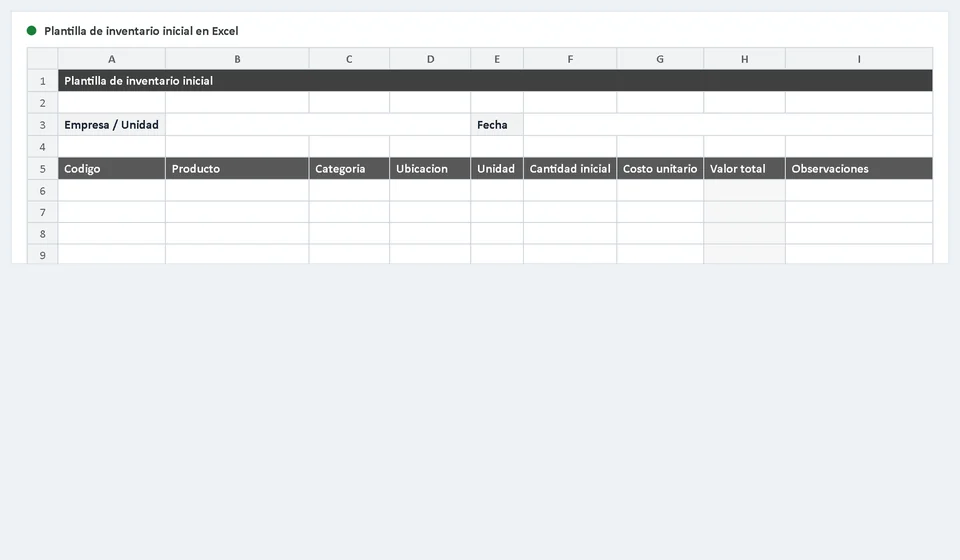
The main file of the kit is the opening inventory template. Its columns are designed to capture the minimum information any control system needs from day one, without unnecessary jargon.
| Column | What to enter |
|---|---|
| Code or reference | The unique identifier of the product: an internal code, the supplier code or the one you usually use. |
| Product | The full, descriptive name, for example wheat flour 1 kg. |
| Category | The group it belongs to, for example groceries or cleaning, using your own classification. |
| Location | The physical place where it is stored: shelf A1, north warehouse, front display. |
| Unit of measure | Whether you count by unit, kilogram, liter, meter or box. |
| Quantity | The result of the physical count performed on the opening date. |
| Unit cost | The purchase value of each unit, in the currency you work with. |
| Total value | Calculated by the template as quantity times unit cost. Do not type it by hand. |
You do not need to fill in every column on day one if your catalog is small; you can start with product, quantity and cost, and add the rest as the control settles in. That said, the more complete the information is from the start, the more useful filters, groupings and periodic counts will be later.
Example: how inventory value is calculated
Imagine that during the physical count you find two products in your warehouse. The total value of each line is the quantity multiplied by the unit cost, and the full inventory is the sum of all lines. The template does that calculation for you as soon as you type the quantity and the cost.
| Product | Quantity | Unit cost | Total value |
|---|---|---|---|
| Wheat flour 1 kg | 25 | 12,000 | 300,000 |
| Cooking oil 1 L | 8 | 9,500 | 76,000 |
| Opening inventory total | 33 | 376,000 |
The result, 376,000, goes into the opening record as the initial value of your inventory. Since the files have no fixed currency, that figure can be in any currency; what matters is using the same one throughout the workbook and keeping a consistent costing rule, for example always recording the value of the last purchase.
How to set up your inventory step by step
If you work alone or with a small team, this order will save you from rework and confusion. Set aside half a day for a small catalog and a full day for warehouses with many references.
- Download the three files and save them in a folder named after your business and the opening date.
- Before counting, define the categories you will use and walk through the warehouse noting the physical locations, so the count follows a clear order.
- Print the opening inventory template or open it on a tablet, and register product by product during the physical count, skipping no shelf.
- Count twice the higher-value products or the ones that are hardest to verify, and settle differences right away, not later.
- Complete the categories and locations template, assigning every product to its group and its spot in the store.
- Check that the totals calculated by the template match a sample manual sum, and fix typing errors before closing the count.
- Fill out the opening inventory record with the date, the people responsible and the total value, and file it together with the inventory.
Practical tips and mistakes to avoid
These habits separate businesses that keep their inventory up to date from those that abandon it after two weeks. The first points help you start on the right foot; the last ones keep you away from the most common mistakes.
- Use short, unique codes. Identifying a product by name alone is a trap: names repeat, are spelled differently and create confusion when searching.
- Name one person responsible for recording changes and movements; when everyone edits the file, no one answers for it.
- Write the opening date in all three files. Without a date, an opening inventory loses its value as a reference for later comparisons.
- Do not enter negative quantities or edit the template formulas; if there are returns or adjustments, record them on a separate sheet and reconcile them later.
- Set aside damaged, expired or defective products before the count and decide what to do with them; inflating the inventory with them only distorts the totals.
- When you finish, back up the three files somewhere else, for example in the cloud or in an email sent to yourself.
- Do not mix units: if you buy by the box but sell by the unit, choose a single unit per product and note the equivalence separately.
When does it make sense to move from Excel to inventory software?
Excel is an excellent starting tool, but it has limits that show up as the business grows. If your catalog goes beyond a few hundred products, if several people need to record movements at the same time, if you need batch or expiry control, or if you want low-stock alerts or automatic reports by category, a spreadsheet becomes fragile: typing errors multiply, files get duplicated and nobody knows for sure which version is current.
That is the moment to consider specialized software such as Kardex Tauro, which centralizes inventory, lets several users work at once and produces reports without manual tables. The good news is that the work you do today with this kit is not wasted: the opening inventory you build now is exactly the organized starting point any system needs to migrate your data without stumbling.
And if you do not need it yet, do not force it: a well-kept spreadsheet outperforms software fed with neglected data. When the time comes, Kardex Tauro is ready to receive the information this kit produces and continue from there.
Download the three files, dedicate one day to the count and give your inventory a solid starting point from today.
⬇ Download opening inventory (.xlsx)
⬇ Download categories and locations (.xlsx)
Frequently asked questions
What does the inventory start-up kit include?
The three templates to begin control: opening inventory, valuation and kardex.
In what order are they used?
Count first, then valuation, and the kardex takes that data as its opening balance. Start with the kardex and the balances will not reconcile.
Does it help if there is already a system?
It helps to load the opening data and to verify it landed correctly before continuing to operate in the system.
⬇ Download opening inventory record (.xlsx)