
Serial numbers in inventory: unique, batch-based and up to 3 identifiers per product
Serial numbers in inventory: unique, batch-based and up to 3 identifiers per product
What a quantity count cannot tell you
Every business that sells physical goods keeps an inventory, but most keep it as a list of quantities: 45 phones, 300 boxes of medicine, 12 laptops in stock. That answers how much we have, but not the questions that actually cost money: which of those 45 phones was sold, which batch did this morning's 20 boxes come from, which unit expires first, or whether we sold this customer the exact device they are bringing in for a warranty claim. Serial control exists to answer those questions: instead of treating inventory as a single number, it identifies every unit or batch individually and follows it from the moment it enters until it leaves.
Very few invoicing programs do this well. Most simply subtract quantities when selling and add them when buying, leaving serial details to notebooks, spreadsheets, or loose files that nobody updates. Kardex Tauro puts the serial at the core of inventory: it is captured when goods arrive, its selection is required when goods are sold, and it is recorded in the history of every invoice, so traceability does not depend on anyone's memory.
Unit-level and batch-level traceability: two levels, one principle
Traceability is the ability to reconstruct a product's history from recorded identifiers: knowing where it came from, where it is, and who it was sold to. Two levels coexist in practice. The first is unit-level traceability: each piece is unique and distinguished from its siblings by a serial number, an IMEI, or a chassis number. The second is batch-level traceability: many units share a common identifier, such as a production lot or an expiry date, because they were made together and share the same risks.
Both levels are everyday demands of modern operations. In pharmaceuticals, good manufacturing practices and health authorities such as INVIMA or the FDA require knowing exactly which batch reached each patient; in food, systems such as HACCP require recording the origin and destination of each run; in technology, manufacturer warranties are managed serial by serial. A pharmacy, a food distributor, or a technology store that cannot answer who was sold a given batch is exposed when a product recall, a health alert, or a warranty claim arrives.
Unique and batch serials: two types with different logic
Not all serials behave the same way, which is why Kardex Tauro distinguishes two categories when you configure each product, since each one demands different validations and a different approach at the point of sale:
| Type | What it is | Typical examples | Behavior at the point of sale |
|---|---|---|---|
| Unique serial | A non-repeatable identifier that distinguishes one unit from all the others, even units of the same product. Validation runs against the entire database: if the serial already exists, even under another product, the system blocks the entry. It is permanent and immutable. | IMEI of phones and tablets; serial numbers of laptops, printers, televisions, and appliances; chassis or VIN number of vehicles; MAC address of network equipment. | The system requires selecting exactly which serials are being delivered. Each serial leaves inventory permanently and stays linked to the sale, enabling unit-by-unit warranty management. |
| Repeated or batch serial | An identifier shared by several units of the same product. The system enforces a minimum format of 3 characters and automatically groups the units that belong to each batch for reporting and traceability. | Medicine batch number; food production lot; expiry date of perishable products; lot number of construction materials; fabric lot. | At the time of sale, the batch of the delivered units is recorded, which enables selective recalls of defective batches and expiry control. |
Up to three identifiers per product
A real unit is rarely described by a single piece of data. A medicine has a batch and also an expiry date; a device can have a factory serial and an internal company code; a food product has a production lot and a manufacture date. That is why a product in Kardex Tauro supports up to three serial fields, each with a distinct purpose:
| Field | What it can store | Required? |
|---|---|---|
| Serial Field 1 | The first identifier: serial number, IMEI, or the product's main code. | Always required when capturing each unit. |
| Serial Field 2 | The second identifier: production lot, manufacture date, or another complementary piece of data. | Optional, depending on the product's configuration. |
| Serial Field 3 | The third identifier: expiry date, additional code, or another complementary piece of data. | Optional, depending on the product's configuration. |
The capture window shows only the fields configured for the product: if the product uses a single serial type, a single field appears, and the person receiving the goods does not waste time on unnecessary boxes. If it uses two or three fields, each unit is fully described from the moment it enters the warehouse.
Capture: how each serial is recorded when goods arrive
The key moment is receiving. When goods are entered directly into inventory or a purchase order is received, selecting a product with serials automatically opens the Add Serials window, which replaces the quantity field with individual serial capture:
- The goods arrive at the warehouse and the inventory entry window or the purchase order receiving window is opened.
- The product with serials is selected and the Add Serials window appears by itself, with no extra steps.
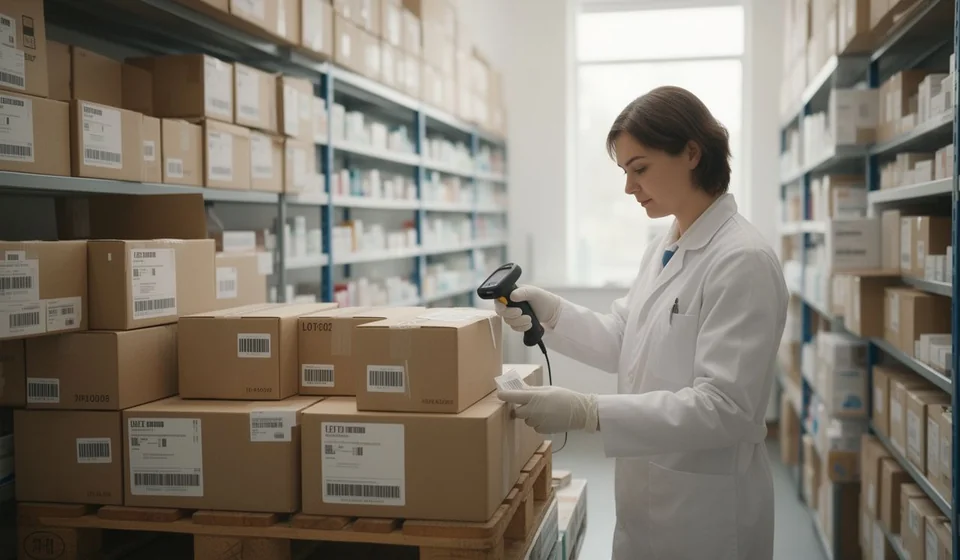
- Each physical unit's serial is captured: typed or read with a barcode scanner, filling in Serial Field 1 and, when the product uses them, fields 2 and 3.
- Add is clicked. The system instantly validates that required fields are complete, that a unique serial is not duplicated anywhere in the system, and that the batch meets the minimum format.
- The serial moves to the list below, visible in real time with an automatic counter; the list supports instant search and can be printed.
- When finished, Done with serials is clicked and the entry is completed: the unit quantity is calculated by counting the captured serials, because the system does not allow typing the quantity by hand. If 15 serials were captured, 15 units are received, not one more and not one less.
The same principle protects returns: when a sold product is returned, its serial goes back to inventory and becomes available for a future sale, so the unit's history is never lost.
Two scenarios with real numbers
This is what the difference looks like in daily operations:
| Scenario | What happens | What the system does |
|---|---|---|
| Pharmacy: batch-managed medicine | 100 boxes of a medicine arrive, all belonging to batch L-2401, which expires on June 30, 2027. | The batch is recorded in the corresponding field and the expiry date in the additional field; the 100 units are automatically grouped under batch L-2401. When dispensing, a quick lookup of the batch shows how many units remain and when they expire. |
| Tech store: laptop with a unique serial | A laptop whose unique serial is KT-0001 is sold. | The sale requires selecting that specific serial: the unit leaves inventory and stays linked to the invoice. If the customer brings it in for warranty service, looking up KT-0001 confirms that it corresponds to a real sale, shows who bought it and when, and helps determine whether it is still covered. |
Benefits you see every day
- Precise warranty management: when a product arrives for warranty service, its serial is checked against real sales, fake claims on items bought elsewhere are avoided, it is known who bought each unit and when, and whether the unit is still inside its coverage period can be determined.
- Selective batch recalls: if a manufacturer reports a defect in a specific batch, it is possible to identify exactly which customers received units from that batch and to remove only the affected goods from inventory, without halting the rest of the stock.
- Expiry control with FEFO: first expired, first out. Recording expiry dates makes it possible to order rotation, spot products close to expiry, and reduce losses.
- Loss and fraud prevention: a recovered unit can be verified against inventory by its serial, and a return can be audited to confirm that the item being returned is actually the one that was sold.
What about doing it in Excel? Let us be honest
Keeping serials in a spreadsheet works up to a point: you create a column, type each serial, and mark which ones were sold. The problem appears with validation. Excel can highlight duplicates within a single column, but it cannot stop someone from entering a unique serial twice, does not check whether that serial already exists under another product, does not block receiving a quantity different from the serials captured, does not record who sold which serial or when, and does not calculate expiry dates to order FEFO dispatches. In practice, an inventory of thousands of serials in Excel ends up as a list nobody dares to audit, and the mistake is discovered only when it is too late: when a customer claims a warranty or a health authority asks about a batch. Kardex Tauro performs those validations in real time against the entire database and applies them consistently across purchases, sales, returns, and adjustments, because the serial does not live in a separate sheet: it lives in the same inventory that gets invoiced.
Conclusion
If your business sells units that can be told apart, such as phones, equipment, vehicles, medicines, or food with expiry dates, quantity-based inventory is not enough. With Kardex Tauro you simply enable serial control when creating the product, choose between unique and repeatable serials, name the serial type, and decide how many fields to use; the system handles the rest: it requires capture at every receiving step, asks for the serial selection at every sale, and keeps the history of each unit. Every product that enters, is sold, or is returned is recorded by name, turning a simple count into a tool for control, service, and trust.
