
Nested kits and combos: sell one product and its components are deducted automatically
Nested kits and combos: sell one product and its components are deducted automatically
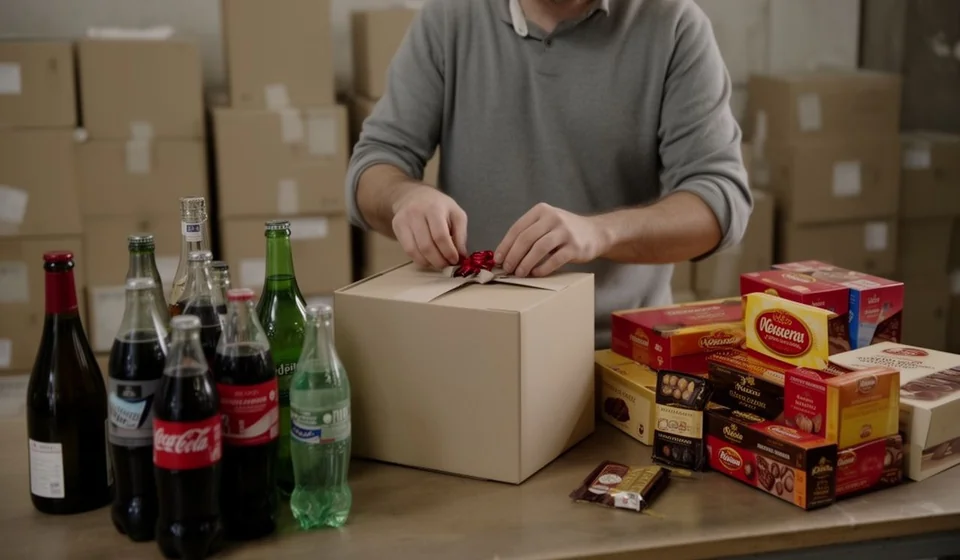
There is a scene that repeats every December in thousands of businesses, and in any promotion season as well: the cashier puts the combo together “by hand”, rings up three or five separate products, the warehouse clerk deducts some items but forgets others, and at the end of the month the system says there is plenty of soda when the shelf is empty. The problem is not the people: it is that a composite product is being sold as if it were several independent products, and every sale depends on someone remembering to subtract each part. This article explains how Kardex Tauro removes that risk with kit and combo products: you sell a single line, the basket, the combo or the full package, and the system deducts each component from inventory in that same moment.
Here you will find what a kit product is exactly, which businesses use it, how the sale of a kit works step by step, what nesting up to three levels means, how this feature relates to the industrial concept of a bill of materials (BOM) and why doing it in Excel is not enough.
What is a kit or combo product
A Kit/Combo product is a composite product: it has its own code and trade name, but its real contents are other products in inventory, called subcomponents or child products. Its composition is defined in the KITS window, the module where the product “recipe” is written: which components make it up and how many units of each one are needed to build a single unit of the kit.
What matters is the behavior, which is strict and automatic. To sell, consume or transfer a kit, the warehouse must hold the full quantities of all its subcomponents. When the sale takes place, the system automatically deducts the units of each component from inventory. And if even one component is missing, the system prevents the sale of the kit: this is real-time validation, not a warning you can ignore.
Typical use cases
Kit logic serves any business that sells products made up of other products. The table summarizes the most frequent cases.
| Type of business | Example kit or combo |
|---|---|
| Supermarkets and retail | Christmas baskets, cleaning bundles, breakfast packages |
| Restaurants and food service | Promotional combos such as “Hamburger + Soda + Fries” |
| Technology and electronics | Assembled computers, phones with accessories, installation kits |
| Technical service | Pre-packaged spare-parts kits for maintenance jobs |
| Gifts and seasonal sales | Baskets and gourmet gift boxes with cheeses, wines and cookies |
How the sale of a kit works, step by step
Behind an apparently simple sale there is an automatic process that the system runs without any action from the cashier:
- The kit exists as a product in inventory, with its own code and trade name.
- In the KITS window, its components are assigned along with the exact quantity of each one.
- When the kit is sold, the system validates in real time that complete stock exists for every component.
- If everything is available, the sale is approved and the system automatically deducts the units of each component.
- If a component is missing, even just one, the system blocks the sale of the kit.
One detail avoids confusion: in kit products, the stock of the parent product is virtual. What the system checks is the real stock of each individual component. That is why the warehouse can hold an already assembled basket and the system still refuses to sell it: what counts is that every component exists in the required quantities.
A numeric example: the basket with a nested kit
Let us take a Christmas basket made up of three subcomponents: a box of assorted chocolates, a bottle of wine and two sodas. The chocolate box is itself a kit product, because it contains six individual chocolates. That means inside the basket (level one) there is a box that is also a kit (level two).
| Product | Level | Quantity per basket | What the system does when one basket is sold |
|---|---|---|---|
| Premium Christmas basket | 1: main kit | 1 | Validates and deducts everything it contains |
| Box of assorted chocolates | 2: nested kit | 1 box | Validates the box and, inside it, the chocolates |
| Individual chocolate | Component of the box | 6 chocolates | Deducts 6 chocolates from inventory |
| Red wine bottle, 750 ml | Component of the basket | 1 bottle | Deducts 1 bottle from inventory |
| 1.5 L soda | Component of the basket | 2 sodas | Deducts 2 sodas from inventory |
To sell a single basket, the system requires the warehouse to hold: one complete box of chocolates, six individual chocolates, one bottle of wine and two sodas. The check is recursive: it first reviews the basket, then goes inside the chocolate box and validates its six chocolates. If only five chocolates remain in the warehouse, because one was damaged or sold loose, the box cannot be sold, and without the box neither can the basket: real-time validation blocks the sale. That is how the classic mismatch is avoided: selling a “complete” basket that in practice leaves the warehouse without one of its elements.
Nesting up to three levels: the Russian doll
The example above shows the real scope of the feature: a kit product can contain other kit products inside it, up to three levels deep, like a Russian doll. There is no limit on the number of components per kit, but the maximum depth of the structure is three levels.
When a kit is sold, the system recursively checks that the units of every component exist, including those of nested kits. A three-level structure would be, for example, a family combo (level one) that contains a gift box (level two), which in turn contains a chocolate kit (level three). At every level the same rule applies: complete stock, or no sale.
It is also wise to respect that limit when designing the structure: extra depth would make the product recipe harder to maintain and understand.
What a BOM is and which types the system supports
The kits feature implements the industrial concept known as BOM (Bill of Materials), or parts list: the complete “recipe” detailing the components, subassemblies and quantities needed to build a finished product. Kardex Tauro supports three types of BOM:
| Type of BOM | Equivalent in Kardex Tauro | Main characteristic |
|---|---|---|
| Sales or kit BOM | Kit/Combo product | Mandatory list with automatic stock deduction |
| Production or manufacturing BOM | Production Line product | Informational list with statistical consumption control |
| Multi-level BOM | Nested kits up to three levels | A component can itself be a kit with its own components |
BOM terminology speaks of a parent-child hierarchy: the parent product is the final kit, the child product is each component that makes it up, and the level is the depth each element occupies inside the structure.
There is one critical difference worth keeping clear: the kit deducts stock automatically and blocks the sale if a component is missing. The Production Line product, on the other hand, deducts nothing when selling: its list works as a theoretical guide or manufacturing recipe, with statistical control of the material consumed in each production run. They are complementary tools: the kit is for selling composite products and the production line is for manufacturing.
Benefits of managing kits with a system
When the composition of every product is registered and the deduction is automatic, the business gains on several fronts at once:
| Benefit | How it shows up in the business |
|---|---|
| Precise inventory control | You know exactly which components were consumed in every sale |
| Restocking alerts | The system can warn that a component needs to be replenished before it runs out |
| Less shrinkage | Comparing theoretical and real quantities helps detect waste and losses |
| Speed at the point of sale | One kit is sold instead of five loose products: less time per transaction |
| Error prevention | The system guarantees that a kit is never sold without all its components available |
| Promotional combos without mismatches | Combos and packages are launched without physically repacking or deducting by hand |
On top of that, the cost of the kit is calculated as the sum of the costs of its components, which protects real margins: if the price of a component goes up, the system can automatically recalculate the cost of the parent product and show which kits are profitable and which are not.
The honest exercise: doing it in Excel
Can you sell a combo by subtracting components by hand, with a spreadsheet? Yes, up to a point. The question is the cost. Every sale requires someone to deduct each component, know the exact composition of the kit (which changes with every promotion), check the stock of everything before selling and never make a mistake. In practice that does not happen: the soda is sold without being deducted, a basket is assembled without checking the wine, and the mismatches show up days later, when nobody remembers what happened.
With nesting, the spreadsheet becomes unsustainable: tracking which chocolates each box sold inside each basket consumed demands fragile formulas, which break with the first change in composition. And most importantly, no spreadsheet validates in real time. If a component is missing, the sale goes through anyway and the hole is discovered too late.
Kardex Tauro automates all that logic. The recipe is defined once; the system demands full stock, deducts every component, blocks when something is missing and keeps the record of what each sale consumed. The cashier only sells the kit line.
To close
Kits and combos exist to sell more, not to complicate the warehouse. With kit products, Kardex Tauro turns a twelve-item basket, with a nested kit inside, into a single sales line that validates, deducts and records itself. Try the basket exercise with your own inventory: define a simple kit, run a test sale and review the movement of each component. That is the difference between trusting memory and trusting the system.
