
Production-line products: manufacture with production orders and BOM inside your inventory
Production-line products: manufacture with production orders and BOM inside your inventory
Why is "manufacturing" so hard to handle inside an inventory? Because manufacturing is not a single operation but four steps that must chain together without breaking: having the product's recipe, planning a specific batch, taking the raw materials that batch will consume out of the warehouse, and finally putting the finished product back into inventory. In practice, almost no program joins those four pieces. Most software treats every product as an item that is bought and sold, leaving manufacturing outside the system, on paper or in the head of whoever produces. The result is the classic mismatch: flour "disappears" with no report explaining why, the finished bread never "shows up" as stock, and at the end of the month nobody knows what production really cost.
Kardex Tauro solves this with two pieces that work together: the Production Line product type, which holds the recipe or bill of materials (BOM), and the Production Orders window, which plans, executes and controls each manufacturing batch. In this article you will see what each piece does, how the complete flow chains together and which validations protect your inventory along the way, always describing the real behavior documented in the program's help.
What a Production Line product is
When creating products, Kardex Tauro classifies each item into four types: Normal (bought and sold as it is), Service (generates no inventory), Kit/Combo (groups other products) and Production Line, which is the product the company manufactures or assembles internally from raw materials: a loaf of bread, a table, a garment, a chemical mix. When you mark a product as a Production Line, the program knows that item does not arrive from a supplier but is made inside the business.
The product type alone is not enough, though: the recipe is required too. The component list is defined in the Kits window, where you configure the parent product with each child component and the exact quantity of that component needed to produce a single unit of the parent. That list is the BOM (Bill of Materials) of the product, and it is used as the basis for calculating the inputs required by each production.
Here is the key you should understand well: in a Production Line product the BOM is informative and statistical. It does not behave like a straitjacket but like a theoretical manufacturing guide. Specifically:
- It does not block sales or production when materials are missing: the recipe does not stop you from operating when a raw material runs short.
- It does not discount components automatically when selling: actual consumption is controlled through the production order, not at the point of sale.
- It tells you, in theory, how much material is needed to produce one unit of the product.
- It lets you record how much material a specific production really consumed, generate raw-material consumption reports and calculate real costs against theoretical ones.
That combination —a recipe that does not block but serves as a reference and as statistics— is exactly what a manufacturing business needs, because real production is almost never identical to the theory: material is lost, wasted, or yields more or less than expected. The system does not punish you for that; it shows it to you.
Use cases by type of business
Any business that transforms inputs into its own product can use a Production Line. The program's help documents these cases:
| Business | Finished product | Inputs and ingredients |
|---|---|---|
| Bakery | Bread | Flour, water, yeast and salt |
| Furniture factory | Tables | Wood, screws and varnish |
| Mechanical workshop | Assembled equipment | Components and spare parts |
| Textile industry | Garments | Fabrics, threads and accessories |
| Chemical laboratory | Mixtures and products | Chemical raw materials |
| Restaurant | Pre-cooked dishes | Kitchen ingredients |
The production order: the document that controls manufacturing
A Production Order (PO) is the document through which the company plans and executes the internal manufacturing of products from raw materials and components. In practice it is the "file" of a batch: what will be made, in what quantity, which raw materials were consumed and which finished product entered the inventory.
The PO has a central restriction you should know from the start: only products marked as Production Line can be manufactured. If you try to create a production order for a Normal, Kit or Service product, the program does not allow it. That is why the logical order is to configure the product in inventory first, with its correct type and its recipe, and only then plan its manufacturing.
The Production Orders window centralizes the whole production process. For the selected order, its control buttons show the plan (Products: what was ordered to be made), what has already left the warehouse (Consumption: the raw materials destined for that PO), what has already come in (Receipts: every time product from that PO has been received) and they run the two operations of the process: Consume (register a warehouse consumption linked to the order) and Receive Production (register receipts of the finished product). Every movement is visible from a single window, without jumping between modules.
The complete flow, step by step
With the pieces clear, the manufacturing process inside Kardex Tauro is completed like this:
- Create the Production Line product in inventory and define its BOM in the Kits window, stating each component and the quantity needed to produce one unit.
- Create the production order with the New Production button, choosing the product to be made and the planned quantity of the batch.
- Consume the inputs destined for the order with the Consume button: materials leave the inventory through the Exits module as consumption documents, but instead of being assigned to a third party they are linked directly to that PO. Raw-material stock goes down.
- Receive production with the Receive Production button as work advances: the finished product enters the inventory, it also appears in the Entries module as a warehouse receipt, and its stock goes up. You do not need to wait until the whole batch is finished.
- Check consumption and receipts with the view buttons to compare the plan with what was executed and, when everything is complete, leave the production closed as a historical record.
The common thread of the whole flow is the order: every consumption and every receipt stays tied to it, and every movement is reflected in the Stock ledger of the product, because consumption lowers the stock of raw materials and receipts raise the stock of the finished product. Months later you can open a PO and see exactly which materials that batch used and how much product it produced.
Numerical example: a batch of one hundred loaves
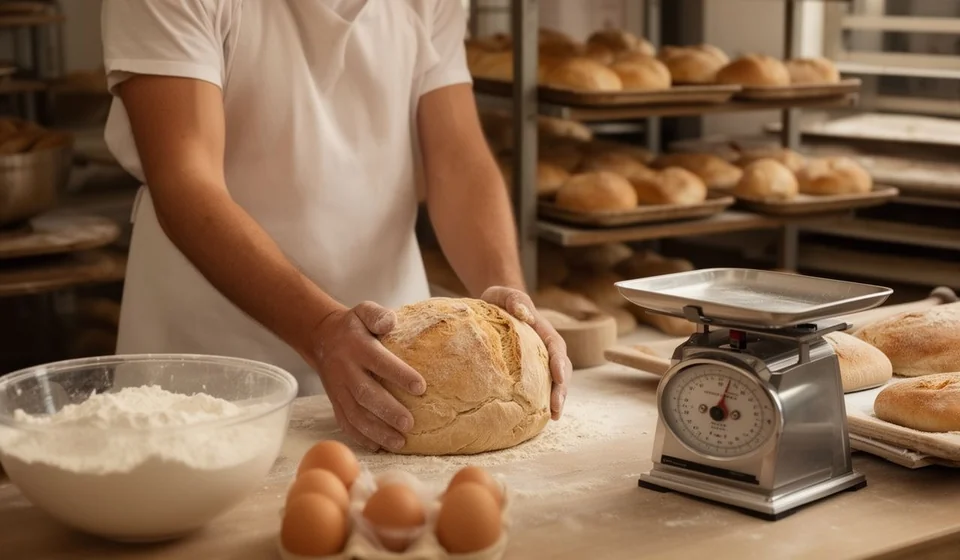
Let us put numbers on the table with the classic bakery case. Suppose the recipe (BOM) of one loaf, defined in the Kits window, is this: flour, water, yeast and salt. The production order is created for one hundred loaves, so the theoretical calculation of required inputs looks like this:
| Input | Recipe per 1 loaf | For 100 loaves (theoretical) |
|---|---|---|
| Flour | 0.2 kg | 20 kg |
| Water | 0.1 L | 10 L |
| Yeast | 5 g | 500 g |
| Salt | 2 g | 200 g |
As the bakery works, every exit of flour, water, yeast or salt is registered with the Consume button destined for that PO: the warehouse is left with less raw material and the order accumulates consumption. If in the end 21 kg of flour were consumed instead of the theoretical 20 kg, the program does not stop you: the recipe is informative, not a lock. What is recorded is that difference, which is exactly what you need to measure waste and yield.
On the finished-product side, Receive Production allows partial receipts: you can receive 60 loaves when the first batch comes out of the oven and 40 when the second one does, without waiting for the whole run to be ready. Each receipt also appears in the Entries module as a warehouse receipt, always keeping its link to the PO. And receipts cannot exceed the planned quantity: with one hundred loaves ordered, the program will not allow more than one hundred to be received.
Validations that protect your inventory
These are the verified validations that protect the process and that you will not find in a loose spreadsheet:
- Only Production Line products can be manufactured through a PO: the system blocks Normal, Kit or Service products in the order.
- Receive Production only admits the product of that order and never more units than originally planned.
- Partial receipts are the rule, not the exception: you can receive product several times while production advances.
- A closed production, or one that already has consumption or receipts registered, cannot be deleted; only open orders with no associated movements can be removed.
Kit/Combo vs. Production Line: the critical difference
Both types are configured in the same Kits window, but their behavior is radically different, and confusing them is the most common configuration mistake. The difference in a table:
| Aspect | Kit/Combo | Production Line |
|---|---|---|
| Stock required to operate | Mandatory: every component must exist to sell | Informative: the recipe does not block when material is missing |
| Component discount | Automatic when selling | No discount when selling: consumption is controlled through the production order |
| Governing document | The kit sale | The production order |
| Typical use | Combos, gift baskets and pre-assembled packages | Internal manufacturing: bakeries, workshops and factories |
In short: if you sell packages that assemble themselves at the moment of sale, use Kit. If you manufacture products that consume raw materials, use Production Line.
What you gain by manufacturing with orders
- Real costs against theoretical ones: you compare what the recipe says should be consumed with what each order really consumed.
- Raw-material consumption reports: every batch leaves its footprint of inputs, useful for purchasing and for detecting shrinkage or waste.
- Purchase planning: with the BOM you know how much raw material you need to produce a given quantity of finished product.
- Dual inventory updated automatically: raw materials go down and the finished product goes up, with movements in the Stock ledger of every product.
- Traceability per batch: you can audit a closed production, review its consumption and receipts, and analyze the yield and efficiency of the process.
And in Excel, how would you do it?
Let us be honest: you can build something similar in Excel. One sheet with the recipe (component, quantity per unit), another to note the raw-material exits of each batch, another to register the receipts of the finished product, and SUM formulas to keep totals. For a small bakery that produces once a week, that can work for a while.
But look at what that setup lacks: no formula validates that you can only order Production Line products; nothing prevents someone from registering 120 loaves received when the batch was 100; raw-material exits are not tied to a document (a consumption can end up "belonging" to two batches or to none); there is no Stock ledger recording every movement; and comparing theoretical against real consumption means building reports by hand, with the risk that each person keeps their own version of the file.
Kardex Tauro does the whole cycle with documents that relate to each other on their own: the order ties consumption and receipts together, validations prevent the typical mistakes, stock and Stock ledger update instantly, and consumption statistics come from records, not from memory. You can start in Excel to understand your process, but when manufacturing becomes frequent, documented control stops being a luxury and becomes the only way to know whether you are making or losing money on every batch.
To wrap up
If your business manufactures —bread, furniture, garments, mixes, pre-cooked dishes or any product that transforms inputs— the path in Kardex Tauro is short: create the product as a Production Line type, define its BOM in the Kits window and plan each batch with a production order. The recipe gives you the theory, the order gives you the control and the reports give you the truth about what production really costs. Verifying with facts instead of guessing: that is manufacturing with order inside your inventory.
