
What is a customer return?
What is a customer return?
Merchandise that comes back is also an inbound movement
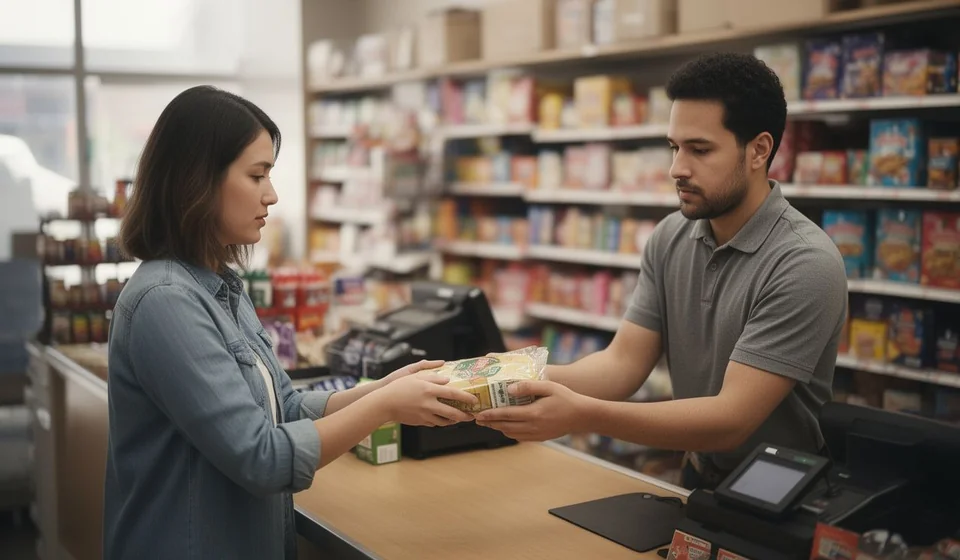
A customer return happens when someone who bought merchandise in an earlier sale brings it back to the business. The reasons vary widely: a defect covered by warranty, an exchange for another model or color, a shipping error in which a product different from the one requested arrived, merchandise damaged during transport, or simply a customer who changed their mind after the purchase. At the store counter or in the warehouse, the moment seems simple: the product is received, its condition is checked and a decision is made about what to do with it. But for the inventory that scene is much more than a customer-service gesture: it is an inbound movement of merchandise, and like every inbound movement it must be backed by a formal document that explains it.
If the return is noted in a notebook, mentioned in an email or left only in the salesperson's memory, the information is lost as soon as the person who received it changes or time passes. The inventory system says those units left in a sale, the customer says they already handed them back, and nobody can prove when they returned, in what quantity, in what condition or who accepted them. Registering the return is therefore not just another administrative step: it is the only way to keep the stock, the Stock ledger and the history of every product telling the same story as reality.
Why a return should be a document and not a loose note
Recording the return as a program document delivers four things that a loose note could never guarantee:
- Full traceability: there is a record of when the merchandise was received, who delivered it, who received it and which products and quantities it includes. Years later, any audit can reconstruct the event.
- Inventory integrity: the returned units are added back to stock and become available for future sales again, with no need for manual adjustments or parallel records.
- Customer link: the return stays associated with the third party who originally bought the product and with the sale it came from, not with an anonymous event.
- Stock ledger record: the document generates the corresponding inbound entry, so the product history shows the original sale going out and, later, its return coming back in.
Think about the life cycle of a product: it enters the inventory through a purchase, leaves through a sale and, if the customer returns it, enters again. Each of those three moments is written in the Stock ledger and must be as easy to consult years later as it was to record on the day it happened.
What a customer return is and what it is not
In the document classification of the program, the customer return is an inbound document, that is, merchandise entering the inventory. Its distinguishing feature is the third party behind it: in a return, the third party is the customer who returned the product, while in a purchase the third party is the supplier who sold the merchandise. That difference seems obvious, but it is what makes it possible to answer important questions: which customer returns the most, which product concentrates the returns, or whether the return really corresponds to a sale that was made.
It is also worth clarifying what a return is not:
- It is not a purchase from a supplier: the merchandise does not come from a new supplier and no purchasing third party is paid; it comes back from a customer who had already received it.
- It is not a manual inventory adjustment: positive adjustments record non-commercial entries such as donations, findings or production. A return, on the other hand, is always supported by a previous sale and is therefore linked to it.
- It is not the returns policy: the policy defines the commercial rules, such as time limits, conditions and accepted reasons; the document is the operational record proving that the return happened and that the merchandise went back into inventory.
How it is recorded: the Sales Return document
In Kardex Tauro a customer return is formalized with the Sales Return document (Sales return), the window that records the receipt of products that were sold before and that the customer brings back. It is an inbound document: when it is processed, the merchandise goes back into inventory and the Stock ledger records the movement. The window has three functions depending on the state of the document: create new returns from scratch, edit existing returns that have not been finalized, or view closed returns in read-only mode.
The document identifies the two actors of the return. The one who delivers is the customer returning the merchandise, that is, the third party who originally bought it. The one who receives is the employee who physically accepts the product at the counter or in the warehouse. Both are selected at the top of the window, and the system validates in real time that the typed codes belong to existing third parties: if the code does not exist in the database, the field is highlighted with a red background and saving the document is blocked until it is corrected.
These are the key characteristics of the record:
- Only products that were sold previously can be returned, and the returned quantity cannot exceed the quantity of the original sale.
- The document can be edited until it is finalized; while it remains open, lines can be added, changed or removed.
- Inventory and the Stock ledger are affected only when the document is finalized; a draft does not move stock.
- If the product is serial-controlled, capturing the returned serials is mandatory.
- When applicable, the return can generate credit notes or accounting adjustments, depending on the company's setup.
What the return window looks like
The Sales Return window has a clear layout that takes a few minutes to master. At the top are the selectors for the customer who delivers and the employee who receives, each with a text field for typing the code and a search button for locating the third party by name. Next to them is the document information: the number, which shows the word "NEW" until the document is saved and then receives a unique sequential number assigned automatically; the return date, which takes today's date by default but can be changed; and the "Save document" button, large and prominent, which starts the saving and finalizing process.
In the middle, a grid lists the products being received. Its columns show the code, name, quantity, unit value, tax, total tax, subtotal and total, so the document is valued without separate calculations. This grid has no right-click menu: every operation is done through the visible controls. To correct a line, double-click the quantity, value or tax column and the totals are recalculated automatically; to remove a product, select it and press the Delete key.
Products are added from the bottom-left area: select the product by typing its code or using the search button, type the quantity of units returned and confirm with the add button. The operation can be repeated as many times as the return has products. The system validates that the products exist in the inventory and that quantities are positive numbers: zeros and negative values are not accepted.
The moment that really moves inventory: finalizing
When "Save document" is pressed, the program does not close the document immediately: it opens a confirmation window asking whether to finalize now or leave the document open to finish later. That decision determines the entire effect of the record on the operation:
- Finalize now: the document is fully finished and closed. It can no longer be edited, it can be printed as proof, the products are returned to inventory increasing stock, and the corresponding Stock ledger entry is generated, recording the inbound movement.
- Finalize later: the document remains as a draft or open document. It can continue to be edited at any time, adding, changing or removing products, but it does not affect inventory or the Stock ledger yet. This is the right option when the return is incomplete or additional information is expected.
This separation between capturing and processing is one of the document's greatest advantages. It allows the return to be recorded while the customer is at the counter, even if a review or a serial is still pending, without changing the stock until the operation is complete and verified. The recommendation is clear: "Finalize now" should be chosen only when you are completely sure that all returned products are correctly recorded and the physical inventory matches what is going to be recorded in the system.
What happens when the product uses serials
If the returned product is serial-controlled, the window changes its behavior to preserve the individual traceability of each unit. When you try to type the quantity, the system does not allow the number to be entered directly: it automatically opens a capture window where the serials of each returned unit are typed or scanned.
Capture follows strict rules. The system validates that serials are unique and not duplicated, and checks that they belong to the product being returned. From the captured serials, the program infers the quantity automatically: if five different serials are captured, it records that five units are coming back, with no need to type the quantity by hand. The returned unit thus goes back into inventory with its original serial, the same one that left in the sale, which supports precise warranty management, shows exactly which specific unit was returned and prevents fraud in which products different from the ones sold are returned.
Step by step: recording a customer return
- The customer arrives with the product and the sales receipt and requests the return, stating the reason.
- The original sale is checked in the system to validate products, quantities, serials and sale date.
- It is confirmed that the return meets the company policy conditions: time limits, product condition and reason.
- The Sales Return document is opened, the customer who delivers and the employee who receives are selected, and the returned products are added with their quantities.
- If the product uses serials, the serials of each returned unit are captured in the capture window.
- The grid is reviewed, the reason is noted in the document notes and the document is saved.
- If the return is complete, "Finalize now" is chosen so the merchandise goes back into inventory; if information is missing, "Finalize later" is chosen and the document is resumed later.
Worked example: the effect on stock and on the Stock ledger
Suppose an original sale of 10 units of a product, of which the customer returns 3. The table shows, with illustrative values, what happens to stock and to the Stock ledger at each moment:
| Movement | Units | Unit value | Total | Effect on stock | Stock ledger record |
|---|---|---|---|---|---|
| Original sale to the customer | 10 | 25,000 | 250,000 | Decreases by 10 | Outbound sale movement |
| Customer return (Sales Return document) | 3 | 25,000 | 75,000 | Increases by 3 | Inbound movement linked to the original sale |
| Net result of the operation | 7 | — | 175,000 | Stock restored by 3 units | Complete outbound and inbound history |
The original sale took 10 units out of inventory and left its outbound movement in the Stock ledger. The return brings 3 of those units back: stock increases by 3 and an inbound movement linked to the original sale is recorded, so the Stock ledger keeps the complete outbound-inbound cycle, and the product becomes available again for a future sale. The monetary figures are illustrative only: the value recorded in the document corresponds to the returned merchandise according to the product information, and totals are recalculated automatically whenever any line is edited.
Return reasons and what to check in each case
Not every return demands the same review. Before recording, check what corresponds to the reason stated by the customer:
| Return reason | What to check before recording |
|---|---|
| Warranty | Warranty period according to company policy, product condition, original sales receipt and serials, if the product uses them. |
| Exchange for another product | That the exchange meets the established conditions, and record the inbound of the merchandise the customer returns correctly. |
| Shipping error | Compare what the customer received against the original invoice to confirm that a product different from the one requested arrived. |
| Damage in transport | Physical condition of the merchandise and evidence of the damage; decide whether the unit goes back to stock or to shrinkage. |
| Buyer's remorse or dissatisfaction | Terms and conditions of the commercial policy: product condition, packaging and time elapsed since the sale. |
Recording the reason in the document notes turns every return into useful data: over time it helps identify products with high return rates, repeated shipping errors and opportunities to improve quality or packaging.
The return and the credit note
It is worth distinguishing two effects that are often mentioned together but are not the same thing. The customer return, as a document, records the physical return of the merchandise and the inbound movement in inventory and in the Stock ledger. The credit note, on the other hand, is a financial effect that, depending on the program setup, may accompany the return to recognize the value of the returned merchandise to the customer and affect their accounts receivable. When the return leads to a credit note or accounting adjustments, the accounting area must be informed so the corresponding financial adjustments can be processed. These effects depend on each company's setup and on the rules in force in each country; when in doubt about how to apply them, the right thing is to consult your accountant.
How it connects with the rest of the program
The Sales Return document is not an isolated window inside Kardex Tauro: it works together with the modules that keep inventory up to date and with the lists used to manage the return process.
- Sales Returns list: shows every document created. It allows real-time searching by number, customer, product, date or any data; viewing the detail of each return in the lower area; opening a document in view mode; printing the return as proof for the customer, with the corresponding printing permission; exporting to Excel or viewing the report; applying combined filters by customer, product, date, value or status; editing the notes; and deleting documents that have not generated movements in inventory or in the Stock ledger.
- Inventory window: updates automatically when the return is finalized, increasing the stock of the returned products, which become available for sale again.
- Stock ledger window: records the inbound movement with full traceability, from the original purchase of the product to its return.
- Serials list: if the product uses serials, the returned serials go back into inventory and become available for future sales.
- Sales module: shows the return history of a specific customer, since every return is linked to its original sale.
- Product Uses: the return appears in the interaction history of each product as an inbound document whose third party is the customer who returned it, useful information for analyzing quality and satisfaction.
Good practices when receiving returns
A few practical recommendations help keep the record reliable and the process free of surprises:
- Always check the original sale before processing the return: products, quantities, serials and date.
- Note the reason in the document notes; it is valuable information for quality analysis and process improvement.
- Assess the physical condition of the returned product: even though the system puts it back into inventory, it may physically be damaged and should go to shrinkage.
- Process returns promptly; do not pile up open documents that keep inventory out of date.
- Hand the customer a printed copy of the finalized return as proof of the processed return.
- Respect the company's return policy regarding time limits, conditions and accepted reasons.
And remember the golden rule of the document: inventory and the Stock ledger only change when the document is finalized. Record calmly, review before processing and finalize only when you are sure the information is correct. If the return leads to a credit note or accounting adjustments, those effects depend on the company's setup and on the rules in force; verify current local rules and consult your accountant before applying them.
