

Warehouse control software
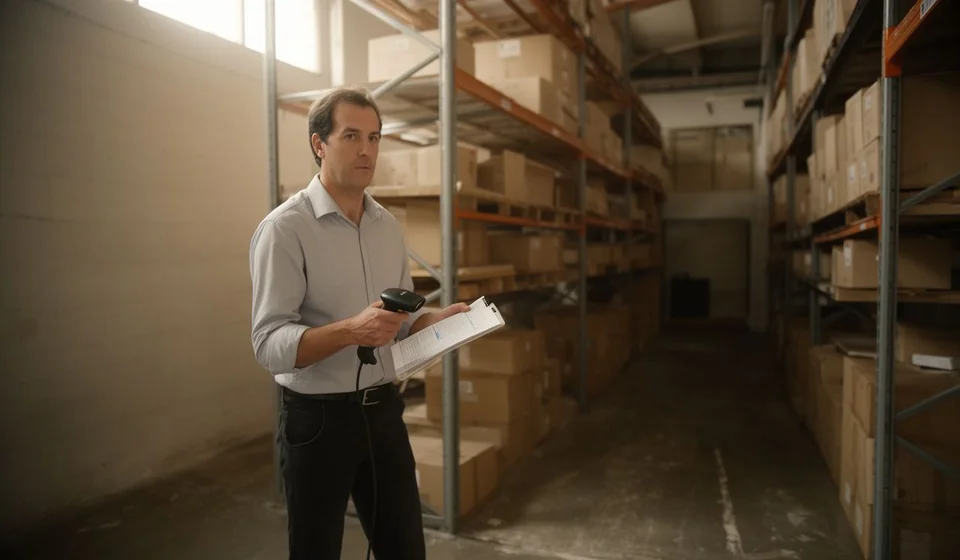
Warehouse control software
Someone searching for warehouse control software is rarely looking for a program. They are looking for the system inventory and the physical inventory to tell the same story. The problem always shows up in the same place. The warehouse receives goods, moves them, ships them and counts them, but those movements end up on paper, in loose spreadsheets or in one person's head. When somebody asks how much of a product is left, what the last purchase actually cost, or where the batch that expires soon ended up, the answer takes a while and usually arrives full of doubt.
This article is not an advertisement: it is a guide for deciding. It explains what controlling a warehouse really requires, what any program that claims to do it has to solve, how to evaluate a provider before signing, and in which cases it is better not to buy anything yet. At the end you will also find the most common buying mistakes, which are almost always the same ones.
Transparency note: this content is published by the team that develops Kardex Tauro, inventory and billing software for small and mid-sized businesses. The capabilities described below as warehouse expectations are general evaluation criteria: readers should demand them from any provider, ourselves included.
What controlling a warehouse means today
Controlling a warehouse is not keeping a product list. It is holding five operations together every single day, with the same discipline, even when the shift or the person changes: receiving, locating, dispatching, counting and transferring. Everything else (batches, serial numbers, costs, reports) hangs from those five operations.
Receiving means accepting goods against a document and leaving a record of what came in, what arrived incomplete and what never arrived. Locating means deciding a physical place for each item, so that another person can find it without asking. Dispatching means taking out what was ordered, in the right quantity, at the right time, and leaving a trace of who it went to. Counting means verifying that what the system believes it has really exists and sits where the system says it does. Transferring means moving products between warehouses, branches or cost centers without the company total getting lost along the way.
When any of those five operations is done from memory, the warehouse does not lose control all at once: it loses control slowly. Small differences appear that nobody investigates, items that should be there and are not, repeat purchases of things that were already in stock, and sales promised against stock that does not exist. Warehouse control software does not replace the warehouse keeper's work; it replaces memory as a working method.
What you should demand from warehouse control software
The table below turns each warehouse operation into a concrete requirement and into the signal that appears when the requirement is missing. It is worth using as the starting point of the conversation with any provider, and writing the answers down before deciding.
| Warehouse process | What the system needs to do | How it shows when it is missing |
|---|---|---|
| Receiving goods | Record the entry against the purchase order or the receiving document, with quantities received and pending | Goods arrive that the system does not recognize, or the same order gets paid twice |
| Storage location | Code shelves or spaces and be able to look up where each product is | Nobody finds anything without asking the same person every time |
| Dispatch and issues | Deduct stock when the issue or the invoice is recorded, with the supporting document | You sell what you do not have and find out with the customer already waiting |
| Physical counts | Compare what was counted against what the system says and record the matching adjustment | Differences get fixed by hand and nobody ever knows where they came from |
| Internal transfers | Move quantities from one warehouse to another leaving the movement documented on both sides | One warehouse ends up oversupplied and the other short, and nobody is accountable |
| Returns | Record returns to suppliers and from customers as movements of their own | The return goes in or out without inventory reflecting it |
| Batches and expiry dates | Store batch and expiry date per product and show the days remaining | Expiry is discovered when the product has already expired |
| Serial numbers | Identify units or batches with several identifiers per product and keep their traceability | Nobody can tell which unit was sold or answer a warranty claim |
| Kits and combos | Deduct the components of each kit or combo automatically | The kit is sold but its components still show as available |
| Cost and stock ledger | Keep the product stock ledger with date, document, concept, quantity, average cost and balance | Decisions get made on yesterday's stock and costs are guessed |
| Third parties and data | Import inventory and third parties from Excel and export information to Excel | The initial load becomes a long manual task, prone to typing mistakes |
| Access control | User roles and permissions, with backups and restore | Anyone can adjust stock and there is nowhere to go back to if something fails |
The five mistakes warehouse software should eliminate
An inventory program can have many features. These five are the ones that separate real control from decoration, because each one corresponds to a mistake the warehouse makes today and should stop making.
Mistake one: goods coming in with no record
In many businesses goods come in through the back door, get put away and are recorded later. That later never arrives. The answer is not to ask for more discipline: it is for the system to force the receiving step so the product actually exists in inventory. An entry module tied to the purchase order gives received goods a document, a date and a person responsible, and leaves what arrived incomplete as pending instead of forgotten.
Mistake two: selling what does not exist
When the system inventory is out of date, the salesperson promises what should be there. The software has to deduct the issue when the sale or the invoice is recorded and, if several warehouses are in use, deduct from the right warehouse. With that, the gap between theoretical and real stock stops growing on its own, and emergency purchases become the exception instead of the rule.
Mistake three: the product nobody can find
Location is part of inventory. Coding shelves or spaces and looking the location up in the same system turns a half-hour search into a quick query. The mistake that disappears is dispatching blind: picking the wrong item, picking an incomplete one, or spending the whole shift looking for something that was in the warehouse all along. When the location lives in one person's head, it goes on holiday with that person.
Mistake four: the batch or serial number with no trail
If a product has an expiry date or a serial number, losing the trail means losing money and trust. Recording batches with their date and remaining days, and handling several identifiers per product with their traceability and warranty, lets you answer with data instead of excuses: what was sold, when, to whom and from which batch. That answer is what sustains a claim, a return and a future sale to the same customer.
Mistake five: movements with no history
A stock ledger per product with date, document, concept, quantity, average cost and balance turns arguments into conversations. Without that history, every inventory difference is a discussion with no evidence: nobody knows whether the error came from purchasing, from the warehouse, from billing or from a count done badly. The stock ledger is also the only way to explain why a product's cost changed and where today's balance came from.
None of these five mistakes is fixed by good intentions: they are fixed when the system forces every movement through a record. If a candidate program does not close all five doors, the warehouse will drift back to loose spreadsheets through the back door.
Evaluation checklist: what to ask any provider
These questions are not an academic exam. The answer you get shows whether the provider understands a warehouse or just wants to close a sale. Write the answers down and compare them with your own operation before signing.
| Key question | Why it matters | Sign of a good answer |
|---|---|---|
| Where can the database live | Control depends on the deployment: on one computer, shared on a local network or hosted on a web server | It explains all three options and their consequences, not only the one it wants to sell |
| Can I work by warehouse or across all of them at once | Daily operations look at one warehouse; management looks at the company total | Both possibilities coexist without duplicating databases or retyping data |
| Does it show a stock ledger per product | It is the proof that a history exists and not just a closing balance | It answers with the fields: date, document, concept, quantity, average cost and balance |
| Does it handle batches and expiry dates | Without this there is no serious control in food, pharmacy, cosmetics or chemicals | It talks about days remaining per batch, not just about storing a date on the record |
| How many identifiers does it allow per product | It shapes traceability and warranty handling completely | It answers with a concrete number of identifiers and explains how they are looked up |
| Does it record physical counts and adjustments | It is the only way to measure how far the operation has drifted from reality | It distinguishes the count, the upward adjustment, the downward adjustment, shrinkage and damaged goods |
| How does goods move between warehouses | Transfers are the classic source of mismatches between sites | It explains the transfer as one document with its issue and its receipt |
| How do my data get in and out | The initial load and the reports define the daily work | It imports inventory and third parties from Excel, exports to Excel and prints documents |
| Who is allowed to do what | Inventory goes out of balance even with the best intentions in the world | Roles and permissions exist per user, and stock adjustments stay identified |
| What happens if something fails | An inventory without a backup is a bet, not a system | Backups exist and a restore can be tested before it is needed |
| How is it implemented without stopping the warehouse | An opening inventory is work, not a button that gets pressed once | It proposes a gradual start by warehouse or by line, with parallel work |
| Can I see the system with my own data | Everything works with somebody else's data; the truth shows up with your own | It accepts a trial with the buyer's products, warehouses and movements |
How the operation looks with and without software
The difference between a warehouse with software and a warehouse without it is not the speed of one isolated task, but how many things stop depending on one person's memory. The table below compares the same operation in both scenarios.
| Situation | Warehouse running on loose spreadsheets | Warehouse running on inventory software |
|---|---|---|
| Goods coming in | Written down on arrival and typed in whenever there is time | Recorded against the purchase document |
| Location | Depends on the warehouse keeper's memory | Looked up in the system, with the shelf code |
| Sales and dispatch | Checked by eye to see whether stock is enough | The issue deducts from inventory when the operation is recorded |
| Counting | Counted and corrected by hand, leaving no trace | Compared against the system and adjusted with a document |
| Transfer between sites | Announced by message or by word of mouth | A document with its issue and its receipt |
| Returns | Handled case by case and then forgotten | Recorded movements that can be queried |
| Batches and expiry | Checked whenever somebody remembers | Days remaining are visible per batch |
| Serial numbers and warranties | Searched through old invoices or notebooks | Traced from the moment the product is recorded |
| Purchasing | Ordered when stock looks low | Ordered against real stock and consumption |
| Reports | Built by hand and always late | Queried or exported to Excel |
| Costs | Estimated and corrected over time | The average cost is updated by the movements |
Neither column is a promise of results: they are two different ways of working. The left column does not disappear because a program was bought; it disappears when the team adopts the habit of recording every movement where it belongs. Software only makes that habit possible and verifiable.
When an Excel template is enough and when it is not
A spreadsheet is not the enemy. For a small, tidy business with a single person in charge, a template can be enough for a long time, and there is no reason to complicate things ahead of schedule. The frontier appears when inventory stops being an individual task and becomes a shared one.
| Scenario | A template in Excel is enough | Warehouse control software is needed |
|---|---|---|
| Number of products | Few products and a stable catalogue | A catalogue that grows and changes every week |
| People recording | A single person in charge of the warehouse | Several people who need to see the same thing at the same time |
| Warehouses | One warehouse and one place | Several warehouses, branches or cost centers |
| Billing | You do not invoice, or you invoice outside inventory | The invoice has to deduct stock when it is issued |
| Batches and expiry | There are no expiry dates to control | Food, pharmacy, chemicals or supplies with an expiry date |
| Serial numbers | There are no numbered units | Equipment that is sold, rented or repaired and identified by number |
| Kits and production | You only sell what you buy finished | Kits, combos or a production line with a bill of materials |
| History | Only today's balance matters | The stock ledger is needed, movement by movement |
| Remote work | Everybody works in the same place | There are remote users, several sites or several shifts |
| Risk of error | A mistake is fixed on the spot | An inventory mistake hits sales, purchasing and receivables at the same time |
The practical rule is simple: if two people need to record the same inventory in the same week, if a product has to be traced by batch or serial number, if the invoice has to deduct from inventory, or if there is more than one warehouse, the template has already run out. As long as none of that happens, a well-built sheet keeps working fine, and replacing it early only adds work.
How to implement it without stopping the warehouse
Implementation stalls when it becomes a long project that nobody can sustain alongside daily operations. The way to avoid that is to treat the start as a move in stages, not as a total relocation in a single night.
- Build a limited opening inventory, with stock and cost, and load it from Excel instead of typing product by product.
- Define the warehouses, branches and cost centers first, because everything that follows depends on that structure.
- Code the physical locations (shelves or spaces) while the catalogue is being loaded, not afterwards.
- Load suppliers and customers from Excel, and check that purchase and sales documents are properly linked.
- Start with one warehouse, the tidiest one, and leave the rest for the next stage.
- Train by role: who receives, who dispatches, who counts and who reads the reports.
- Run in parallel for a prudent period, comparing counts against the system before letting go of the old method.
- Schedule backups from day one and test a restore once, calmly.
The choice of deployment is part of the implementation too. With Kardex Tauro, for instance, the database can live on the same computer, be shared on a local network or be hosted on a web server, so the same tool serves a single warehouse that later grows into several branches or remote users without having to switch systems halfway. That point is worth clarifying with any provider before starting, because it defines how information is reached and how data is protected.
Common mistakes when buying
- Deciding on the flashiest demo. Demos run on somebody else's tidy data; the real test is loading messy products, with repeated names and stock that does not match.
- Not asking where the database lives. Depending on the case the work changes completely: one computer, a local network or a web server are not the same thing for several users.
- Underestimating the initial load. If the system does not import from Excel, the migration is paid for in typing hours and keystroke errors, and many implementations die right there.
- Choosing a program that cannot export. Inventory information belongs to the business: it has to be able to leave for Excel for a report, a review or a decision.
- Leaving counts and adjustments out of the evaluation. If counting produces no document and no stock ledger, the count becomes a silent fix and a repeated problem.
- Not testing the difficult movements: warehouse transfer, return, sale of a kit, warehouse consumption and issue of damaged goods. That is where you see whether the program thinks in warehouse terms or only in invoices.
- Buying without asking about roles, permissions and backups. They are unglamorous features and the ones most missed when they are absent.
- Confusing billing with inventory. A program issuing invoices does not mean it controls stock, batches, locations or costs.
- Expecting somebody else to do the implementation. The provider accompanies; the opening inventory and the recording habits come from the business.
An honest closing note before deciding
Kardex Tauro is inventory and billing software for small and mid-sized businesses that covers what was described above: multiple warehouses, branches and cost centers in a single database, entries and issues, warehouse consumption, internal transfers, returns, a stock ledger per product with average cost, product location in the warehouse, physical counts, adjustments, shrinkage and damaged goods, batches with expiry dates and days remaining, several identifiers per product with traceability and warranty, kits and combos with automatic component deduction, a production line with orders and a bill of materials, import from and export to Excel, document printing, roles and permissions, backups with restore, and the full commercial cycle of purchasing, receiving, quotations, billing, cash and accounts receivable and payable.
That said, there are cases where this kind of software is not the best route, and it is worth saying so clearly. If the business handles very few products, if one single person controls the whole inventory and never needs to check it from anywhere else, if there is no need to invoice from the system at all and if there are no batches, expiry dates or serial numbers to control, then a well-built Excel template does the job and buying software only adds work and maintenance. Buying it before it is needed is as costly a decision as not buying it once it is needed.
If instead there are several warehouses or several people recording movements, if the business invoices and wants the invoice to deduct stock, if there are expiry dates or serial numbers to trace, or if somebody is already tired of chasing inventory differences, then it is worth evaluating Kardex Tauro with your own data before deciding. The honest test is not the demo: it is loading your own catalogue, moving one of your own warehouses and seeing whether the stock ledger matches reality.