Barcode inventory control
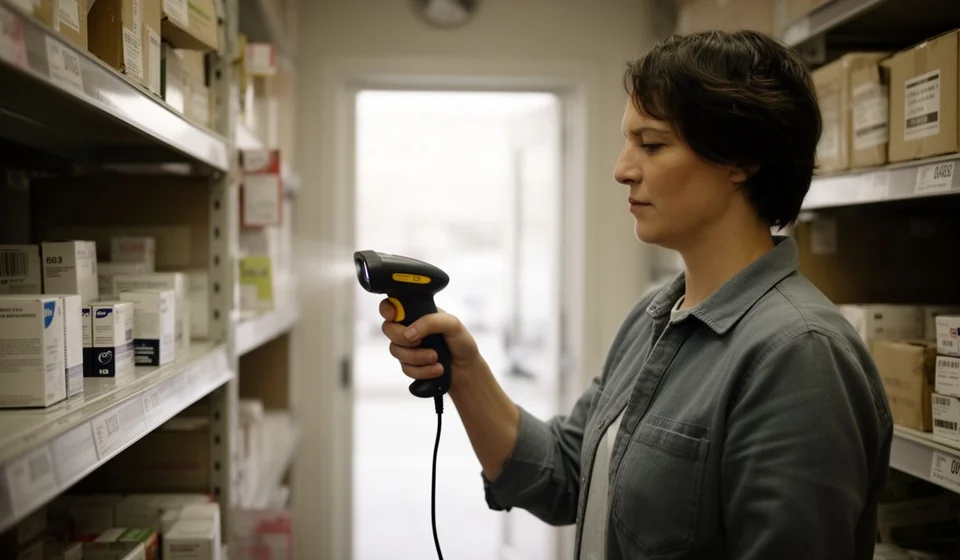
Barcode inventory control
Running a store, warehouse or stockroom with notebooks, spreadsheets or paper records has a clear limit: everything depends on writing quickly, writing correctly and never making a mistake. Barcode inventory control solves exactly that problem, because it turns every product into a unique code that any scanner reads in less than a second and that the inventory system updates immediately. It is not a technology reserved for large chains: today a small business can implement it with a modest investment and notice the difference within the first few weeks.What is barcode inventory control
Controlling inventory with barcodes means identifying every product with a label that carries a machine-readable code, and recording every movement by passing a scanner over that code instead of writing it down by hand. When a unit is sold, instead of typing the product name into a spreadsheet, the cashier scans the label and the system deducts that unit automatically. When goods arrive from a supplier, each box or item is scanned and stock levels increase without anyone typing a thing. It is important to understand what a barcode is and what it is not. The code does not store information on its own: it contains no price, description or supplier. It works like an ID number for the product: a code that the system links to the complete record for that item. That is why barcodes always work together with an inventory program. Without software behind it that knows which product matches each code and how many units are in stock, the label is useless. With the right program, on the other hand, a single scan is enough to know what the product is, what it costs and how many units remain.How barcode inventory control works
The process is simpler than it looks and comes down to three moments:- Label. Every product receives a sticky label with a unique barcode. Different products carry different codes, and every presentation (for example, the same soft drink in a bottle and in a can) has its own.
- Scan. When a product arrives, is sold, is moved or is returned, someone passes the scanner over the code. The scanner turns the bars into the product number in a fraction of a second.
- Update. That number reaches the inventory system, which looks up the product record and adds or subtracts stock according to the movement registered: supplier receipt, sale, transfer to another location or return.
Types of barcode scanners
Getting started does not require buying an expensive or sophisticated device. Scanners are chosen according to how the business works:- Handheld wired scanner: connects by USB to the computer or the point of sale. It is the most affordable and reliable option, ideal for a checkout counter or a fixed workstation such as the goods receiving desk.
- Wireless scanner: works over Bluetooth or Wi-Fi, so it can scan from anywhere in the warehouse without dragging cables. It is the most practical option for receiving orders, dispatching and counting while walking along the shelves.
- Presentation or hands-free scanner: the product is simply passed in front of a fixed laser or camera, with no need to aim. It is the typical supermarket checkout scanner and speeds up customer lines during peak hours.
- Smartphone as a scanner: the camera of any phone, using the inventory system's app, reads barcodes at no extra cost. It is the best way to test the technology before investing, and it works as a backup if the scanner fails.
Which barcode format to use and how to generate labels
Labels are printed in a barcode format, called a symbology. The three most common in inventory are:- Code 128: the most recommended for internal inventory. It supports numbers and letters, is very compact and reads well even on small labels.
- Code 39: the classic format. It also accepts numbers and letters, takes up a bit more space than Code 128 and is compatible with practically any system and scanner.
- EAN-13: the thirteen-digit code already printed on mass-market consumer products. If the business sells manufactured items such as food, drinks or cleaning supplies, the code already comes on the package and can be scanned directly, with no need to label.
- The inventory system assigns each product an internal code and converts it to a barcode format, usually Code 128.
- Labels are printed on a thermal label printer using adhesive paper. A desktop printer works for initial testing or low volumes.
- The label is placed in a visible, flat spot on the package or container, preferably in a corner, without covering dates, instructions or legal information.
Manual entry versus a barcode scanner
The practical difference between writing things down and scanning them is clear in this comparison:| Area | Manual entry | With a barcode scanner |
|---|---|---|
| Speed per record | 10 to 30 seconds finding the product and typing | Less than one second per scan |
| Typing errors | Frequent: swapped numbers, codes copied wrong | Minimal: the code reads the same every time |
| Physical counting | Hours or days writing on paper and keying it in later | Walk the warehouse scanning and the system counts by itself |
| Staff training | You must know the products and codes from memory | Learning to point the scanner is enough |
| Available information | Out of date until someone keys it in | Up to date with every movement scanned |
Steps to implement barcodes in a small store or warehouse
Implementation does not require a months-long project. With these steps, a small store or warehouse is up and running in a week or two:- Choose the inventory system. The program must let you load products with their codes, record receipts, issues and sales by barcode scanning, and show stock levels in real time.
- Get the basic equipment. A wired USB handheld scanner, a thermal label printer and rolls of adhesive paper. The smartphone with the app works as a backup scanner.
- Set up the products. Load each item with its code, name, price, cost, supplier and opening stock. This step takes the longest, but it is done only once.
- Label the merchandise. Print the labels and stick them on the products. Items that already carry a factory EAN-13 can be scanned directly.
- Do the opening count. Perform a physical stocktake so the system starts with real quantities and not assumptions.
- Train the staff. Practice scanning supplier receipts, sales, transfers and returns, and agree on how to handle special cases: a product without a label, a damaged code or a customer returning an item without its packaging.
- Test for a week and adjust. Review the differences that appear, replace labels that come off and fix products that were loaded incorrectly. The process refines itself with daily use.
Benefits of barcode inventory control
The benefits show up in daily operations from the first month:- Speed. Serving customers, dispatching orders and receiving goods take a fraction of the previous time; nobody searches for products in a list or types long codes.
- Zero typing errors. Human error in writing codes and quantities, the most common source of inventory differences, is eliminated.
- Faster, more reliable counts. A cycle count that used to take a full day is done in hours, with fewer mistakes, because the system adds up what is scanned and flags what is missing.
- Stock levels always up to date. You know how much is left of every product at any moment, without waiting for the end-of-day close or the monthly report.
- Fewer losses. Shortages, shrinkage and unregistered movements are detected faster, because the difference between what the system says and what is on the shelf appears immediately.
- Better purchasing and replenishment. You reorder based on real sales data rather than guesses, which reduces money tied up in products that do not sell.