
Program to Control Warehouses
Program to Control Warehouses
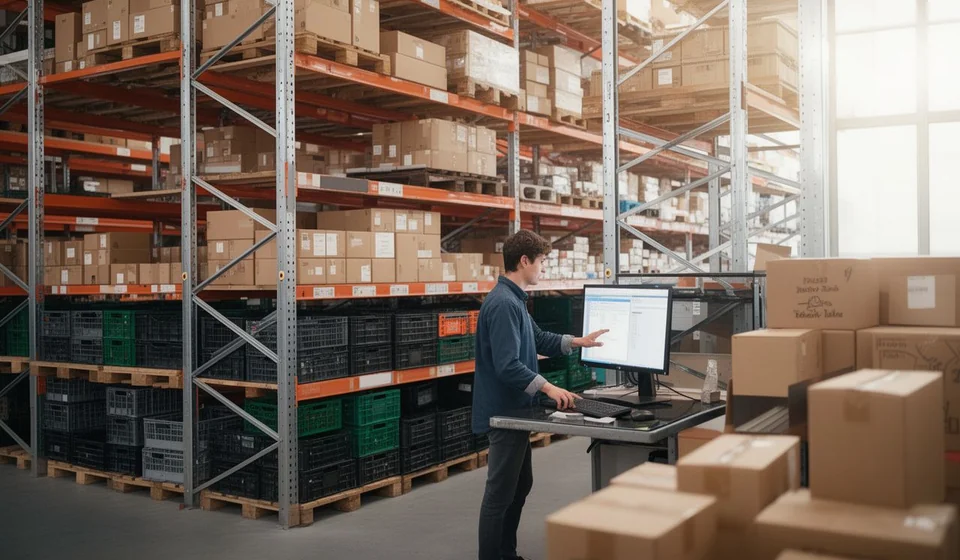
If your business has a warehouse, no matter how small, the scene will be familiar: shelves where boxes pile up, a handful of products that repeat on every invoice, and one person who is the only one who knows where everything is. When that person is away, nobody finds the goods; when an order arrives, nobody records it; and when the month ends, the physical count does not match what should be there. Controlling a warehouse is not paperwork: it is what separates a business that knows what it has from one that is only guessing.
A program to control warehouses brings order to that chaos without turning the warehouse keeper into an accountant. Instead of relying on memory, on a notebook or on scattered spreadsheets, the business records every product, every movement and every location in one place, and gets up-to-date stock the moment it needs it. In this article we look at the functions such a program must have and how they apply in a small business, up to fifty employees, with one or more warehouses.
Notebook, spreadsheet or program?
Many businesses start with a notebook and then move to a spreadsheet. Both are better than nothing, but they have a limit: the information lives in the hands of a few people, it is never validated and it goes out of date quickly. A program to control warehouses changes the rules of the game because the information is unique, it is centralized and it updates itself with every movement. The difference shows in the following table.
| Area of control | With a notebook or Excel | With a warehouse program |
|---|---|---|
| Available quantities | Known only on the day you run a count | Updated with every receipt and every issue |
| Movement history | Scattered, or missing altogether | Every movement recorded with date and person in charge |
| Several warehouses | Lists get mixed and data gets duplicated | Each warehouse is controlled separately |
| Typing errors | Go unnoticed until the count | The program validates codes, quantities and permissions |
| Information for decisions | Hardly any at hand | Stock and movements available instantly |
That difference is felt every day: in how fast you can answer how much of a product you have, in the confidence to promise a delivery, and in the peace of mind that what you report matches what is really on the shelves. Now let us look, one by one, at the concrete functions the program must include.
Products with their own code
The foundation of everything is the product catalog. Each item must exist only once in the system, identified by a unique code and carrying its basic information: name, unit of measure, the group it belongs to and, if you wish, a minimum stock level so you know when to reorder. When a product is created with a code, that code stays linked to all of its movements; that is why, in a good program, the code cannot be changed after it is created: it is the identity of the product and it guarantees that the history is never broken.
With an organized catalog, recording a receipt or an issue becomes a matter of typing or scanning the product code. This eliminates the classic "almost the same name" errors that ruin spreadsheets, such as confusing two similar references or creating the same item twice. On top of that, classifying products into groups and subgroups lets you review inventory by product family and makes reports more useful.
Locations: knowing where everything is
Having the right quantity in the system is not very useful if nobody can find the product on the shelf. That is why a program to control warehouses must let you assign a physical location to each product. The recommended practice is to use simple coordinates, warehouse, row, column and level, so that the location works like a postal address inside the storehouse. Kardex Tauro, for example, records locations with those four coordinates and lets each warehouse or branch keep its own location map.
This function has a silent but enormous benefit: it removes the dependence on the "long-time employee" who is the only one who knows where everything is. Any person, even someone who started a day ago, can look at the screen, read the coordinates and go straight to the right place. Searching time drops, picking the wrong product is avoided, and counts and audits become faster, because every item has a known place to return to.
Receipts and issues with a history
The heart of a warehouse program is the recording of movements. Everything that comes in, through a purchase, a return or a reintegration, increases the stock; and everything that goes out, through a sale, an internal consumption or a loss, decreases it. The program must do that calculation automatically and, in addition, keep a record of every movement in a per-product history, what inventory people call the stock ledger.
That history is the business's auditing tool: for any product it answers when it came in, when it went out, in which document and in what quantity. If one day the physical count does not match the system, the history is the first place to look for an explanation. In a good program, movements are recorded automatically and chronologically and cannot be altered, which protects the information from mistakes and from convenient corrections.
Transfers between warehouses
When the business grows and a second warehouse or a branch appears, goods start moving between them. That movement also has to be recorded, and that is what the internal transfer is for: a document that formalizes the shipment of products from one warehouse to another of the same company, with no customer or supplier involved. In Kardex Tauro, the transfer automatically deducts the stock from the warehouse that sends the goods and leaves the issue recorded in its history, while the receiving warehouse confirms the receipt with its own document.
Done this way, the goods are never "in the air": you always know which warehouse they are in and which document they travelled on. Without this function, moving boxes between branches is the fastest way to lose control of your inventory. It is also worth remembering that transfers only make sense when there are at least two warehouses in the system; with just one, control is simpler, but the structure is already ready to grow.
Several warehouses, each with its own control
One thing many businesses discover late is that stock is not a global number: it is a number per warehouse. The inventory of the main warehouse must not be mixed with the branch's, even when the product is the same. A program to control warehouses must let you operate several warehouses at the same time, keeping independent control of each one.
A practical way to organize this is to register each warehouse, branch or store as a cost center, with its own code and its own information. Kardex Tauro handles warehouses exactly like this: the product catalog is unique for the whole company, but quantities, movements, stock ledger records and locations are managed separately in each center. At a glance you know how much of a product is in the main warehouse and how much is in each branch, and every warehouse generates its own documents without affecting the others.
Physical counts and adjustments
However good the records are, inventory is verified with your own eyes: from time to time you have to count what is actually on the shelves and compare it with what the system says. A warehouse program must make that job easier, letting you check stock instantly and record adjustments when the count reveals differences. Organized locations help in this task, because every product has a defined place to check.
In small businesses it is wise to run periodic counts by zone or by product family, instead of waiting for the big year-end count. When a difference appears, you review the product's history to find the cause, a receipt that was never recorded, an issue typed with a wrong quantity or a product put in the wrong place, and you correct it. When differences become repetitive, the history also helps you find the underlying problem, which is almost always in the process and not in the program.
Users: who makes each movement
Controlling a warehouse is also controlling people. A serious program must let you create users with roles and permissions, so that not everyone can do everything. The administrator sets up the system, the warehouse keeper records receipts and issues, and the manager reviews reports without any risk of altering data. Every movement is linked to the person responsible, and that alone improves recording discipline.
Besides function-based permissions, for example who can create products or who can see the history, the program should also let you limit each user to the warehouses where they work. An employee at the branch sees and operates only their branch; the administrator sees everything. In this way, sensitive information does not circulate among people who do not need it, and each cost center keeps its independence.
A program that grows with the business
The conclusion is simple: a program to control warehouses is not a tool reserved for large companies but a need for any business that handles goods and wants to stop operating blind. The functions we have reviewed, products with codes, locations, receipts and issues with history, transfers between warehouses, independent control per warehouse, counts and users with permissions, form the minimum a small business needs to know what it has, where it is and what it is worth.
If your warehouse today runs on a notebook, on memory or on a spreadsheet that nobody updates anymore, the first step is not to buy the biggest program on the market but one that fits the real size of the business and can grow with it: first a well-controlled warehouse and, later, when the branch arrives, a system that is already ready to receive it.
