
What is a loaned-stock return?
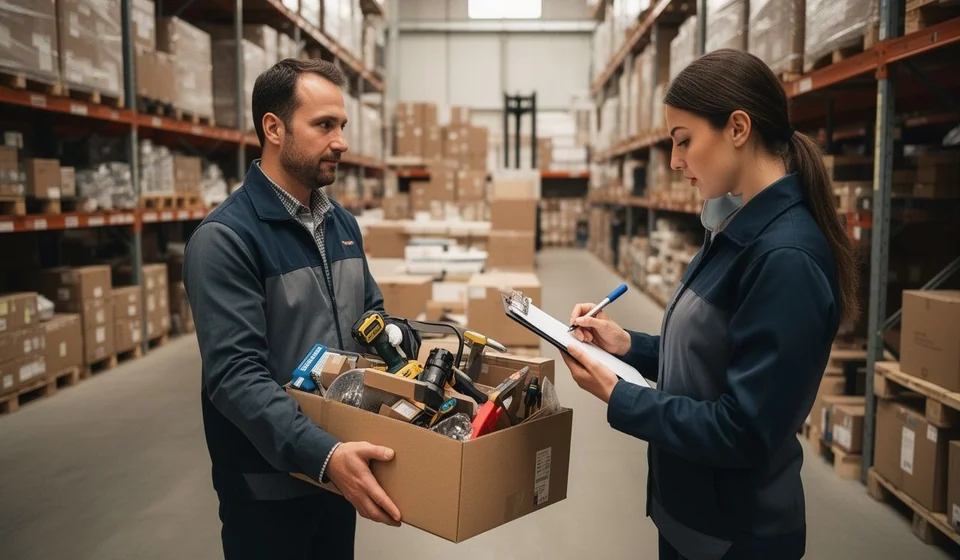
What is a loaned-stock return?
A return (sales return) is the registered restitution of the merchandise that left your warehouse as a loan or consignment: the moment when the customer, outside salesperson, employee, or repair shop that received the products gives them back, and your inventory counts them as available stock once more. In Kardex Tauro, the return is the document that closes the cycle begun when you handed that merchandise to a third party, and it is recorded with the Reintegrate button of the Loan and Consignment List window.
To understand it well, see it as the second half of a cycle. In the program help, loan and consignment are one single document with two names: it formalizes the temporary delivery of products from inventory to a third party while the company keeps ownership over them. It is not a sale nor a consumption, because the merchandise is not lost permanently, and it generates no accounts receivable or payable. When that document is finalized, the system subtracts the stock and records a temporary consignment outflow in the Stock ledger. The return follows the opposite path: every unit that the third party gives back goes into the warehouse again, stock increases, and the Stock ledger records the corresponding inbound movement.
Why the cycle needs its closing document
If the merchandise physically comes back to the warehouse but nobody registers the return, the system keeps showing those units as loaned: the third party appears to owe something they already gave back, the available stock does not reflect what you really hold, and the Stock ledger history is left incomplete. The return is therefore not a decorative formality: it is the record that reconciles the physical goods with the books. The loan list also works as the control point for assets in the hands of third parties, whether employees, outside salespeople, customers, repair shops, fairs, or distributors, because it tells you at any moment who holds company products, how much is still pending, and which consignments have stayed too long without a return.
How the return works in practice
Everything starts in the Loan and Consignment List window. Only a document in CERRADA or PARCIAL state can be returned; if it is ABIERTA it is still being edited, and if it is FINALIZADA there is no pending product left. The steps are:
- Select the consignment to be returned and click the Reintegrate button.
- The return window opens automatically, showing the consignee who is returning the products, the employee who receives the return, and the list of loaned products with their pending quantities.
- In the Receive column, type how many units are being returned at that moment; the system validates that you cannot return more units than the ones originally loaned.
- If the products use serial numbers, the serial selection window opens and the returned serials must match exactly the loaned serials.
- Complete the inbound reference with the consignment document number and confirm with the Receive button.
Once confirmed, the system automatically updates the inventory stock, because the products return to the warehouse; it also updates the Received column of the detail grid, the document state (PARCIAL or FINALIZADA) and the Stock ledger with the inbound movement.
Finding the consignment before returning stock
The return always starts by finding the right document in the Loan and Consignment List window. This window is organized as a master-detail form: the top grid shows the headers of every consignment (document number, third party, state, total and date), and when you click a row, the bottom area shows the detail with the loaned products, their quantities and their values.
To locate a specific consignment, the real-time search box at the top accepts any data: document number, third-party name, state or any text contained in the document, and filters the list instantly. When the search text is cleared, all records appear again.
When more precision is needed, the filters of the context menu are stackable: criteria can be combined by document, by third party, by state, by value greater than or less than, and by date greater than or less than. For example, you can ask to see every consignment in PARCIAL state belonging to one specific employee, or every CERRADA consignment with a date earlier than a given day, to detect old loans that were never returned. Besides, everything shown after filtering becomes a report with the View Report option, or can be exported to Excel, which makes it easier to follow up the products held by third parties.
The detail grid below is the key to knowing how much is still pending: the Loaned column shows the units originally handed over and the Received column shows those that already came back to the warehouse. If a product has 10 loaned units and 6 received, 4 are still pending return; comparing both columns in every consignment is the most direct way to control loaned assets and to decide which third parties need follow-up.
The numeric cycle from loan to full return
The clearest example is following a loan of 20 units from the outbound stage to the complete closure:
| Cycle moment | Loaned | Received | Pending return | State | Effect on stock |
|---|---|---|---|---|---|
| The loan is finalized: the 20 units go out to the third party | 20 | 0 | 20 | CERRADA | 20 units are subtracted |
| First partial return: the third party returns 8 units | 20 | 8 | 12 | PARCIAL | 8 units come back |
| Second return: the third party returns the remaining 12 units | 20 | 20 | 0 | FINALIZADA | 12 units come back |
As the table shows, it is not necessary to give everything back in a single visit: partial returns are allowed as the third party returns the products, and each return updates the pending quantities. When the Received column equals the Loaned column for every product, the document moves to FINALIZADA and the loan cycle is completed successfully; in that state no further returns are possible.
Full and partial returns: how the document advances
The third party does not need to give all the product back in a single visit. The program help states it clearly: multiple partial returns are allowed until the total loaned amount is completed, and each return updates the pending quantities. A typical example: if 10 tools were loaned to an employee and they return 3 today and the remaining 7 next week, two separate returns are recorded, each with its own confirmation.
Every time a return is confirmed, the document advances according to what is still pending. If the return does not complete the loaned quantities, the consignment moves from CERRADA to PARCIAL and stays in that state, allowing further returns, while the return window automatically shows the pending quantity of each product. When everything has been given back and the received quantities match the loaned ones, the document moves to FINALIZADA; in that state no more returns are possible because no product is pending.
The system also keeps the complete history of every return performed: at any moment you can know how much product has been given back and how much is still owed. That full traceability is what lets you close the cycle of each loan with confidence, from the initial delivery to the last return.
Document states and differences from other documents
A consignment moves through five states: ABIERTA, while it is being edited and cannot yet be printed or returned; CERRADA, when the products were already handed to the third party, the stock is subtracted and the return is expected; PARCIAL, when one or more returns have happened but product is still pending; FINALIZADA, when everything loaned has been returned; and ELIMINADA, when it was cancelled and remains only as a historical record. This logic sets the loan apart from other documents: a sales invoice, a consumption or a shrinkage subtract stock permanently, while the consignment subtracts it only temporarily and recovers it through the return. That is why it is the only document with a Reintegrate button and with Loaned and Received columns to control returns, and the only one that actively tracks who owes product to the company.
The five consignment states and how they relate to returns
Since the return depends on the state of the document, it is worth having the complete table of states a consignment moves through:
| State | What it means | What it allows |
|---|---|---|
| ABIERTA | The document is being edited; it does not subtract stock nor affect the Stock ledger yet. | Add, modify or remove products and save. It cannot be printed or returned. |
| CERRADA | The document was finalized and the products were handed to the third party; stock is subtracted and the return is expected. | Print the document and register returns with the Reintegrate button. It cannot be edited. |
| PARCIAL | One or more returns have happened, but product is still pending return. | Print and keep returning the pending product until it is completed. |
| FINALIZADA | All the loaned product was returned; stock is fully back in inventory. | View and print the document. No more returns are possible because nothing is pending. |
| ELIMINADA | The document was cancelled and removed from the system. | Only view it as a historical record. It cannot be edited, printed or returned. |
With this table in mind it is easy to understand the behavior of the Reintegrate button: it is available while the document is in CERRADA or PARCIAL. In ABIERTA the delivery has not been finalized yet and no stock has been subtracted to give back, and in FINALIZADA everything was already returned. So before returning stock it is wise to check the state in the top grid; in any case, the window validates by itself that the selected consignment is in a state that allows returns.
Relationship with the Receive Products window
The window that opens when you return stock is exactly the same Receive Products window of the Entries module: they share the interface, the validations and the data capture process. The only difference is the context from which it is invoked. Receive Products is used to receive merchandise from suppliers, production orders or other entries, while the Reintegrate button of the loan list invokes it specifically to register returns of loaned products. That consistency guarantees that every merchandise receipt into inventory is processed under the same controls.
Common mistakes when returning stock and how to avoid them
- Letting merchandise come back without registering the return. If the products physically return to the warehouse but the return is not processed, the system keeps showing them as loaned: the third party appears to owe something already given back, the available stock does not reflect what you really hold and the consignment can stay forgotten in CERRADA.
- Trying to return more units than the ones loaned. The system validates quantities and does not allow returning more than what was originally delivered; type carefully in the Receive column, checking that it matches what actually arrives at the warehouse.
- Returning serial numbers that do not match the loaned ones. In serialized products, the returned serials must match exactly the loaned serials; that validation is the basis of traceability for equipment and tools in the hands of third parties.
- Returning from the wrong state. An ABIERTA consignment is still being edited and cannot be returned, and a FINALIZADA one has no pending product; the window only allows returning documents in CERRADA or PARCIAL.
- Trying to edit or delete documents in advanced states. CERRADA, PARCIAL or FINALIZADA consignments can only be opened to view or print: they cannot be edited, and if something must be changed a new consignment has to be created. The Delete button, in turn, is disabled for consignments that already have returned products or are in advanced states, protecting the historical integrity of the operations.
- Neglecting the paperwork. When delivering the merchandise, print the consignment so it accompanies the delivery; when returning, complete the inbound reference with the consignment document number, record the expected return date in the notes and keep records that back each movement.
- Losing track over time. Consignments that have stayed too long in CERRADA without returns may indicate oversights: monitor PARCIAL documents, apply date filters to detect old loans, set maximum return deadlines and periodically reconcile active consignments with the physical inventory held by third parties.
Frequently asked questions about returns
Can I return only part of what was loaned?
Yes. It is not necessary to give everything back in a single visit: multiple partial returns can be registered as the third party returns the products. Each return updates the pending quantities and the document stays in PARCIAL until the full return is completed.
From which states can I return a consignment?
Only from CERRADA or PARCIAL. If it is ABIERTA it is still being edited and no merchandise has been subtracted; if it is FINALIZADA everything was already returned; and if it is ELIMINADA it only remains as a historical record.
What happens if the merchandise comes back but nobody registers the return?
The system keeps showing those units as loaned: the third party appears to owe something already given back, the stock does not reflect the real situation of the warehouse and the Stock ledger is left incomplete. Registering the return as soon as the merchandise arrives is what reconciles the physical goods with the books.
Why does the system reject my return?
The most frequent causes are three: a quantity greater than the one originally loaned was typed, the returned serials do not match the loaned serials, or the consignment is not in a state that allows returns. The system applies these validations automatically to protect the consistency of the inventory.
When is the loan cycle completed?
When the received quantities equal the loaned ones in every product of the detail grid, the document moves to FINALIZADA and the stock has fully come back to the inventory. At that point the loan cycle has been completed successfully and no more returns can be registered.
Good practices when returning stock
- Register the return as soon as the third party gives the merchandise back, to keep control updated and to avoid forgotten consignments stuck in CERRADA.
- Inspect the physical condition of the returned merchandise before confirming, and verify that the typed quantities match what actually arrives at the warehouse.
- With serialized products, check that every returned serial matches exactly one loaned serial: it is the basis of traceability for equipment and tools in the hands of third parties.
- Record the date and the employee who receives the return, write the consignment document number in the inbound reference, and use the notes to document the expected return date.
- Monitor PARCIAL documents and old CERRADA consignments with the window filters, and periodically reconcile active consignments with the physical inventory held by third parties.
With a well-documented return, every loan that closes leaves a clear trace in the inventory and in the Stock ledger: in Kardex Tauro you always know what went out, what came back, when and in whose hands.
