PPE and uniform issue record template for Word (free download)
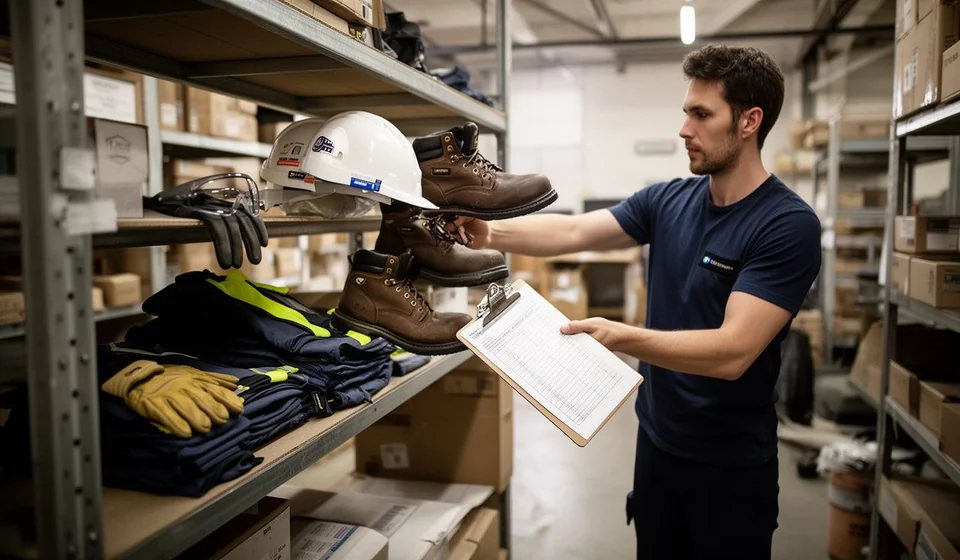
PPE and uniform issue record template for Word (free download)
In warehouses, workshops, production plants, building sites and stores, uniforms and personal protective equipment are handed out almost every day. A shirt, a pair of trousers, safety boots, a helmet, a pair of gloves, safety glasses. When that handover is never signed on paper, doubts start: nobody knows for certain which size each person received, on what date the boots arrived, when the helmet is due for replacement, or whether the new employee ever got the gloves that were promised.
The PPE and uniform issue record closes that gap with a one or two page form that is filled in at the very moment of the handover. It is not a safety manual and it is not a management programme: it is the dated record of what was issued, to whom, when and in what size, signed by the person who receives, the person who issues and a witness.
This guide explains what the record is, how it is used day to day, which sections the Word template contains, how to fill it in step by step and what to check before signing. It also points out when a paper form stops being enough and the control is better kept in an inventory system.
⬇ Download PPE and uniform issue record (.docx)What a PPE and uniform issue record is
It is the written support of a handover of work items. The word uniform covers the clothing and footwear the company defines for each role. PPE stands for personal protective equipment: helmet, gloves, safety glasses, face shield, safety footwear and the other items that stay with the person during the task.
The record does not replace the training or the technical handover of the item, and it does not decide whether that item suits the risk of the job: that is settled earlier, when the task is analysed. What the record does is document a specific handover, with date, size and signature, together with the commitment to use and care that the person accepts. Its value is organisational and evidential at the same time: when somebody asks what a person received, when they received it and in what condition it left the storeroom, the answer is on the signed form.
That is why it is worth treating it as a living document. It is filled in on the day of the handover, not at the end of the month; it is kept in the employee file or in the area archive, and every replacement is written down. The item issued today will have a replacement date, and that date has to be easy to find later.
What it is used for day to day
These are the uses that come up most often in a real operation:
- Keeping track of who holds each item and in which size, without relying on the memory of the person who issued it.
- Planning replacements from the issue date and the expected replacement period of each item.
- Supporting the handover when someone joins, changes role or moves to another site.
- Making clear, at the moment of departure, which items the employee has to return and in what condition.
- Answering with evidence when an auditor, a customer or the team itself asks where the issued items went.
- Spotting badly sized purchases: sizes that are never used, quantities that are left over or items replaced far too often.
What the template includes
The Word file carries the sections used in a real issue, plus the document control table and the footer with the company details. This is the structure, in the order in which it appears:
| Section | What is written there |
|---|---|
| Employee details | Full name, ID number, position, area or department, date of the handover and issue type: uniform or personal protective equipment. |
| Items issued | Table with the six base items —shirt or polo, trousers, safety boots or footwear, helmet, gloves and safety glasses or face shield— and the columns for size, quantity, issue date, replacement in months and notes. |
| Commitment to use and care | Five ready-written commitments the employee signs: wear the items throughout the working day, report deterioration or loss immediately, return them when the employment ends, never lend them to third parties and clean, store and care for them as instructed. |
| Notes | Room for what does not fit in the columns: partial issues, items pending because of size, replacements announced and agreed dates. |
| Signatures | Employee signature, signature of the person issuing (store or safety) and witness, each with name, ID number and position. |
| Document control table | Code [DT-___], version, date and document owner, so that every company can number and update its own record. |
The file also includes a note reminding the reader that the items issued are work tools, are not deducted for normal use and are recorded as evidence for both the employee and the company. That line prevents the same argument from coming back, so it is worth keeping in the version that circulates internally.
What the item table looks like
The central table of the record is the list of items issued. This is how it looks when it is properly filled in, with the six base items and the replacement column that makes the next change easy to schedule:
| Item | Size | Quantity | Issue date | Replacement (months) | Notes |
|---|---|---|---|---|---|
| Shirt or polo | M | 2 | Date of the handover | 6 | Initial issue on joining |
| Trousers | 32 | 2 | Date of the handover | 6 | Try the size on before signing |
| Safety boots or footwear | 41 | 1 | Date of the handover | 12 | Note whether insoles or laces are needed |
| Helmet | One size | 1 | Date of the handover | 24 | Replaced earlier after an impact |
| Gloves | L | 3 | Date of the handover | 3 | Item with frequent wear |
| Safety glasses or face shield | One size | 1 | Date of the handover | 12 | Check for scratches before signing |
The quantities and periods in the table are an example: every company sets its own according to the role, the task and the wear it observes. What matters is that the replacement column is always filled in, because that is what turns the record into a planning tool and not just a file on paper.
How to fill it in step by step
- Download the file and save a copy named after the area or the site, so that versions from the store, the workshop and the office do not get mixed up.
- Replace the company name in the footer and, where relevant, the details of the area that issues the items: store, purchasing or workplace safety.
- Complete the document control table: assign the code [DT-___] using your company's internal numbering and write the version, the date and the document owner.
- Prepare the items before the handover and confirm the sizes with the employee present. If a size is in doubt, measure or try the item on: correcting later costs more than checking first.
- Fill in the item table together. Write only what is issued on that date; anything pending is left blank and explained under notes, with the reason and the estimated date.
- Read the five commitments to use and care out loud before the employee signs. The signature at the bottom of the form does not replace that reading.
- Collect the three signatures: employee, person issuing and witness, each with name, ID number and position. If the witness cannot sign the same day, leave the issue documented and complete the signature at the first opportunity.
- Give a copy to the employee, file the original and record in the replacement log the date of the next change for each item.
What to have at hand before you start
A well documented issue takes only a few minutes when the data is within reach. Before calling the employee in, gather:
- The list of items that correspond to the role, with the sizes and quantities defined.
- The person's identification details and the date they joined the area.
- The history of previous issues, so you do not hand out again what is already in use.
- The replacement rule for each item: the one changed because of wear, the one changed on a time cycle and the one with frequent wear.
- The document code and the current version, so that nobody prints an old form.
How to record replacements and returns
The first issue is only the beginning of the history. Every replacement is written on the same record or on a new one, always with date, quantity and reason: normal wear, damage during the task, loss or a change of size. When the reason is damage, describe it in a few words and, if possible, attach a photograph of the item.
Returns work the other way round. When the employment ends, or when the person moves to a role that does not use the same items, the issued list is reviewed and it is written down what came back, in what condition and what did not come back. That closing step is what keeps the uniform inventory from filling up with items that no longer exist in practice.
How to file it
A record nobody can find is of no use. Keep the signed original in the employee file or in the central archive of the area, and leave a digital copy with a clear name: the ID number followed by the issue date is a good rule. Agree with your company how long the forms are kept and who may consult them, because the personal data on the record deserves the same care as any other staff record.
Common mistakes and what to check before signing
- Records without a code or version: if the form is not identified, every area ends up using its own copy and none of them matches the one reviewed later.
- Incomplete signatures: the witness or the ID number is missing, and the evidence loses weight exactly when someone needs it.
- Sizes written from memory: if the employee does not try the item on, the size recorded is usually wrong and the replacement arrives wrong too.
- Piecemeal issues that are never recorded: the item that arrived a week later is never written down and disappears from the control.
- No replacement date: the table is filled in on the first day and nobody looks at it again until the item is already overdue.
- Records signed months later: when the signature is collected at the end, the record stops serving as control and only serves as an archive.
When it is worth moving to a system
While the operation is small, a properly filled template is enough. The problem appears with volume: several sites, rotating shifts, people joining and leaving every month, dozens of issues and replacements that are announced and never recorded. At that point the record is still valuable as signed evidence, but it stops being a good control tool, because nobody can answer in seconds how many helmets are out, which sizes run out first or who is due a replacement this month.
That is the moment to move the control into a system that keeps the history per person and per item. Kardex Tauro records the issue and the replacement inside the same inventory history, so the signed record is filed as evidence and the data stays available at any time. The template does not disappear with that change: it becomes the document that backs every movement. Kardex Tauro also lets you keep the numbering and codes the company already uses, so moving from the Word form to the system does not mean starting from scratch.
This template is a general guide for internal use: review it with your adviser and adapt it to how your company works.
⬇ Download PPE and uniform issue record (.docx)