Committee minutes template for Word (free download)
Committee minutes template for Word (free download)
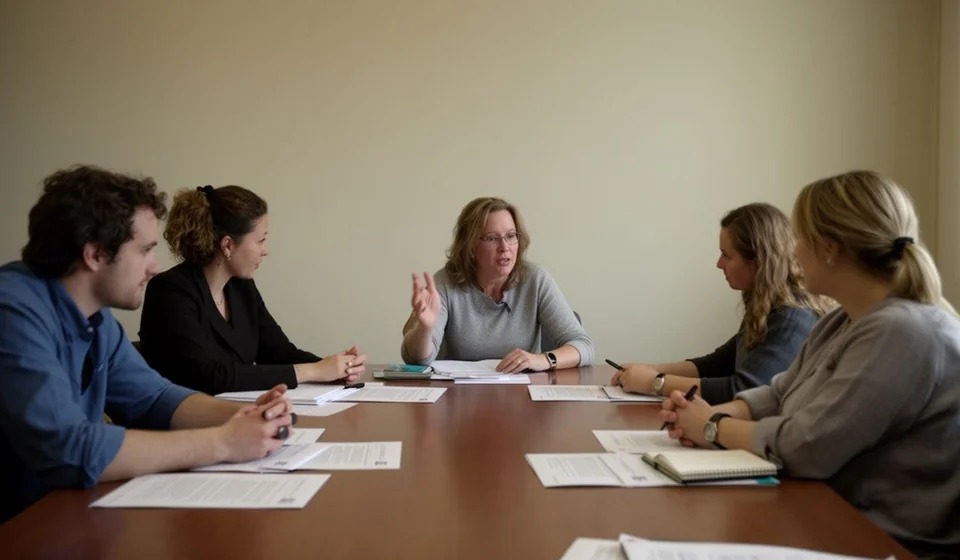
Committee minutes are the document where a committee's decisions are written down: what was agreed, who committed to doing what, and when it is due. They are used by any organisation that works with formal groups — workplace-relations committees, health-and-safety committees, quality committees, purchasing committees, follow-up committees and committees created only to settle one specific issue. The person who usually ends up writing them is the committee secretary, although in practice the task lands on whoever writes fastest or whoever failed to leave the room in time.
The problem is never the meeting; it is the record. A committee can make excellent decisions and lose all of them within three weeks because nobody wrote the commitments down, because the minutes stayed as an unsigned draft, or because nobody remembers what was agreed about the case someone reported in the previous session. When that happens the next session starts from zero again and the committee turns into the same conversation repeated every month without moving forward.
This committee minutes template for Word organises that record into seven fixed sections. It carries an attendance table with each person's role, a meeting-development table, a table of cases or reports presented, and a commitments table with owner, deadline and status. It is meant to be filled in by hand during the session, signed at the end, and filed as the supporting record of the committee's decisions.
⬇ Download committee minutes (.docx)What committee minutes are
Committee minutes are the formal summary of a committee session: they record who attended, what was discussed, what was decided and which commitments were left open. They are not administrative decoration. They are the record that allows an organisation to prove, months later, that the committee met, that there was a quorum, that a case was brought to the group's attention and that concrete decisions were taken about it.
The document carries two different kinds of value, and they should not be confused. The organisational value is internal: it provides continuity, lets each session open by checking what was left pending from the previous one, and stops the thread of the committee's work from leaving with the person who changes jobs. The evidential value supports the decision: when someone asks why something was decided, the minutes are the document that answers, with the date, the names and the role each attendee held at that session.
The difference from ordinary meeting minutes is the formality of the group. Committees are permanent or semi-formal bodies: they have a chair, a secretary and members, they meet over defined periods, and they usually carry consecutive numbering. That is why the template asks for the committee type, the period, the minutes number and each attendee's role, and why the file includes a small document-control table with code, version, date and owner.
What committee minutes are for
- Recording the session: date, place, start time, end time and committee type, so the meeting exists as a verifiable fact rather than a memory.
- Proving quorum: the attendance table records who came, with what job title and with what role inside the committee, and leaves room to mark who did not attend.
- Keeping the debate in order: an agenda written before the session starts stops the meeting from becoming a conversation with no thread and lets topics be shared out in advance.
- Logging the cases that are presented: a report, a complaint, a deviation or an improvement opportunity is recorded together with who presented it and how the committee handled it.
- Closing commitments with a name and a date: every agreement becomes a line with an owner, a deadline and a status, so follow-up stops depending on the memory of whoever took the notes.
- Reviewing the previous session: numbered minutes let the meeting open by checking what was completed, what is still running and what has not moved, which is usually where the committee's real work shows up.
What the template includes
The file has seven sections plus a control table. These are the real sections, in the order they appear:
| Section | What goes there |
|---|---|
| 1. General details | Minutes number, period, date, place, start time, end time, committee type (workplace relations, health and safety, quality, purchasing or other) and the committee's name. |
| 2. Attendees | Table with name, job title, role inside the committee (chair, secretary or member) and whether the person attended. |
| 3. Agenda | The topics planned for the session, numbered before it starts. |
| 4. Meeting development | Three-column table: agenda item, summary of what was discussed, and conclusion or agreement. |
| 5. Cases or reports presented | Table with number, case or report, who presented it and the treatment given. |
| 6. Commitments taken on | Table with number, commitment, owner, deadline and status. |
| 7. Signatures | Space for the chair, the secretary and one committee member to sign. |
Above the sections the file carries the document-control table with the code [CM-___], the version, the date and the owner. That table is what makes the minutes identifiable inside the company's document system instead of a loose sheet. At the bottom, a note reminds the reader that minutes are numbered consecutively and kept as support for the decisions taken.
How to use the template, step by step
- Open the file and replace the company details. Change the company name in the footer and the header, and adjust the logo and contact details if the document carries them. This is done once and saved as the committee's base version.
- Fill in the document-control table. Write the code in the [CM-___] field, keep or raise the version number, enter the issue date and write who is responsible for keeping the document up to date.
- Complete the general details before you start. Minutes number, period, date, place, start time and committee type. If the session is going to run long, enter the end time when you close, not at the beginning.
- Record attendance as the session begins. Name, job title and role for each person, and mark who attended. If someone arrives late or leaves early, note it in the observations instead of rewriting the table afterwards.
- Write the agenda and read it aloud. Four or five well-worded items beat a long list. The agenda approved at the start is what later allows the committee to say precisely what was covered and what was not.
- Take notes in the meeting-development table. For each agenda item, write a short summary of what was discussed and the conclusion or agreement. If an item was never reached, write exactly that: it is useful information for the next session.
- Log the cases or reports presented. Each case goes in with its number, the person presenting it and the treatment the committee gave it. Describe facts and decisions, not personal judgements.
- Close with the commitments and collect the signatures. Write each commitment as an action with a verb, assign an owner with name and job title, set a realistic deadline and fill in each status. Number the minutes, read them aloud and sign before people leave the room.
Common mistakes to catch before signing
- Commitments with no owner: "this will be reviewed" is not a commitment, because nobody is obliged to do anything.
- Impossible deadlines: a date that cannot be met guarantees the commitment arrives unfulfilled at the next session.
- Cases recorded without treatment: the case is logged, but there is no evidence of what the committee did about it.
- Attendees with no role: without an identified chair and secretary, the minutes lose clarity about who ran the meeting and who wrote them.
- Minutes with no consecutive numbering: without a number and a period, it is impossible to tell whether a session is missing or two documents are the same one.
- Drafts that are never signed: an unsigned file is a draft, and a draft does not support a decision.
| Mistake | Why it causes trouble | How to fix it |
|---|---|---|
| Minutes written days later | Details are lost and the summary turns generic. | Write during the session and finish at the end, not the following week. |
| Commitments repeating from the previous session | It shows follow-up was skipped and wears down the committee's credibility. | Read the previous minutes first and mark the status of every commitment. |
| Attendance table left unmarked | Without an attendance record the quorum cannot be proved. | Sign the list on the way in, not on the way out. |
| Minutes scattered across different inboxes | Every person ends up holding a different version of the same document. | Define one folder and one person responsible for the archive. |
When it is worth moving to a system
The Word template is enough while the committee runs an orderly life: one session a month, a handful of commitments and a single folder where the minutes are kept. The breaking point appears when commitments start crossing into operations. Something very common happens there: the committee agrees to check stock, adjust an inventory, hand over an asset or verify a batch, and that decision is written into the minutes but never reaches the system where the inventory actually moves.
When that starts happening often, it is worth making committee decisions touch the real operating record. Inventory software such as Kardex Tauro lets agreements that affect stock, receipts, issues, transfers or adjustments be backed by movements and documents instead of a single line in the minutes. The minutes remain the committee's document; the system is what holds the figures the committee discusses. If the committee only deals with workplace relations, documentary quality or purchasing and never touches stock, the Word template is enough and there is no reason to change anything.
In any case, remember that this model is a general guide for internal use: review it with your adviser before adopting it as the company's official form.
⬇ Download committee minutes (.docx)