Product disposal and write-off record template for Word (free download)
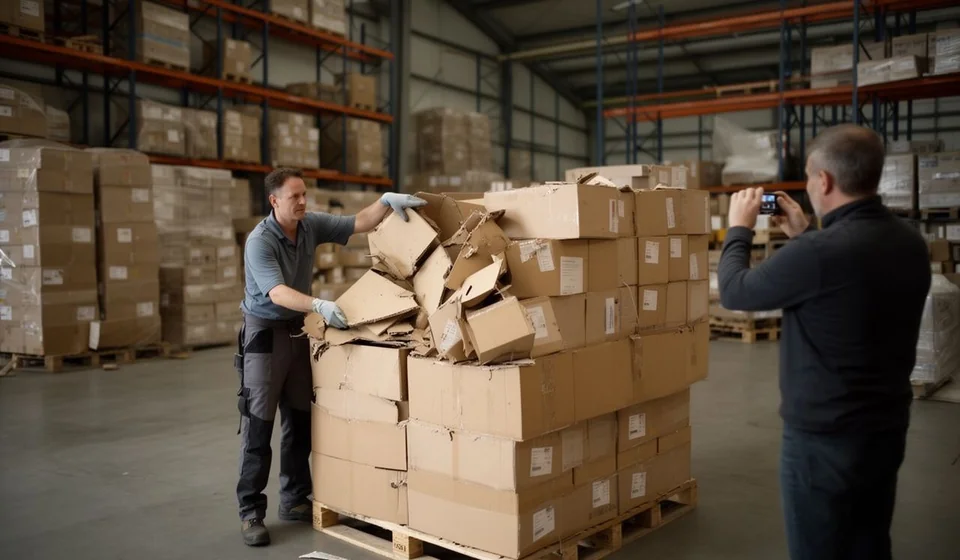
Product disposal and write-off record template for Word (free download)
Every warehouse keeps a corner where stock that can no longer go back on the shelf piles up: expired goods, cartons crushed in transit, lots that lost their label, references the market stopped asking for. That material keeps taking up space and, worse, it still shows in the system as though it were available for sale. When the time comes to pull it out, the decision is made quickly, but almost nothing is written down to support it.
The product disposal and write-off record is the document that closes that gap. A single page captures what is being removed, how much, why, who authorised it and what was finally done with those goods. It turns a verbal decision, taken in a hurry in the warehouse aisle, into an administrative fact with a date, an owner and signatures.
This Word template is aimed at warehouses, pharmacies, food distributors, hardware stores, workshops and bakeries: any operation that handles stock with an expiry date, a lot number or a physical condition. Download it, adjust the header and the footer with your company details, and start using it the same day, with no specialised software required.
⬇ Download product disposal record (.docx)
What the product disposal and write-off record is
It is an internal document, dated, numbered and signed, in which the company states that certain units left the inventory for good and will not be available again. It is not an email, it is not a text message and it is not a loose note in the warehouse notebook: it is the sheet that stays on file and can be produced months later, when someone asks what happened to that lot.
Two ideas that are often mixed together deserve to be separated. The write-off is the removal from the record: those units stop counting as available stock and the inventory is adjusted. The disposal is the final physical handling of the goods: they are incinerated, shredded, compacted, handed to an authorised waste operator or taken to whatever disposal site the company has defined. When damaged goods are disposed of at the same moment they are removed, one single record covers both and that is exactly how it is written down.
The value of the document is twofold. Organisationally, it brings order to an operation that is almost always rushed: it forces the real cause to be written, the lot to be identified, and the authorising and executing people to sign. As evidence, it supports the stock adjustment before an internal or external audit, before the accounting area and before any later claim. A well-kept record also protects warehouse staff, who stop carrying alone the responsibility for a decision they did not take.
What it is for
- Supporting the stock adjustment in the system with a verifiable date and cause.
- Making clear who authorised the removal and who executed it, with no grey areas of responsibility.
- Documenting the real reason for the withdrawal: expiry, damage, obsolescence, broken packaging or non-conformity.
- Separating normal shrinkage from avoidable damage, so the operation can analyse what is being lost and why.
- Backing a replacement request or a claim to the supplier when the problem came from the source.
- Rebuilding the history of a reference or a lot and answering an audit query in minutes.
- Closing the loop with proof of final disposal, that is, evidence that the goods never returned to the sales chain.
What the template includes
The file carries the six sections that belong to this procedure, plus the document control table. These are the real sections and what is written in each one:
| Section | What is written there |
|---|---|
| 1. Write-off details | Date of the write-off, type of write-off (expiry, damage, obsolescence or non-conformity), warehouse or exact location, and the person authorising it. |
| 2. Remarks | A short explanation of the context: what happened to those goods, whether there was an incident, whether the supplier has already been informed or whether a claim is under way. |
| 3. Detail of the goods written off | Inner table with line number, code, product, lot, quantity, unit and cause. One line per product and per cause. |
| 4. Final disposal | Operator or company handling the goods, certificate or supporting document number, date and place of disposal. |
| 5. Prior verifications | Five verifications already drafted for ticking: goods identified and set apart from stock, photographs taken, write-off authorised and registered, goods confirmed as unfit, and certificate filed. |
| 6. Signatures | Three signatures: the person authorising, the person executing the write-off and a witness who was present at the disposal. |
| Document control table | Document code with its sequence [BJ-___], version, date and the person responsible for the write-off. This is the table that lets you number and trace every record. |
At the end, the file leaves a short note: the record documents the definitive exit of goods from inventory, supports the corresponding adjustment and is filed together with the photographs and the disposal certificate.
How to use it step by step
- Download the file and save a copy with a name that includes the month, for example March write-off record, so versions are never confused.
- Open the document control table and write the code with its sequence, for example [BJ-001], plus the version and the date. If you already used sequence three, do not repeat numbers.
- Replace the company name, the area and the contact details in the footer, and adjust the header with the warehouse name. That is how the document stops being a generic template and becomes your own form.
- Complete the write-off details: date, type of write-off, warehouse or location and the person authorising it. If nobody has authorised it yet, stop here and do not keep filling it in.
- Physically separate the goods from available stock before going any further. Anything that has not been set apart, with its identification label, can go back on the shelf by mistake the very same day.
- Fill in the detail line by line: code, product, lot, quantity, unit and cause. If one product has two different causes, use two lines; if there are several lots, one line per lot.
- Before moving the goods, photograph the product and its condition, plus one shot of everything that has been set apart. Save the files with the record date in the file name.
- Carry out the final disposal and write down in the record the operator or company that handled it, the certificate or supporting document number, the date and the place.
- Tick the prior verifications one by one, and only once they have actually been completed. If one of them was not met, describe it under remarks instead of ticking it.
- Sign with the authorising person, the executing person and the witness, then file the record with the photographs and the certificate. Register the write-off in the system the same day as well.
Common mistakes and what to check before signing
- Signing the record without having physically set the goods apart from available stock.
- Mixing products with different causes, different lots or different units of measure on a single line.
- Writing quantities without stating the unit, which later makes it impossible to reconcile the inventory against the record.
- Taking the photographs after the goods have been destroyed, when they no longer show the original condition.
- Leaving the certificate or supporting document number as pending and never coming back to complete it.
- Forgetting to register the write-off in the system: the goods leave the warehouse but the inventory stays inflated and the difference surfaces months later.
- Signing blank sheets or sheets dated after the events, which strips the document of all value.
- Confusing the inventory write-off with the physical exit: they are two different moments and both must be registered.
To size the problem, compare the two ways of keeping this control:
| Aspect | Loose sheet on paper or Word | Write-off registered together with the system |
|---|---|---|
| Product identification | Depends on what a hurried person types | The reference and the lot are picked from the real catalogue |
| Stock update | Manual, at another moment, easy to forget | Tied to the same movement |
| Lot history | Lost among folders and photocopies | Looked up by product, lot or date |
| Trace of responsibility | A signature on a sheet that can go missing | User, date and time in the register |
| Loss analysis | Recounting folders at month end | Totals by cause and by warehouse in seconds |
When it is worth moving to a system
The Word template works very well in small operations: warehouses with few references and a handful of write-offs per month, where one person controls the inventory and knows by heart what has been pulled out. In that setting paper is enough and there is no reason to complicate the operation.
The change is justified once write-offs stop being an event and become routine: several per week, across different warehouses, with lots coming and going and with an inventory that no longer balances on its own. That is where what paper cannot give you shows up: the removal of the goods and the stock adjustment happening in the same movement, a trace of who did it and when, and a lot history that can be consulted without opening a folder. Tools such as Kardex Tauro are built for exactly that point of the operation, while the Word record stays useful as the signed support that gets filed with the disposal certificate. Many companies use both together: the movement lives in Kardex Tauro and the signed sheet lives in the record file.
⬇ Download product disposal record (.docx)
This model is a general guide for internal use: review it with your adviser before adapting it to your company policies and to the internal controls you already have in place.
