Inventory handover record template for Word (free download)
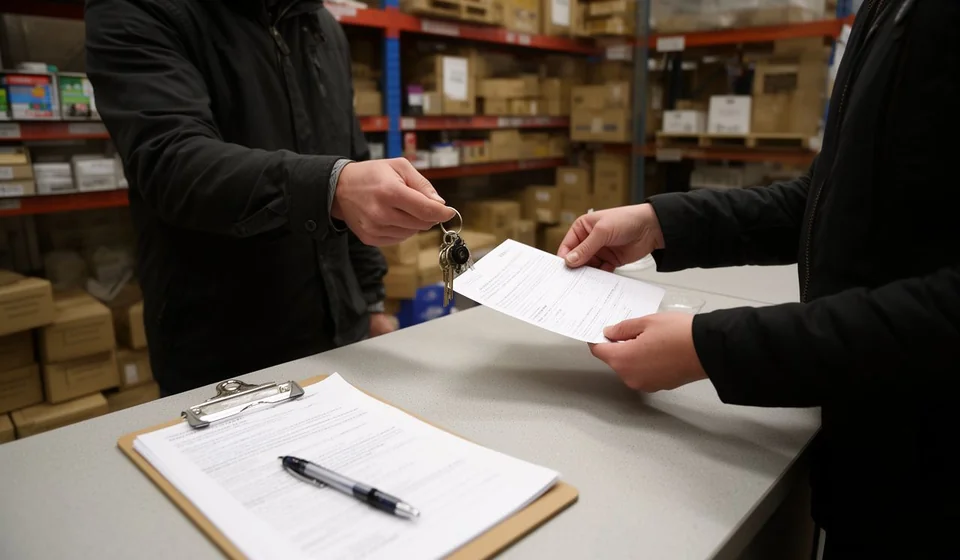
Inventory handover record template for Word (free download)
Handing a warehouse over to a new person is one of those moments that only goes well when everything is written down. The person who knew every corner of the storeroom leaves, and someone who cannot yet tell one shelf from the next arrives. In between there are thousands of units, repeated item codes, expired goods, keys, user passwords and half-finished commitments. When that handover is done by word of mouth, any discrepancy that shows up two months later turns into an argument with no evidence behind it, and almost always into a problem for the person who just walked in.
An inventory handover record is the document that puts that change of hands in order. It is not a physical count and it is not an accounting document: it is the signed confirmation that one person received a specific inventory, in a specific condition, with specific supporting files, and with the discrepancies already identified and acknowledged. The form summarises and gets signatures; the count detail lives elsewhere, in a spreadsheet, and any discrepancy is adjusted separately with whichever document matches the cause.
On this page you have the template ready to edit in Word, at no cost. It works for a change of warehouse supervisor, a long leave, a resignation, an internal transfer or an audit asking for evidence. Below we explain what it contains, how to fill it in without leaving loose ends, and what to check before signing.
⬇ Download inventory handover record (.docx)What this record is and what it is not
An inventory handover record is an internal document that transfers responsibility. It is drawn up when control of a warehouse, a secondary storeroom, a raw material store or a retail point passes from one person to another. Its main purpose is to make clear, with names and signatures, which goods were handed over, how they were verified and which discrepancies were left on the table.
It is worth understanding the scope. The record does not replace the count: it summarises it. It does not replace the inventory adjustment in the system either, nor the investigation of a discrepancy; it just states that the discrepancy exists and that both parties knew about it when they signed. And it does not turn the receiver into the owner of a shortfall they never accepted: that is why you sign after checking, not before.
Its value runs two ways. Inward, it is an organiser, because it forces the handover to be prepared, the paperwork to be up to date and the pending items to be sorted out. Outward, it is evidence, because when somebody asks months later why a discrepancy exists, the answer sits on a dated, signed page instead of in someone memory.
What it is for in practice
- Closing a change of responsible person with no grey areas: who handed over, who received and what was verified at that moment.
- Documenting the state of the inventory on an exact date, so it can be compared against any later count.
- Separating responsibilities when a discrepancy appears: what happened before the handover is not judged the same as what happens after.
- Backing an internal audit or a control review that asks for evidence of the warehouse handover.
- Putting in writing which keys, padlocks, access cards and user passwords were handed over, so nobody keeps old permissions.
- Listing the commitments left open: counts still pending, items to be verified, documents still to be obtained.
What the template includes
| Section | What goes there |
|---|---|
| 1. Handover details | Warehouse, storeroom or area, site or location, reason for the handover, verification method, person handing over, person receiving, date and general condition of the inventory. |
| 2. Summary of the inventory handed over | Items reviewed, units counted, items with a discrepancy, value of the inventory handed over and currency. These are closing figures, not the detail. |
| 3. Items with a discrepancy | Table with no., item code, product, units per system, units counted, difference and observation. Only the items that do not match go here. |
| 4. Supporting files and items handed over | Stock list by item, last documented physical count, bin card or movement sheet for the period, list of expired or damaged goods, list of assets and equipment in the area, keys, padlocks and access control, user passwords in the system, area documents and folders. Each one is marked as handed over or not, with a note. |
| 5. Commitments and observations | What is still pending, who resolves it, by when, and which document will be used to adjust each discrepancy. |
| 6. Signatures | The person handing over, the person receiving, and the immediate manager or internal audit. |
The file also includes a document control table with the code [IV-___], the version, the date and the person responsible, plus a closing note that summarises the scope of the record.
How to use it, step by step
- Replace the company and area in the footer, and adjust the document code in the control table ([IV-___]) to match your organisation numbering.
- Before the meeting, close the physical count and save the spreadsheet with the detail. That spreadsheet is your source; the record only takes the totals from it.
- Fill in section 1 with verifiable facts: warehouse, site and the real reason for the handover, not a generic phrase such as staff change, together with the verification method used.
- Complete section 2 with the closing figures taken from the spreadsheet: items reviewed, units counted, items with a discrepancy, inventory value and currency.
- Move to section 3 only the items that show a discrepancy, and explain in the observation what it is due to, even if it is only a reasonable hypothesis: a keying error, an unrecorded issue, goods in transit, damaged units set aside.
- Walk through section 4 item by item with both responsible people present. Tick what is actually handed over and note what is not, with the reason. Never sign with blank boxes.
- State in section 5 how each discrepancy will be adjusted and with which document. If the adjustment depends on a pending authorisation, note who gives it and by when.
- All three parties sign, the receiver gets a copy, and the record is filed together with the supporting files, in the same order they appear in section 4.
Common mistakes before signing
- Signing with the count half finished. If the count did not end, the record must say where it stopped, not invent a closing figure.
- Writing down only the total and losing the detail. Without the spreadsheet attached, the summary is useless for any later investigation.
- Leaving the discrepancy column without an explanation. A discrepancy with no observation is one somebody will have to justify later on.
- Failing to record keys, padlocks, user passwords and access rights. It is the most commonly forgotten part and the one that causes the most trouble over time.
- Handing over without checking against the system. Comparing counted units with the units in the system at the moment of the handover saves you from redoing the work later.
- Not deciding what happens to expired, damaged and obsolete goods. They must be identified and set aside, with their own exit document.
Verification methods: which one to choose
The record has a field for the verification method, and that is where many people write anything that sounds plausible. The method should describe how the physical stock was compared with what the system shows, because the confidence of the whole handover depends on it.
| Method | When to use it | What it leaves as evidence |
|---|---|---|
| Full count | Small warehouses, inventories with few items, or handovers caused by a final departure. | A complete sheet with every item counted and signed. |
| Sampling by item | Large stores where counting everything would stop the operation. | The list of selected items, the selection criteria and the result for each one. |
| Review of the period movements | When the count is recent and the interest lies in the receipts and issues that came after it. | The bin card or movement report covering the time between the count date and the handover date. |
| Exception-based check | When only negative balances, expired goods and the highest value items are reviewed. | A filtered report and an explanation of each selected case. |
What does not work as a method is writing reviewed or checked without saying how. A record that does not explain the method forces everyone to trust the word of whoever signed, and that is exactly what the document is supposed to prevent.
When it is worth moving to a system
A record signed in Word solves the handover well, but it does not solve day-to-day control. While the operation is a single warehouse with a single owner, paper is enough. Things change when inventory grows, when there are several warehouses, when different shifts move the same products, or when the gap between counted and recorded quantities comes back every month. At that point the problem is no longer the document: it is that there is no single source everyone consults, and the record ends up being a snapshot of a mess that keeps growing. An inventory system records every receipt, issue and transfer, shows the movement history per item, and lets you pull the handover summary as a report instead of an afternoon of adding up. Kardex Tauro is built for that step: traceable movements, scheduled counts and stock reports that work as backing for the record.
In the meantime the template remains useful and sufficient to put today handover in order. This template is a general internal-use guide: review it with your adviser so it matches your company practices and operation.
⬇ Download inventory handover record (.docx)