Goods delivery record template for Word (free download)
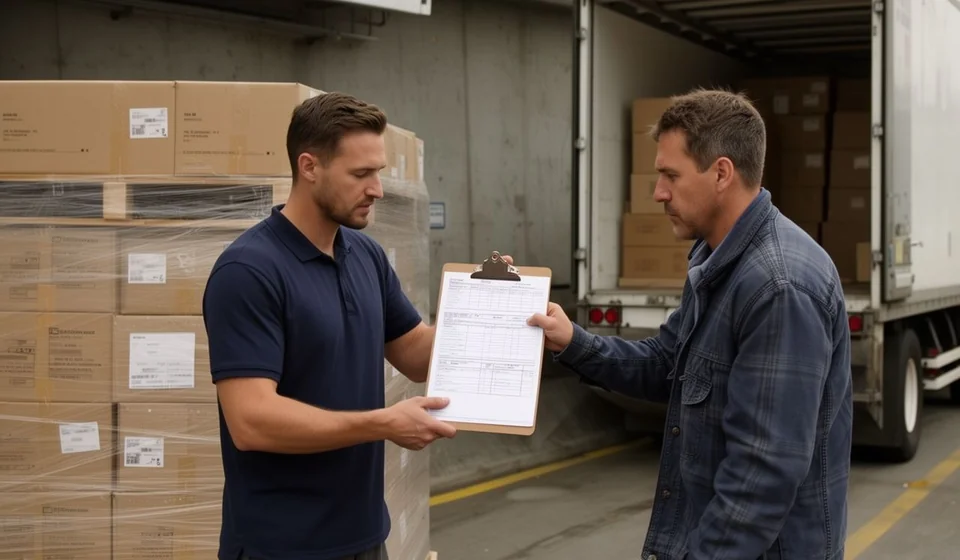
Goods delivery record template for Word (free download)
When the goods leave the warehouse and go up on the truck, the whole operation ends up resting on a signed sheet of paper. That sheet is the goods delivery record: proof of what left, in what quantity, in what condition it went out and who took it. Without it, any difference in units turns, days later, into an argument between versions where nobody can prove anything.
Many small and mid-sized companies dispatch with a waybill or a delivery note that travels with the driver, but keep no orderly copy in the warehouse and no record of the condition the load left in. The gap shows up when the claim arrives: a shortage with nobody responsible, a crushed carton nobody reported, a partial delivery nobody signed for. The template you can download here covers exactly that point, without adding work to the dispatch.
It is a one-page Word file with the sections that are actually used on the loading dock: delivery details, goods detail, condition at dispatch, remarks and signatures. You can print it and fill it in by hand while the truck is being loaded, or complete it on the computer when the dispatch is prepared in advance. Either way the result is the same: a clear record signed by the person handing over, the person receiving and the carrier.
⬇ Download goods delivery record (.docx)What a goods delivery record is
A goods delivery record is the document that captures the physical handover of products from the person dispatching to the person receiving: a customer, another site of the same company, a carrier or a logistics operator. It does not replace the invoice or the transport document, it complements them. The invoice answers commercial questions, the waybill answers logistics questions, and the record focuses on the physical fact: what left the warehouse, how much of it, how it was packed and from what moment responsibility crosses to the other side.
Its value is twofold. Organizationally, it forces the dispatch routine: count, inspect the packaging and write down what you see before the truck door closes. As evidence, it leaves a signed statement that helps settle claims, support returns, ask the carrier for replacements or close an internal investigation into missing stock. A properly filled record stops two departments from arguing for weeks over a carton nobody saw leave the building.
The record also feeds other processes: the dispatch confirmation the sales team is waiting for, the outbound entry in the inventory system and, when there are differences, the basis for adjusting stock with the appropriate document. Treat it as part of the dispatch file, not as a loose sheet of paper filed wherever it happens to land.
What it is used for
- Recording the item references and quantities that left the warehouse, with totals for lines and for units.
- Capturing the condition of the packaging, the seals or security tapes and the approximate weight or volume at the moment of dispatch.
- Identifying the carrier, the driver and the vehicle, with plate number and the document of the person taking the load.
- Supporting claims to the customer or to the carrier when a shortage, an overage or damage appears.
- Serving as backup for the dispatch confirmation and for the outbound movement in the system.
- Documenting partial deliveries, deliveries with incidents or deliveries made at an address other than the usual one.
- Writing down the verbal agreements that usually travel with a dispatch: pending replacements, packaging to be returned or deliveries that will be completed on the next trip.
What the template includes
The file has five numbered blocks plus a document control table. These are the real sections, exactly as they appear in the form:
| Section | What goes in there |
|---|---|
| 1. Delivery details | Record number, waybill or dispatch note number, date, who hands over, who receives, place, destination, carrier, driver, plate and document. |
| 2. Detail of the goods delivered | Table with line, code, description, unit, quantity, presentation or packaging and remark. The line total and the unit total close the block. |
| 3. Condition of the delivery | Whether the delivery is complete, whether the packaging arrived in good condition, the state of seals or security tapes and the approximate weight or volume. |
| 4. Remarks | Incidents, agreements, shortages, overages, goods with damaged packaging or any detail worth leaving in writing. |
| 5. Signatures | Signature of the person handing over, the person receiving and the carrier, with name, document and date. |
| Control table | Document code [EN-___], version, date and owner. This is the footer that identifies the template inside the quality file. |
The control table is the section almost nobody fills in and the one that helps most when a dispatch has to be traced months later. The code [EN-___] lets you number the records of a single series and find the one tied to a date, a customer or a plate number in seconds. If the company runs more than one warehouse, add the site name to that same footer, because numbering is useless if nobody knows afterwards where the load came from.
How to use it step by step
- Download the file and open it in Word. Replace the company name in the page footer and header, and adjust the document control code with the sequence your company uses.
- Prepare the dispatch: check the waybill or dispatch note, the outbound order, and confirm the goods are separated, labelled and counted before loading starts.
- Fill in the general details before loading: record number, waybill, date, place, destination, carrier, driver, plate and document.
- Enter the detail line by line, with code, description, unit and quantity. Do not mix different units of measure on the same line and do not group items that may later be claimed separately.
- Go through the condition block: mark whether the delivery is complete, state the packaging condition and describe seals, security tapes and approximate weight or volume.
- Add up the totals for lines and units at the end of the table and check that they match the waybill and what was actually loaded onto the vehicle.
- Sign at the moment, not later. The person handing over, the person receiving and the carrier all sign, and it is worth saying out loud what each one is signing.
- Distribute the copies: one for the recipient, one for the warehouse file and one for the administration area. Attach photographs of the load and the seals to the dispatch file.
Common mistakes to check before signing
- Signing without counting. A signature over a quantity nobody verified moves the problem to the next day, when there are no witnesses and no load in sight.
- Leaving one of the three signers blank, especially the carrier, who is the one holding the goods during the trip.
- Writing a waybill number that differs from the document travelling with the load, which breaks the link between the papers.
- Using vague descriptions such as product carton or assorted goods, which make it impossible to trace the item when a claim arrives.
- Failing to note packaging damage on the spot and reporting it days later, when there is no way to show where the damage happened.
- Filing the record without completing the control table or the sequence number, which breaks the traceability of the warehouse document file.
When it makes sense to move to a system
The Word record works well while the volume is manageable: a few warehouses, one or two carriers, dispatches that can be counted by hand without slowing the operation down. As the company grows, paper starts to fall short. Records appear without a sequence number, shortages are discovered late, outbound movements never reach the system and stock no longer matches the file. At that point the form stops being a control and becomes one more piece of paperwork nobody wants to fill in.
If the company dispatches daily from several sites, if there are several carriers and frequent returns, or if counting stock has become a weekend task, it is worth evaluating inventory software. This is where Kardex Tauro helps: every outbound movement is recorded at the moment it happens, the document is numbered and linked to the customer, and the printed record becomes the backup copy of a movement that is already stored. The point is not to remove paper, but to have paper support a record that already exists, not the other way around.
The decision is not urgent for every company. If the volume is low and dispatches are few per week, the Word template is enough and costs nothing. If the volume is high, document disorder ends up costing more than the tool, because every poorly supported claim is paid for with product or with the team time spent rebuilding the story.
⬇ Download goods delivery record (.docx)This template is a general guide for internal use: adapt it to your operation procedures and review it with the relevant areas before adopting it as an official form.
