Vacation request form template for Word (free download)
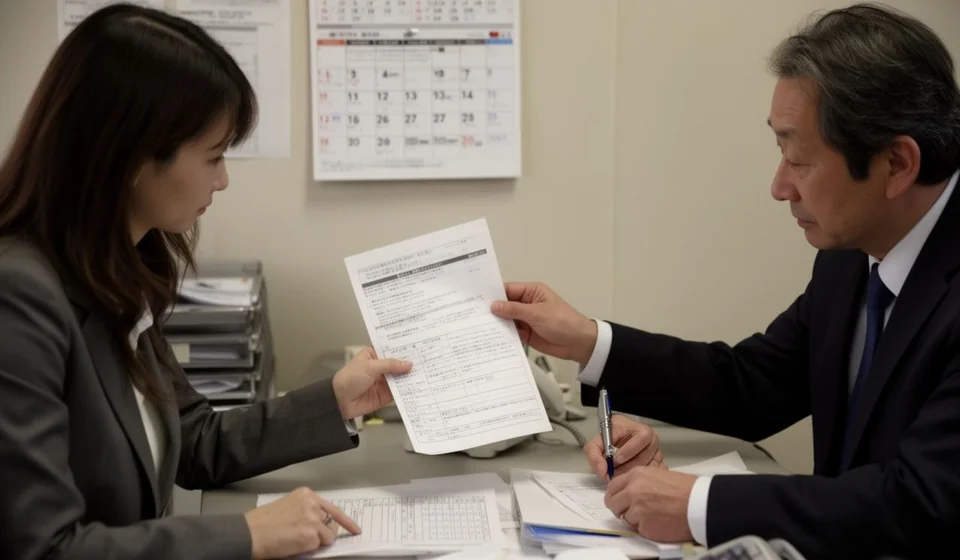
Vacation request form template for Word (free download)
A vacation request form is the document an employee uses to ask, in writing, for their days off, stating clearly the first day away and the date they come back. In many companies the conversation starts informally: a text message, a comment in the corridor, a note on a shared calendar. The trouble is that time off carries dates, owners, a balance of days and a team schedule behind it. When none of that is written down, you get arguments at the end of the year, shifts nobody covers and balances nobody can explain.
This one page template brings order to that conversation. It is built for small and mid sized companies, warehouses, workshops, retail stores and administrative teams where Human Resources still works with folders and email. You can print it and sign it by hand, or fill it in Word and send it by email. Either way it does the same job: it records what was requested, who approved it, what balance the employee has left and the date they must be back at work.
It also works the other way round: it gives the employee a clear record of their schedule and lets them confirm their balance before booking a flight or paying for a trip. Download the form with the button below and read on, because the sections that follow explain what the template contains, how to fill it in without mistakes and what to check before signing.
⬇ Download vacation request form (.docx)What this document is and what it is not
It is an internal record for scheduling time off. Its value lies in order and traceability: the line manager sees at a glance how many people on the team would be away in the same week, Human Resources deducts the days from the right balance, and the employee keeps proof of what was requested and what was finally approved.
It is not a final settlement, it is not a payment receipt and it does not replace the documents the company requires in order to recognise the time off. It should not be used to mix subjects either: if the same sheet carries vacation, unpaid leave, sick days and disciplinary notes, nobody ends up knowing what was approved or what balance each person has.
One more clarification is worth making: the request does not create the right to time off and it does not remove it. That right comes from the employment relationship and from the company's internal policy and the rules that apply in your country; the form only records how that right is used on specific dates. That is why the balance fields and the period fields must be filled with figures Human Resources can verify, never with estimates from memory.
A last point of practical order: the form is signed before the time off begins and filed afterwards. If your company allows the conversation to start months in advance, write the date of the verbal agreement in the comments field, so the shift stays reserved and the team is not told too late.
What it is used for in practice
- Scheduling the team's absence in advance, so that the dates of several people do not clash in the same week.
- Controlling the balance of days: how many were available before the request and how many remain after the approved days are deducted.
- Deciding who covers each task during the absence, especially in the warehouse, at the till, in customer service and in dispatch.
- Avoiding clashes during peak seasons, month end closing, physical stock counts and delivery dates promised to customers.
- Leaving an orderly record for payroll and for the absence file kept by Human Resources.
- Giving the employee certainty: they know what they asked for, what was approved and the date they must be back at their post.
What the vacation request form includes
The form follows the order in which Human Resources needs the information. These are its sections and what goes in each one:
| Section | What goes in it |
|---|---|
| 1. Employee details | Full name, identity document, job title, area, start date and the name of the line manager. |
| 2. Request details | First and last day of the time off, days requested, working days to be deducted, the period the days come from and the return date. |
| 3. Line manager approval | The decision to approve, postpone or refuse the request, with comments and the manager's signature. |
| 4. Human Resources record | Days available before the request, balance after the deduction, confirmed return date and the signature of the person who records it. |
| Employee signature | Agreement with the dates requested and with the balance confirmed by Human Resources. |
| Final notice | A reminder to file the request with the notice period the company requires and to check the balance before committing to travel. |
How to use it, step by step
- Download the file and save it with a name that identifies the year and the area, for example "Vacation 2026 - Warehouse".
- Replace the company name in the footer and, if the template carries a generic letterhead, update the contact details as well.
- If your company numbers its documents, write the code of the form in the control table on the sheet (an editable field such as "[VC-___]" works well) and note the version and the date it was updated.
- Complete section 1 with the employee details and check that the name and the identity document match the personnel record.
- Complete section 2 with the first and last day, the days requested, the working days to be deducted, the period the days come from and the return date. Leave a value in square brackets only when it is still unconfirmed.
- Confirm the balance with Human Resources before signing: the form asks for "days available before" and "balance after", and those two figures must come from the absence record, not from the employee's own calculation.
- Send the request to the line manager for a decision and comments; if the answer is to postpone it, write down the reason so it can be rescheduled without repeating the same discussion.
- Sign it, file it within the internal deadline the company has set and keep a copy in the area's file. Send another copy to the employee.
Common mistakes and what to check before signing
- Dates that do not match the days deducted: if the request runs across a weekend or a non working day, check whether those days are counted or not.
- An estimated balance instead of a verified one: write only the balance Human Resources can support with its record.
- Requests approved verbally and signed weeks later: the manager's signature must exist before the time off starts, not after.
- A missing return date, which is the field that allows the shift to be planned and the return to work to be confirmed.
- Forms with no name for the person covering the post, which leaves the area without an owner during the absence.
- Requests filed on the very day the time off begins, with no margin to organise the team.
Before signing, ask three simple questions: does the balance match the Human Resources record, is the team covered, and is the return date written down and confirmed? If any answer is no, it is worth solving that point before the sheet goes into the area's file.
When it is worth moving to a system
The template handles very well the case of a company with one or two sites and few movements per month. As the team grows, several locations appear, shifts rotate and balances carry over from one period to the next, the form starts to fall short: nobody remembers the exact balance, sheets get lost and the line manager cannot see the real availability of the team. At that point it helps to rely on a system that tracks absences together with the rest of the operation; tools such as Kardex Tauro let you register employees, schedule time off and consult the history without depending on a physical folder. In the meantime, this template remains useful as the signed backup of the process.
This template is a general guide for internal use. Filing deadlines, minimum notice, the way time off is scheduled and the way pending days are handled depend on each company's policy and on the rules in force in your country: confirm those points with your labour adviser and adjust the editable fields of the form before using it.
⬇ Download vacation request form (.docx)