Contract termination and settlement record template for Word (free download)
Contract termination and settlement record template for Word (free download)
Every contract comes to an end: the term runs out, the work is delivered, the parties agree to stop, or something breaks along the way. The ending itself is rarely the problem. The memory is. When a contract closes and nobody signs anything, each side keeps the version that suits it best: one believes a balance is still owed, the other is certain everything was paid, one insists the equipment came back, the other swears it never arrived. Without a signed sheet on the closing day, those arguments get settled by exhaustion, by pressure, or by whoever speaks loudest.
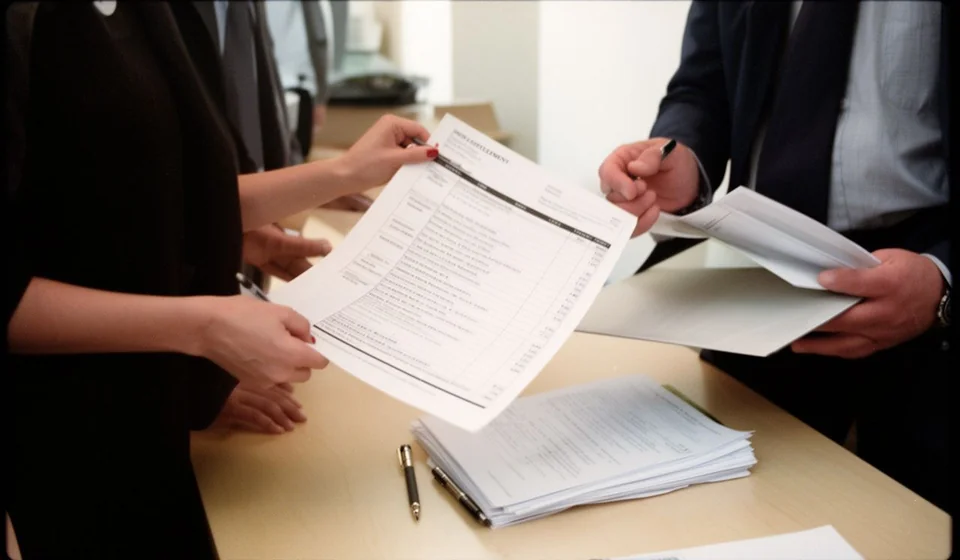
The contract termination and settlement record template for Word is the document that prevents that scenario. It is signed at closing, with both parties present, and it sets down what was delivered, what was paid and what is still open. It is an internal-use format, designed so that anyone in the administrative area can fill it in without a lawyer, and so that the result is a sheet both sides recognise as their own.
Small and mid-sized companies that work with suppliers, independent contractors, service firms and project-based professionals use it most. It also fits when the contract ending is a lease of equipment, a maintenance agreement, a construction job or a supply arrangement. In every case the record does the same thing: it turns an informal closing into a documented one, with a date, a signature and supporting papers.
⬇ Download contract termination and settlement record (.docx)What the record is and what it is not
A termination and settlement record is a short document signed when a contract stops being in force. It does not amend the original contract and does not change the obligations that already existed: what it does is register the final state of those obligations. In practice, it is the photograph of the last day, taken by mutual agreement and signed by the people who have something to say about that relationship.
That photograph has two halves. One is the delivery half, and it answers the question of what ended up in whose hands: products, reports, files, keys, system access, equipment. The other is the money half, and it answers the question of how much was paid, how much was offset and how much remains. When the document does not exist, both questions stay open and get answered later through claims, awkward emails and, in the worst case, a bill nobody wants to pay.
It is worth being clear about what the record is not, too. It is not a full accounting settlement, it does not replace the original contract, and it is not a way to invent conditions that were never agreed. Nor is it a document to sign alone: if one party refuses to sign, the right move is to note that refusal and the reasons behind it, instead of filling in the form with a single signature and later presenting it as if it were an agreement between both sides.
Why closing a contract without a record leads to money disputes
The disagreement almost never appears on closing day. It shows up three months later, when someone reviews their accounts and finds an imbalance they can no longer prove. At that point the argument stops being about the contract and becomes about whose word counts, and neither side has anything solid to back its version of events.
Three typical disputes grow out of exactly that gap. The first is the balance: without a signed figure, what one side considers an outstanding payment the other treats as an offset already applied. The second is the deliverable: without a table saying what was received and what was not, half-finished work becomes finished work or work never done, depending on who is telling the story. The third is the handover: equipment, documents, system access and keys that nobody logged and that afterwards nobody can locate.
There is a fourth effect that is easy to overlook and also costs money. The record closes the door on the previous contract so the next one can open. While a contract is not formally terminated, many companies cannot sign a new one with the same supplier, cannot release a guarantee and cannot close the project budget. The record is the document that lets everyone say, without argument, that the chapter is over and that it is safe to move on.
What it is used for in practice
- It puts in writing the exact date on which the contract stopped being in force, so nobody argues later about whether it was still active.
- It records what was delivered and what was not, with enough detail to know whether anything is missing and who has to complete it.
- It turns the final balance into an agreed figure instead of a disputed one.
- It documents the return of goods, documents, access and equipment that belong to the other party.
- It supports the release of guarantees, the closing of the project in the accounts and the archiving of the full file.
- It protects both the party handing over and the party receiving, because each can show the conditions in which everything was closed.
None of those uses requires a complicated format. What they require is discipline: filling it in the same day, with the supporting papers on the table and both parties present. A record signed in a hurry is still far better than a verbal agreement remembered with confidence.
What the template includes
The Word file comes with the sections already laid out and numbered, with blank spaces to fill in by hand or on the computer, a control table with the document code, and the usage notes. These are the actual sections of the file:
| Section | What goes there |
|---|---|
| 1. General details of the record | Record number, date and place where the document is signed. |
| 2. Parties and the contract being terminated | Who hands over and who receives, with their identification details, plus the contract data: contract or order number, subject matter, start date and agreed value with its currency. |
| 3. Reason for termination | The reason for closing, marked as mutual agreement, expiry of the term, breach or other, together with a short description of the reason. |
| 4. Status of performance and deliverables | Table with each deliverable or service, its status (received, partial or not received) and the relevant remark. |
| 5. Status of accounts | Table with the total agreed value, advances received, payments already made, the value actually delivered, agreed adjustments or discounts, and the resulting balance in favour or against. |
| 6. Final balance and payment method | The agreed final balance and the method and deadline for paying it. |
| 7. Goods, documents and access being returned | Table with each item, document or access, whether it was returned or not, and the corresponding remark. |
| 8. Declaration of full settlement | The declaration that, once what was agreed has been performed, no balance, claim or obligation remains between the parties, except what is written in the pending matters section. |
| 9. Pending matters and remarks | What stays alive after termination: deliveries still to be made, guarantees in force, supporting documents to be sent, and the confidentiality that continues. |
| Signatures | Space for the party handing over, the party receiving and a witness or reviewer, with name, identification and signature. |
At the top of the file sits the control table, with the document code [TL-___] that identifies this record inside the file, the version, the date and the person responsible. At the bottom are the two notes: one reminding the user that the model is not legal advice, and one recommending how to archive it and to leave a copy with each signing party.
How to use it step by step
- Download the file and save it under a name that includes the contract number and the closing date, so you can find it later without hunting for it.
- Open the document and check the footer: replace the company name, the contact details and any internal reference with those of your own organisation.
- Fill in the control table with the document code that applies to you, the version and the person responsible, so the record is identified inside the contract file.
- Complete the general details, the parties and the data of the contract being terminated, copying them from the original contract rather than from memory.
- Mark the reason for termination and describe the context of the closing in one or two lines, without adjectives and without blame.
- Fill in the deliverables table and the accounts table with the supporting papers in front of you: invoices, receipts, earlier records and payment confirmations.
- Log the return of goods, documents and access, including whatever is not being returned and the reason why.
- Print two copies, review them together, both parties sign both copies, and each side takes one before anyone leaves the room.
What to check before signing the full settlement
The settlement declaration is the most delicate part of the document, because it is the part that closes the door. Before signing it, go through these points calmly:
- Deliverables: make sure every commitment is classified as received, partial or not received, and that the classification is identical on both signed copies.
- Guarantees: if the contract includes a guarantee or a correction period, the settlement should not close it. State in writing that it stays in force, what it covers and until when.
- Confidentiality: the duty not to disclose information survives termination. Before signing, confirm that the record does not bring it to an end and that it remains alive.
- Return of goods: check that the table covers equipment, keys, cards, system access, files and any document belonging to the other party.
- Balance: confirm that the total of advances and payments matches the supporting documents and that the final balance is a figure both sides can justify.
- Pending items: if something is still open, write it down with an owner and a date in the pending matters section instead of leaving it out of the record.
Common mistakes when filling in the record
- Signing the settlement while deliverables are still outstanding, which complicates any later claim.
- Leaving the balance as a range or a sentence instead of a concrete figure backed by supporting documents.
- Failing to log the return of access, documents and equipment, which is the source of most future trouble.
- Filling in the record days after the closing, when nobody remembers the detail and each side remembers whatever suits it.
- Signing a copy without a date, without the witness or without the complete details of one party, which weakens the document.
Where to file the record and how to find it later
The signed record belongs to the contract file, not to a loose correspondence folder. Keep it next to the original contract, its annexes, the invoices and the payment confirmations, and leave a copy in the hands of each signing party. If the same contract produced earlier records, it helps to number them and keep them in the same place, because any later review starts with the most recent one and works backwards.
Keeping it tidy has an immediate practical effect: when somebody asks months later why a certain amount was paid or why a balance was not claimed, the answer is found in the file rather than in the memory of whoever handled the closing. That file is also the natural input for reviewing suppliers, comparing performance and deciding who to work with again.
When it makes sense to move to a system
The template works well when closings are few and each one can be reviewed calmly. The problem appears when a company runs several contracts at the same time, with deliverables spread across different dates and balances that depend on partial payments: at that point the Word file falls short, because it does not warn you, does not calculate anything and does not cross-check information against inventory or against what is still outstanding. That is the moment to lean on a system such as Kardex Tauro, where the contract, its deliverables, its returns and its balances live in one place and the record is assembled from information that is already loaded, not from whatever someone manages to remember on signature day. It is not a mandatory change for everyone: it is the sensible decision when the volume of contracts starts to outgrow the ability to review them one by one.
⬇ Download contract termination and settlement record (.docx)This model is a general guide for internal use and does not constitute legal advice. Before using it in a specific case, review it with your adviser and adapt it to the rules that apply to you.
