Printable Kardex Card (Bin Card): How to Fill It In
Printable Kardex Card (Bin Card): How to Fill It In
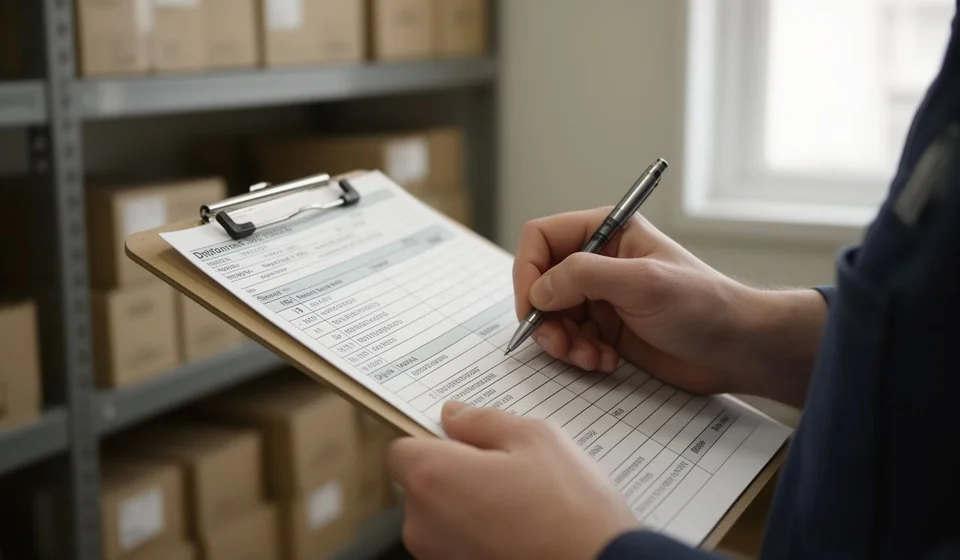
Some businesses still keep track of their products on paper, and not because they are behind: in a warehouse, at a construction site store or at a market stall, the printed card is still the fastest way to write down what comes in and what goes out at the very moment it happens. This file is a blank printable kardex (stock ledger) card, with room for twenty-six movements per sheet, ready to be filled in by hand or typed on screen.
The file is an Excel workbook (.xlsx) with two sheets: the card to print and an instructions sheet that explains every column and includes a worked numeric example. It uses business grays only, so it prints clean on A4 portrait and can be filed in a ring binder without spending colour ink.
⬇ Download the printable stock card (Excel .xlsx)What a stock card is and why paper still works
A stock card is the record of the movements of a single product, on a single sheet. Each line is one movement and carries the date, the document that supports it, the quantity coming in or going out, the unit cost, the running balance in units and the value of that balance. The card is opened when the product arrives at the store and is closed when it runs out or when the period you want to control comes to an end.
On paper the card does three concrete things. First, it leaves an immediate record: the person who receives the goods or issues an exit writes the movement down right away, without waiting for a computer to be on or for a connection. Second, it becomes the source document for whoever later types the information into a system. Third, it is physical evidence: a folder of cards signed by the person who received and the person who delivered answers a lot of questions during an audit or a physical count.
It is also worth being clear about what the card is not. It does not replace the accounting system or inventory software: it is the primary record, the paper where the fact is written before it exists in the system. Its value lies in how disciplined you are about filling it in, not in how many columns it has.
What this printable card includes
The card has five blocks. This table summarises each one:
| Component | What it holds and what it is for |
|---|---|
| Header | Title bar and fields for company, product, code, unit, location, valuation method and the person responsible for the record. |
| Opening balance | A row to start the period with the quantity and the unit cost of the product, with the total calculated automatically. |
| Movement table | Twenty-six blank rows with the eleven stock ledger columns, ready to be written by hand or typed on screen. |
| Period totals | A closing row with total in, total out and the final balance, plus a footnote at the bottom of the sheet. |
| Instructions sheet | Second sheet of the workbook: explains what goes in each column and brings a numeric example worked from start to finish. |
The header is the first thing you fill in and the one that makes the card fileable: if it does not say which product it is about, the sheet is useless. It also carries the code, the unit of measure and the location, the three pieces of data that later let you match the paper against the system.
The opening balance row deserves its own explanation, because it is the starting point of the period. If you start with 10 units at 1,000, that row already sets the balance at 10 units and the value at 10,000, and the movements count from there. If the card is opened in the middle of the year, that opening balance is the result of a count or of the last closing of the previous period.
The 11 columns of the movement table
The table follows the classic stock ledger layout: one row per movement, grouped into date and document, in, out and balance. The columns are read from left to right and these are the eleven, in their real order inside the file:
| # | Column | What you write in it |
|---|---|---|
| 1 | Date | The day the movement happened, even if it does not match the invoice date. |
| 2 | Document / detail | Invoice, dispatch note, minutes or note number, plus one word of context such as purchase, sale or transfer. |
| 3 | Qty. in | Units entering the inventory. |
| 4 | Unit cost in | Purchase cost per unit for that entry. |
| 5 | Total in | Formula: quantity times unit cost. Never written by hand. |
| 6 | Qty. out | Units leaving the inventory. |
| 7 | Unit cost out | The cost at which the product leaves, that is, the average in force. |
| 8 | Total out | Formula: quantity times unit cost. Never written by hand. |
| 9 | Balance qty. | Stock remaining after the movement. Formula. |
| 10 | Average cost | Unit cost of the balance after the movement. Formula. |
| 11 | Balance total | Value of what is left in stock. Formula. |
The four gray columns, that is Total in, Total out, Balance qty. and Balance total, carry formulas and are never written by hand: they fill themselves as you enter quantities and costs. If you type over one of them you break the calculation chain and the balance stops matching the movements. The Document / detail column is the one people forget most often and the one that causes the most trouble, because it is the only column that lets you trace where each number came from.
Worked example, step by step
The instructions sheet of the file brings a complete example. It is the simplest case in practice: an opening balance, a purchase at a different price and a sale.
| Movement | In | Out | Unit cost | Total | Balance qty. | Average cost | Balance total |
|---|---|---|---|---|---|---|---|
| Opening balance | 10 | – | 1,000.00 | 10,000.00 | 10 | 1,000.00 | 10,000.00 |
| Purchase | 5 | – | 1,200.00 | 6,000.00 | 15 | 1,066.67 | 16,000.00 |
| Sale | – | 4 | 1,066.67 | 4,266.67 | 11 | 1,066.67 | 11,733.33 |
First the opening balance is recorded: 10 units at 1,000, that is 10,000. Then the purchase of 5 units at 1,200 comes in for 6,000, so the balance in units rises to 15 and the total value to 16,000. With those two figures the average cost is recalculated: (10,000 + 6,000) ÷ (10 + 5) = 1,066.67. Finally a sale of 4 units goes out at the average cost in force, 1,066.67 each, which gives 4,266.67; the balance falls to 11 units and its value stands at 11,733.33.
Note the detail people get wrong by hand: the sale does not change the average cost, it only lowers the quantity and the value of the balance. The average cost is recalculated only when goods come in at a different price. If you write a cost on the sale that differs from the previous balance, the card stops reflecting reality and the balance total is no longer reliable for valuing your inventory.
How to fill in the card, step by step
- Before writing anything, complete the header: company, product, code, unit, location, valuation method and the name of the person responsible for the record.
- Write the opening balance, that is the quantity the period starts with and its unit cost. The total of that row is calculated by the sheet.
- When goods arrive, write the real date of entry and the number of the supporting document, whether invoice or dispatch note, and add in Document / detail one word that explains the movement.
- Record the quantity coming in and the unit cost of that entry, exactly as it appears on the invoice. The total of the entry appears on its own.
- When goods leave, write the quantity in the out column and use as unit cost the average shown in the previous row. The total of the exit appears on its own.
- After every movement, check that the balance in units equals the previous one plus what came in and minus what went out, and that the balance total equals the balance in units times the average cost.
- When the period closes, whether month, quarter or year, add up the total columns, write total in and total out in the closing row and sign the sheet before filing it.
Common mistakes when filling it in by hand
- Negative balance. It shows up when an exit larger than the stock is written or when an entry was recorded late. Before going on, check the movement: it is almost always a wrong date or a wrong quantity, not a real shortage.
- Writing over the formula columns. The gray columns are there to calculate, not to be typed in. If a value is written by hand, the card loses the calculation chain and the balance stops matching the movements.
- Mixing entries and exits on the same row. One movement, one row. A return coming in and an exit happening the same day go on two separate lines, because mixing them makes the card impossible to audit.
- Leaving the document blank. Without the invoice or dispatch note number, the card is a set of numbers with no support. It is the mistake that costs the most time when an old balance has to be rebuilt.
How to tell the card is well kept
You do not need an audit to notice whether the card is healthy. These signals are visible at a glance:
| Signal | What it means |
|---|---|
| The balance in units never drops below zero | The movements are complete and the dates are in order. |
| Every row has a document | Every number written has a paper behind it. |
| The final balance matches the physical count | The card reflects what is really on the shelf. |
| The balance total equals units times average cost | Nobody altered the formula columns. |
If any of those signals fails, do not erase or rewrite the past: record an adjustment movement with its document and carry on. The card is a record, and every correction must be explained inside it so that it can serve as evidence.
When to move to software with Kardex Tauro
The printed card works while the volume stays manageable: few products, few documents a day and one person filling in the sheet. As the business grows the real limits appear: the card of one product knows nothing about the others, nobody recalculates the average cost at the moment of invoicing, and comparing paper against the system ends up being a separate job. That is where a tool such as Kardex Tauro makes sense, because it updates the stock ledger of every product with each sale, purchase or movement, keeps the average cost up to date and leaves the card available on screen without retyping anything. Until that moment arrives, this printed sheet does its job well: it orders the record, leaves evidence and forces you to write down every movement.
Download the sheet, print it for the product you most want to control and fill in the first movements of the period. If the card stays tidy and the balance matches what is on the shelf, your control is already working.
⬇ Download the printable stock card (Excel .xlsx)