Personal references template for Word (free download)
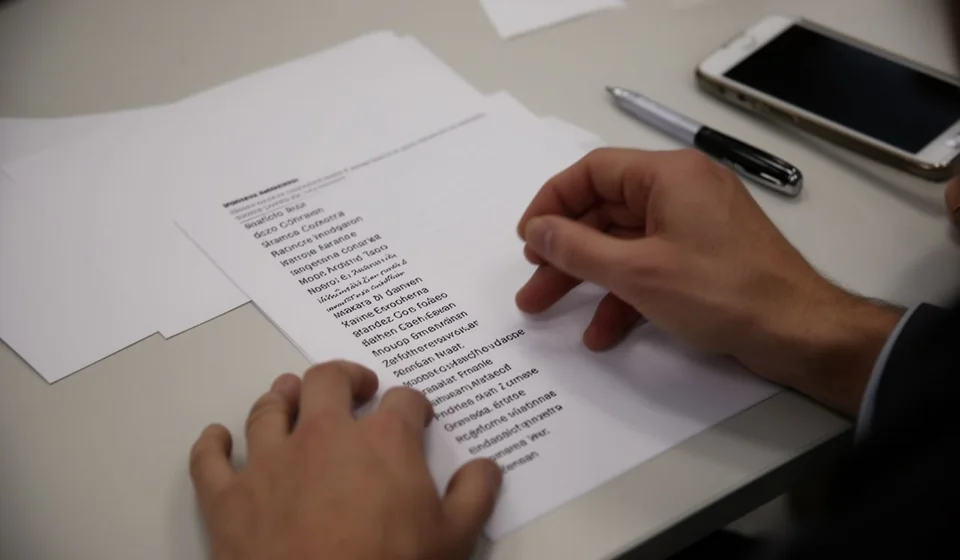
Personal references template for Word (free download)
When a company asks me for references, the last thing I want is to improvise on the spot. Writing names and phone numbers on the back of a sheet, sending them over chat or answering that I will pass them along later leaves a weak impression and slows down a process where the job is already at stake. That is why I put this sheet together: a personal and professional references template in Word that gets filled in once, checked calmly and handed over as an annex to my CV or my job application form.
It is there so that whoever is assessing me has the people who can speak about me close at hand, with complete details and permission already given. It does not replace the CV or the cover letter: it goes with them. It is most useful for people looking for a first job, people returning to the market after several years away, and people applying for roles where reliability matters, such as handling money, warehouse work, stock control or customer service. Many processes ask for it as a separate document even after the CV has been received.
The file is a single page in Word, with no formulas and no macros: my name centred at the top, two tables and a closing note. It can be edited in Word, LibreOffice or Google Docs, and it prints on a letter sheet without adjustments.
⬇ Download personal references (.docx)What a reference sheet actually is
It is a short document, usually one page, where I introduce two groups of people: those who know me through work and those who know me outside work. Each entry carries the full name, the relationship between us, the company or connection through which we met, how long we have known each other, a phone number, an email address and a box that says whether that person allows contact.
It is not a recommendation letter. The letter is written by the person recommending me and speaks about me; the reference sheet is written by me and only hands over the details so that someone else can make the calls. If a process asks for signed letters, this sheet does not replace them. If the process asks for the sheet, there is no need to ask a manager to write a rushed letter either. In practice it answers one very concrete question from the evaluator: who do I call, and on what number.
It also works as a personal inventory. Filling in the table shows me whether I have two professional references and none personal, whether I have not spoken to the person I planned to list for years, or whether the number I saved is no longer active. Finding that out at my desk is far better than finding it out after I have handed the document in and started waiting for the call.
Why it is worth having ready
- To attach it to a CV or an application form when it is requested as a separate document.
- To reply quickly to a recruiter who asks for it by email in the middle of a process.
- To make the type of relationship clear, so that nobody calls a relative thinking they are a manager.
- To confirm in writing that each person allows contact.
- To gather in one place details that today are scattered across my phone, my email and old papers.
- To prepare my references: if I warn them in advance, when they are called they know who is calling and why.
What the template includes
These are the real blocks of the file, in the order they appear when it is opened:
| Section | What goes there |
|---|---|
| Heading | My full name, centred, and below it a contact line with ID number, phone and email. |
| Applicant details | The position I am applying for, the city, the date I hand the sheet in and my phone and email again. |
| Professional references | A guidance note and a three-row table for managers, supervisors or colleagues from previous jobs. |
| Personal references | The same note and the same table, also with three rows, for people who are not close relatives. |
| Closing note | The reminder to let my references know before handing the sheet in, because a surprised reference loses its weight. |
Both reference tables share the same columns. It is worth looking at them together, because they decide whether someone can make the call or not:
| Column | What it should contain |
|---|---|
| Full name | First names and surnames spelled correctly, with no nicknames or abbreviations. |
| Relationship | How we know each other: line manager, supervisor, colleague, teacher, neighbour or group leader. |
| Company or connection | The company where we worked together, or the space that links us, such as volunteering or a course. |
| Known for | How long we have known each other, in years or months. This is what gives the reference its weight. |
| Phone | A number the person actually answers, with the area code if it is a landline. |
| An address that is really checked, not an abandoned account. | |
| Contact allowed | Yes or no. If it is left blank, the person calling does not know whether they may write at all. |
How to fill it in, step by step
- Download the file and save it under a name you will recognise later, for example references plus the month I updated it.
- Delete the brackets at the top and type my full name, my ID number, my phone and my email.
- Complete the applicant details with the exact position I am applying for, the same one that appears in the job posting, plus the city and the date I hand it in.
- Draft the list of people first: two or three from work and two or three from outside work. Still without thinking about the format, just writing names down.
- Before writing a single detail, call or message each person, tell them what role I am applying for and ask permission to include their details. Tick the authorisation box together.
- Check every phone number and email against the phone contact list or a recent message from that person. One changed digit turns the reference into a number nobody answers.
- Write the relationship and the time we have known each other in concrete terms. A line manager in the warehouse area for four years says far more than the word work.
- Read the whole sheet aloud, fix accents and capital letters, and only then export it to PDF or print it to attach it.
Frequent mistakes that drain its value
- Listing a close relative as a personal reference. The note in the file itself says it: a teacher, a neighbour or a group leader is better, because a relative is dismissed on sight.
- Including references without warning them. If they are called and do not know what it is about, the conversation starts badly and my name is in the middle of it.
- Writing phones or emails without checking them. A wrong number reads as carelessness, not bad luck.
- Leaving the authorisation box blank. The person calling is left in doubt and, in many cases, prefers not to call.
- Repeating the same phone or the same email in two different references. The padding shows and it makes anyone suspicious.
- Dates and job titles that do not match the CV. Any evaluator compares the two documents before dialling a number.
How the person hiring reads it
When this sheet reaches a recruiter, it is not read as a formality: it gets used. The usual thing is to call one or two people on the list and ask three basic questions: how long I worked there, how I performed and why I left. The answers are compared with what I said in the interview and with what appears in the CV.
That is why the length of the relationship carries so much weight. A reference who has known me for a few months is worth less than one who worked with me for a couple of years, and someone who authorised contact in writing answers with more ease. Variety matters too: if all my references come from the same team and the same period, the sheet tells only one part of my story.
It is worth remembering that the person calling is not looking for a perfect opinion, but for signs of consistency. If the reference confirms the role, the dates and the reason for leaving, the sheet did its job even without a shower of praise.
When it makes sense to move to a system
For one person looking for work, this template is enough and nothing more is needed: it gets filled in once a year and saved on a computer or in a cloud folder. The problem shows up on the other side, at the company that receives dozens of reference sheets, files them in folders by process and then cannot find the one belonging to the candidate it hired six months ago. That is when loose files start working against you.
As the volume grows, it helps to separate two things: the document the person signs and the record the company looks up. Kardex Tauro is stock and warehouse control software, not a tool for CVs; it does help, on the other hand, when the mess is no longer in a candidate sheet but in the records of the operation, such as uniform issues, stock held by an employee or items returned when the working relationship ends. The honest rule is simple: while the information fits on one Word page, the page is enough; once it has to be crossed with movements, signatures and replacement dates, it is time for a system.
This template is a general guide for personal use. Every employer has its own format and its own list of documents: when an organisation or a company asks for a different one, check which document it requires and adapt this sheet, or ask the organisation which document it expects before handing anything in.
⬇ Download personal references (.docx)