Workplace accident report template for Word (free download)
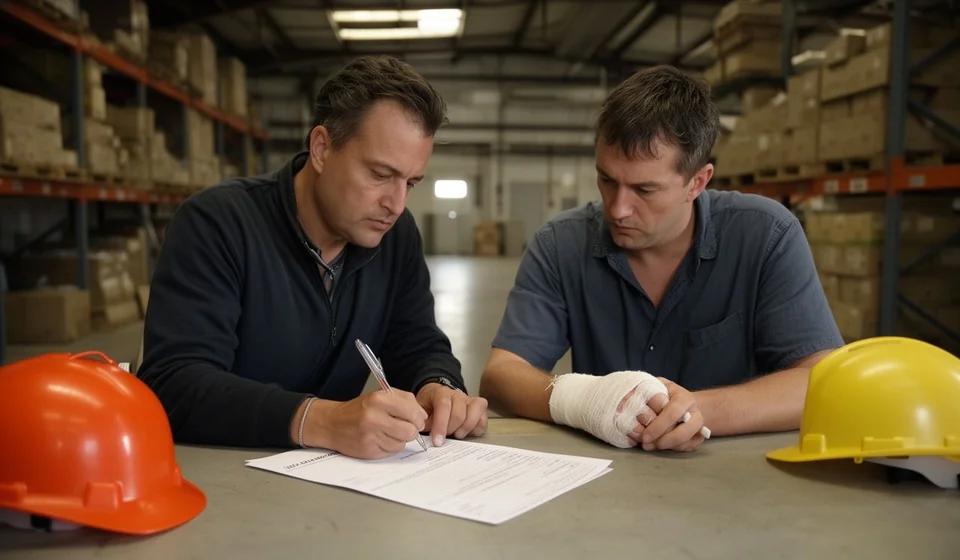
Workplace accident report template for Word (free download)
No company wants to fill in a workplace accident report, but once an event happens on site, that document is the difference between an organised investigation and a file full of gaps. The template you can download from this page gathers into a single file the details that in practice end up scattered across phone notes, text messages and the memories of whoever was nearby.
It is written for warehouse leads, plant supervisors, health and safety coordinators and also for the human resources team that picks the case up the next morning. It needs no special system and no technical background: you open it in Word, fill it in with what you know at that moment and sign it on the same day, while the information is still fresh.
In this article we go through what each section of the file contains, the order in which it is best filled in, the mistakes that show up almost every time when it is written in a hurry, and the point at which moving to a digital record starts to pay off. The goal is not one more sheet of paper; it is a story that still makes sense six months later, when nobody remembers the details accurately.
⬇ Download workplace accident report (.docx)What a workplace accident report is
It is the internal document in which the company records an event that happened during the working day: what occurred, where, when, who was affected and what was done straight away. It is not a summary for a dead archive. It is the input used to investigate the cause, to define a corrective action and to show, during an internal review or an audit, that the company acted with care.
It helps to separate three situations that the file handles in one field. An accident causes an injury or harm to health. An incident causes material damage or a stop in the process but no injury. A near miss causes no damage at all, although it could have. Recording all three is good practice, because near misses are free warnings: they show where the risk sits before someone gets hurt.
The record also has organisational value. A well-written report lets you compare events between areas, spot patterns (the same machine, the same shift, the same task) and justify spending on protective equipment or infrastructure with facts rather than impressions. When the report is always filled in the same way, with the same sections in the same order, the data starts speaking for itself: the repeated task shows up, the shift with the most events shows up, the equipment nobody serviced shows up.
There is a human value too, and it is easy to forget. The injured person usually comes back to the same job, and the report is the proof that their case was taken seriously. A document completed with care, which acknowledges the event and closes with a concrete action, sends a different message from a form filled in quickly only because somebody demanded it.
What it is used for
- To record the event in writing on the same day, while the details are still reliable.
- To start the cause investigation from an ordered base rather than from loose accounts.
- To document the care given to the worker: first aid, transfer and later follow-up.
- To set corrective actions with an owner and a date, and to check afterwards that they were carried out.
- To support, in front of the health and safety area, the need for changes to the workstation, the tool or the process.
- To build a history that allows periods to be compared and higher-risk areas or tasks to be identified.
What the template includes
The file follows the order in which events actually happen, so nobody has to jump between pages while dealing with the emergency. Each section leaves enough room to write by hand if it has to be filled in on site and typed up later.
| Section | What goes there |
|---|---|
| 1. Worker details | Name, ID, job title, area or process, type of contract and the shift in which the event happened. |
| 2. Event details | Date, time, exact location, type of event (accident, incident or near miss), the task being performed and the equipment or tool involved. |
| 3. Description of what happened | A chronological account, observable facts only, with no labels and no conclusions drawn in advance. |
| 4. Witnesses | A table with the name, role and contact of those who saw or attended the event, plus what each of them contributed. |
| 5. Injuries and care received | Part of the body affected, apparent severity, care given, transfer and days of leave if there were any. |
| 6. Immediate actions and causes | Four numbered points that separate what was done at once from the immediate cause and the root cause identified. |
| 7. Follow-up | A table of action, owner and due date to close each corrective measure. |
| Signatures | The person reporting, a witness and the direct manager or the health and safety lead. |
What to gather before you start filling it in
Experience shows that reports are filled in badly when a detail is missing and somebody decides to complete it from memory. Before opening the file, collect the basics:
- The worker's personal and job details, taken from human resources rather than from what the supervisor remembers.
- The exact time of the event and the precise spot inside the facility or along the route.
- The name and contact of those who saw what happened or gave initial care.
- A description of the equipment, tool or vehicle involved, with its internal identification.
- The medical note, if there was one, and the days of leave the health professional indicated.
- Photographs of the scene, taken before anything is moved, because one good picture saves several paragraphs.
How to use it step by step
- Care first. Make the scene safe, give the medical care that is needed and move people away from the danger. The report is filled in once nobody is at risk.
- Download the file and save it in the company's health and safety folder, with a copy in the cloud.
- Replace the company name and the details in the header and the footer; the file ships with generic fields that must carry the real identity of your operation.
- Assign the internal document code your company uses for health and safety records and note it in the control table, together with the version and the date.
- Complete the worker details using the information held by human resources.
- Write the description with times and facts: what the person was doing, with which equipment, what moved, what made a noise, who saw it. Use short sentences and avoid adjectives.
- Record the care received and the days of leave indicated, without interpreting diagnoses or anticipating medical conclusions.
- Set the follow-up with an owner and a date, collect the signatures and send one copy to health and safety and another to the area manager.
Immediate cause and root cause: telling them apart
The causes section is the one most often answered with little effort, and it is exactly the one that stops the event from happening again. The immediate cause is the concrete fact that sat right before the harm; the root cause is the underlying condition that allowed that fact to happen. One does not replace the other, and there is always more than one of each.
| Situation | Immediate cause | Likely root cause |
|---|---|---|
| A worker falls from a platform | The surface was wet and the person was wearing worn footwear. | There was no footwear inspection routine and no defined cleaning schedule for the area. |
| A knock from a box while unloading | The box shifted as the strapping was cut. | The load was not secured and nobody had defined how it should be opened. |
| A cut from a hand tool | The tool slipped across the material. | The tool received no maintenance and the task was done without suitable gloves. |
| A minor knock in the yard | The person crossed behind a vehicle that was reversing. | The yard had no marked routes and no defined crossing points. |
Common mistakes to check before signing
- Writing conclusions before facts: stating that the worker was careless instead of saying what they did and under what conditions.
- Leaving the location vague. Main warehouse is not enough; the aisle, the rack, the machine or the kilometre on the route is needed.
- Leaving witnesses out so as not to interrupt their shift. A month later they will no longer remember what they saw.
- Blending the worker's account with the supervisor's without saying who said what.
- Promising corrective actions with no owner and no date, which is the most common reason they are never carried out.
- Filling in the report days later, when the details are rebuilt through conversation rather than memory.
When to move to a system
The template solves the isolated event, but as the operation grows the paper starts to weigh. If your reports already live in three different folders, if you cannot say how many events happened this year by area, or if you depend on one person remembering where the file went, manual record keeping is becoming a risk in itself. That is where a system helps: not by replacing the report, but by keeping the event, the corrective action and its due date in one place, and by flagging anything left open. Kardex Tauro is an option for that step, especially if your operation already runs inventory, assets and people in a single system and you want safety events to stop living in separate folders.
Important notice
This template is a general guide for internal use: review it with your adviser and adapt it to your operation and to the requirements that apply in your country before adopting it as your official form. It does not replace legal advice or the assessment of a health and safety professional. The internal report also does not replace the report owed to the competent authority, and certainly not medical care: that report follows its own channel and its own deadlines in each country. The practical advice is simple: report it on the same day, treat the person first and complete the document while the facts are fresh.
⬇ Download workplace accident report (.docx)