Performance review template for Word (free download)
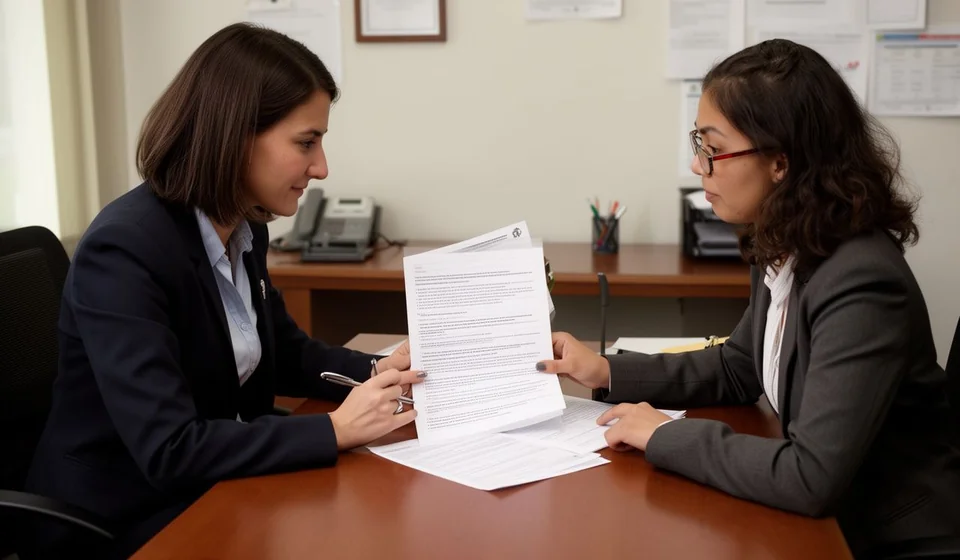
Performance review template for Word (free download)
A performance review is the formal conversation in which a manager and an employee look at the period that just ended: what was achieved, how it was achieved, and what will change next. Without a written form, that conversation stays in impressions. Each side remembers whatever suits it best, and a month later nobody can say what was agreed. That is why human resources teams in small companies end up looking for a simple Word template they can sign the same day and file in the employee folder.
This performance review template covers that need. It brings the sections teams actually use: review details, a competency table with a rating and the evidence behind it, the objectives of the period with their results, an overall outcome with strengths and areas to improve, and an improvement plan with an owner and a follow-up date. There are no automatic scores or calculations: you choose the scale and write it into the form.
It is written for managers who have never evaluated anyone before, for small businesses that want to bring order to the process once a year, and for HR teams that need a signed record they can compare across areas. It works the same in a warehouse, a retail floor or an office; only the competencies and objectives change, never the structure.
⬇ Download performance review (.docx)It helps to be clear from the start about what this document is and what it is not. It is the record of a work conversation backed by facts from the period: deliveries, timelines, quality, incidents, results. It is not a judgment about the person, it is not a disciplinary action, and it does not replace your internal procedures. Once an evaluator understands that difference, the meeting stops being an awkward formality and starts producing useful agreements.
What a performance review is
It is an internal form that records three things in writing: what was expected from the employee during the period, what was achieved, and what was agreed for the next one. It is signed at the end of the meeting, a copy goes to the employee, and the original is filed. Its value lies in the evidence, not in the score: if the evaluator writes that the employee met expectations but never notes the delivery, the date or the indicator behind it, the form loses weight and the conversation becomes one opinion against another.
A performance review also has an organizational purpose: it forces the company to define what it expects from each role. A form full of vague ratings with no criteria leaves the employee with no idea what is being measured. A form with named competencies, written objectives and specific evidence lets the employee understand what to repeat and what to change, and gives the manager an objective basis for training, transfers or recognition decisions.
What it is used for
- Putting the agreements of the period in writing and closing the argument about what was and was not discussed.
- Finding real training needs from the competencies rated low and from the evidence recorded next to them.
- Supporting people decisions with facts from the system instead of perceptions: recognition, improvement plans, changes of duties.
- Keeping follow-up organized: the improvement plan with an owner and a date turns the review into verifiable tasks.
- Giving the employee a clear idea of what is expected from the role and how it is measured.
- Building a history that can be compared across periods, areas and different managers.
What the template includes
The sections are the same ones you will find in the downloaded file. The table below summarizes what goes in each of them.
| Section | What goes there |
|---|---|
| 1. Review details | Employee, ID, role, area, evaluating manager, period reviewed and date of the meeting. This header is what lets you find the document years later. |
| 2. Competencies | A table with the competencies of the form and two columns: rating and evidence or comment. Every rating needs a fact behind it. |
| 3. Objectives of the period | Table with objective, target, result and completion. It is meant for what can be measured: deliveries, timelines and role indicators. |
| 4. Outcome and observations | Overall score or rating, observed strengths and areas to improve, written with concrete examples. |
| 5. Improvement plan | Table with action, owner, date and follow-up. The template includes one sample row to show the level of detail expected. |
| Statement and signatures | A paragraph where the employee states that the results were explained, the three signatures of the document, and the copy for the employee. |
How the competencies are rated
The template already includes six competencies, each with two columns: the rating and the evidence or comment. Before the meeting it is worth reviewing what you are looking at in each one, so that you do not rate out of sympathy or from a single isolated incident.
| Competency | What the evaluator looks at |
|---|---|
| Results orientation | Meets the targets and deadlines of the role; when that is not possible, raises it in time and suggests a way forward. |
| Teamwork | Shares useful information, supports colleagues during peak workload and does not pass problems on without warning. |
| Quality of work | Delivers without repeated mistakes; rework and returns during the period are written down. |
| Initiative and autonomy | Solves what is within reach, proposes concrete improvements and asks when the decision is above their level. |
| Safety and care of resources | Uses protective equipment, follows procedures and takes care of the tools and stock under their responsibility. |
| Communication | Reports clearly through the agreed channels and leaves a written record of what they commit to. |
How to use it, step by step
- Open the file in Word and replace the company name and the header details with those of your organization. Check the footer as well, where the company name and contact details go.
- Update the document control table: code, version, date and owner. That code is what lets you refer to the form in other internal procedures without confusion.
- Adjust the competencies to your reality. Keep between five and seven; if the form asks for a shorter list, remove the ones that do not apply instead of rating them all the same.
- Define the scale before the meeting and write it into the form. A simple scale of one to five levels, with one sentence explaining each level, is more useful than a long scale nobody remembers.
- Gather the evidence for the period: deliveries, dates, indicators and changes in the role. If the information is scattered, ask for it in advance; arriving at the meeting without data guarantees a rating based on impressions.
- Fill in the objectives table with the targets that were agreed and with the actual result. If an objective changed halfway through the period, note it: the change is information too.
- Hold the meeting and complete the form with the employee present, not before. Ratings and comments are written during the conversation, with the evidence on the table.
- Write the improvement plan with concrete actions, an owner and a follow-up date. Close with the signature of the employee, the evaluator and HR, and hand over a copy.
Common mistakes before signing
- Rating without evidence. If the evidence column is left empty, the form will not hold up when someone reads it six months later.
- Evaluating personal traits instead of behavior at work: being quiet says nothing about performance; delivering reports late does.
- Using the form to announce a disciplinary measure. If the issue is disciplinary, it belongs to another document and another procedure.
- Signing without talking. The employee signature confirms that the results were explained, not that they agree; even so, the conversation has to happen first.
- Copying the same comments from the previous period, or rating the whole team the same way so that nobody feels uncomfortable.
- Filing the original without giving the employee a copy, or closing the improvement plan with no follow-up date.
When to move to a system
A Word form works well while the team is small and reviews happen once or twice a year. It becomes awkward when there are many employees, when competencies differ by area, or when the improvement plan needs monthly follow-up: at that point you are chasing folders, comparing versions and rebuilding the history by hand. If the review also has to lean on data from the period, such as deliveries, completion and movements of the role, it makes sense to move it to a system where that data already lives. Kardex Tauro lets you record the process and consult inventory and operational information from the same place, so the evaluator reaches the meeting with figures instead of memories. If your team is still small and you review once a year, the Word template is enough and there is no reason to complicate it.
This template is a general guide for internal use: review it with your adviser and adapt it to your company's people policy. The deadlines, scales and values you use depend on the law in force in your country and should be checked with your labor adviser.
⬇ Download performance review (.docx)