Board of directors minutes template for Word (free download)
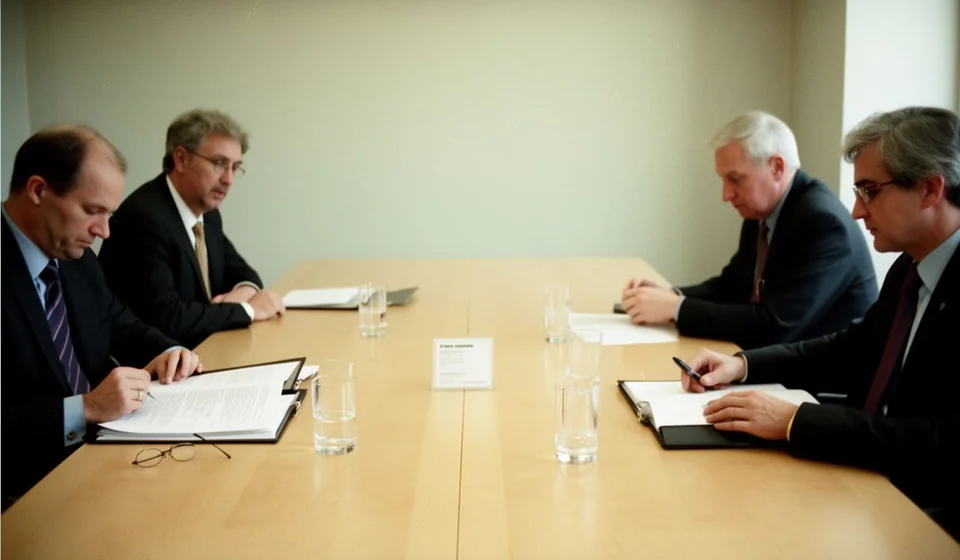
Board of directors minutes template for Word (free download)
When a board of directors meets, the decisions it takes do not fully exist until they are written down. A verbal agreement, however clear it sounded in the room, fades as soon as the participants walk out of the door: nobody remembers exactly who proposed what, how many voted in favour and what was assigned to each person. The minutes are the document that turns a conversation into a verifiable fact, which is why they are among the most consulted papers in the life of a company.
This board of directors minutes template for Word is designed so that the secretary of the meeting, or whoever takes that role, can record a full session without inventing a format on the spot. It includes the session identification fields, the quorum check, the attendance table, the agenda, the voting table, the space for resolutions and the signature block. You download it, adapt it to your company and file it where it belongs.
In this guide we explain how minutes of a board of directors differ from the minutes of an ordinary meeting, what they must contain to support what was decided, how to fill them in step by step and what to check before the directors sign.
⬇ Download board of directors minutes (.docx)What board minutes are and how they differ from ordinary meeting minutes
Minutes are the written, ordered account of what happened in a session: who attended, what was discussed, what was voted on and what was decided. Up to that point, board minutes and the minutes of any ordinary meeting look very much alike. The difference appears when the meeting belongs to a governing body, because then the minutes stop being a simple record of the conversation and become the support for decisions that bind the company.
In an ordinary working meeting, such as a department committee, a team meeting or a follow-up session, the usual practice is to note the topics covered and the commitments each person takes on. Nobody checks whether there is a quorum, nobody counts votes, and the conclusions are recommendations that can be adjusted later. In a board of directors, three elements change the nature of the document: quorum, votes and resolutions.
- Quorum: before starting, you must verify that the minimum number of members required for the session to be valid is present. If that number is not reached, the meeting cannot decide anything and the only thing that goes on record is the statement that there was no quorum. This check is the first thing anyone looks at when the validity of a decision is questioned.
- Votes: every decision is put to a vote and the result is recorded one by one, with votes in favour, votes against and abstentions. It is not enough to write that something was approved; you have to make clear how many voted and in which direction, because a miscounted majority is the most common source of later disputes.
- Resolutions: what is approved is drafted as a formal decision, with a verb in the present tense and headed by the word RESOLVES. A resolution does not describe a conversation: it orders something, appoints someone or authorises an action, and that is why it can be carried out.
There is also a filing rule that is often forgotten: minutes are not kept loose. They are approved, either in the same session or in the following one, and then filed in the minutes book with consecutive numbering. That book is the official memory of the company; minutes without a number and without a book are a draft, not minutes. It is also worth not confusing the minutes with the documents that accompany them: the notice of meeting is the prior call to attend, the attendance sheet records who showed up, and the minutes tell what happened and what was decided. The three papers complement each other and are filed together.
What board minutes are used for
Beyond formal compliance, the minutes solve very concrete day to day problems in a company:
- They record that the session took place, with date, time, place and format, so the fact does not depend on anyone's memory.
- They show that the decision was taken with the required quorum and the corresponding majority, which backs up whoever has to execute it afterwards.
- They allow the debate to be reconstructed: why one proposal was approved and why another was set aside, with the arguments that were put forward.
- They act as instructions for the people in charge, because every resolution and every commitment is assigned to a person and a date.
- They are the source of information for internal reviews and for any third party who needs to know the decision history of the company.
- They give continuity to the board: the next session begins by reading what was left pending and checking what was completed.
What the template includes
These are the sections of the file, taken from the real document. Each one has a purpose and none of them should be skipped:
| Section of the template | What goes there |
|---|---|
| Control table | The document code using the [JD-___] placeholder, the version, the date and the person responsible for preparing it. |
| General data of the session | Minutes number, type of session (ordinary, extraordinary or universal), date, start and closing time, place and format: in person, virtual or mixed. |
| Notice of meeting and quorum check | How and when the members were called, and the record showing that the minimum number needed to meet and decide was reached. |
| Attendees | A table with name, position or capacity in which the person acts, and whether they attended in person or virtually. |
| Agenda | The topics planned for the session, which are then dealt with one by one. |
| Development of the session | A summary of what was presented and discussed under each item, without a word for word transcript. |
| Decisions and votes | A table with votes in favour, votes against, abstentions and the result of each decision put to a vote. |
| Resolutions adopted | The formal wording of what was approved, each resolution headed by the word RESOLVES. |
| Statements on record | Declarations a member asks to have written down, such as a reservation or an explanation of their vote. |
| Commitments undertaken | What was assigned, to whom and by when, so it can be followed up at the next session. |
| Approval and signatures | Space for the chair of the session, the secretary and a member or director who signs in support. |
How to use it step by step
- Download the file and open it in Word. Keep a blank copy as the base format and always work on a fresh copy.
- Replace the company details shown in the footer with the real name of your company, and update the document date and version.
- Complete the control table: write the minutes code using the [JD-___] placeholder and give it a consecutive number inside the minutes book.
- Fill in the general data of the session before it starts: minutes number, type of session, date, start time, place and format.
- Before opening the discussion, check the quorum and put the result on record. If the minimum is not reached, record that fact and close the session.
- Take the attendance table and the agenda to the meeting already written; during the session you only need to confirm details and mark attendance as in person or virtual.
- Take notes on each agenda item and, when a vote is held, record the votes in favour, the votes against and the abstentions in the decisions table.
- Draft the resolutions with the word RESOLVES and one single idea per resolution, and note the commitments with an owner and a date.
- Write up the minutes in full, read them aloud at the close or at the start of the next session for approval, and sign the final block with the chair, the secretary and the designated member.
- File the approved minutes in the minutes book, with their consecutive numbering, together with the notice of meeting and the attendance sheet from that same session.
How to record votes that stand up to review
The voting table is the part of the minutes that is consulted the most and filled in the worst. Writing down only the final result leaves the important question unanswered when someone objects to a decision: who voted, and how. A table with one row per decision, like the one below, solves the problem and does not make the document any longer.
| Agenda item | In favour | Against | Abstentions | Result |
|---|---|---|---|---|
| Approval of the commercial department budget | Four | One | None | Approved |
| Authorisation to engage an external service | Five | None | None | Approved unanimously |
| Relocation of the customer service office | Two | Two | One | Not approved |
When a decision is not approved, that is written down too: the minutes must reflect the real outcome, not only the agreements that went through. And when someone abstains, it is worth noting whether they asked for a statement explaining their position, because that detail prevents later interpretations and protects both the board and the member who stepped away from the majority.
Common mistakes to check before signing
- Leaving the closing time blank. If the minutes do not say when the session ended, doubts remain about whether everything in them was discussed at that time.
- Writing that something was approved without recording the votes. Without the detail of the vote, the decision loses support the day someone challenges it.
- Drafting resolutions as if they were a summary of the conversation. A resolution orders, authorises or appoints; if it only narrates, it cannot be acted upon.
- Leaving the minutes without a number or with a repeated one. The consecutive numbering in the minutes book is what allows the record to be cited later without ambiguity.
- Signing without reading the document. The chair of the session and the secretary answer for what is written, not for what they remember.
- Forgetting the statements on record and the individual votes of those who disagreed with a decision.
When to move to a system
The template works very well while the volume of minutes is manageable and one person keeps the book. It becomes awkward when there are several companies, when minutes are filed in different folders, or when each department keeps its own version of the document. That is where repeated numbers begin, where signed versions no longer match the draft, and where searching for a record eats up half an afternoon. A document management system helps you number consecutively, control versions and find the exact record in seconds. Kardex Tauro comes into that conversation for one concrete reason: whoever already keeps inventory and operational documents in one place usually wants the minutes in the same place. Even so, the tool is not the starting point. First you need to be clear about what is decided, how it is voted and who signs; the template and, later on, Kardex Tauro only make that work orderly and easy to find when it is needed.
⬇ Download board of directors minutes (.docx)