Job offer letter template for Word (free download)
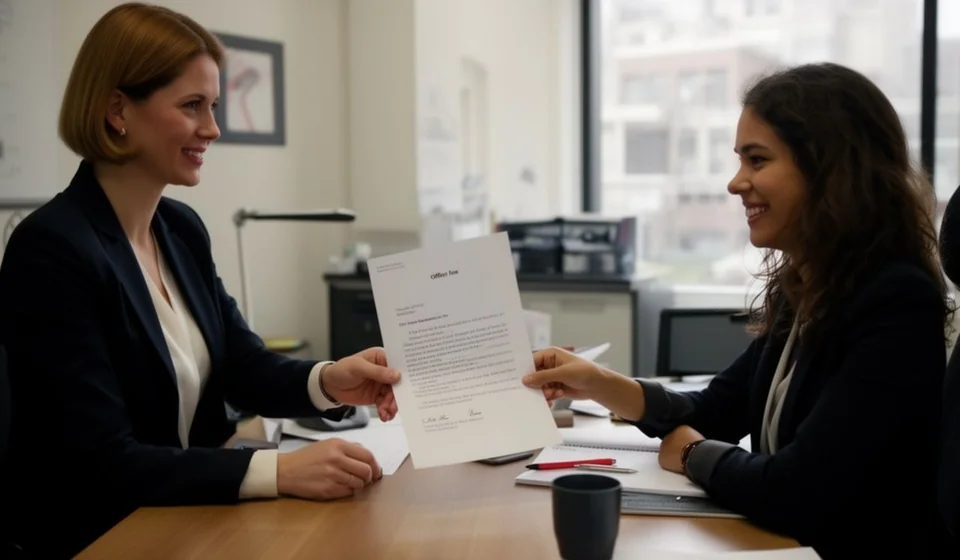
Job offer letter template for Word (free download)
After the interviews and the reference checks, there comes a moment when the company and the candidate have to agree in writing. That agreement is made with a job offer letter: a short document, one or two pages long, in which the company describes the role, the conditions and the date the person would start working. When the offer is well written, onboarding becomes an orderly process; when it is improvised through text messages or a hastily written email, loose ends are left behind about working hours, work location or duties, and nobody knows how to sort them out later.
This job offer letter template for Word was designed for small and medium-sized companies that hire often and do not have a formal recruitment department. It is used by the person who interviews — the area manager, the general manager or the human resources officer — and it is also signed by the candidate upon acceptance. The file includes an editable letterhead, space for the date and the candidate details, the subject line with the role, the table with the offer conditions, the additional conditions and the signed acceptance block.
Because this is a document the company issues and the candidate signs, everything written on it becomes a reference for both parties during the first days of employment. It deserves care: exact data, editable fields in brackets and a final review before sending. In this article we explain what the template contains, what it is for, how to fill it in step by step and what to check before handing it over.
⬇ Download job offer letter (.docx)What a job offer letter is and why it is written down
A job offer letter is the formal communication in which the company proposes that a candidate take a specific role, under specific conditions, starting on a specific date. It is not the employment contract yet: it is the step before that, the one that lets the candidate see the whole proposal and decide whether to accept or decline. Only once the candidate signs the acceptance does the company move on with the onboarding paperwork.
Putting it in writing has three practical advantages. The first is clarity: the candidate reads the role, the schedule, the work location and the pay in a single document, without relying on what they remember from the interview. The second is traceability: if a question later comes up about what was agreed, the signed offer is the starting point of the conversation. The third is organisational: the signed acceptance is filed in the employee folder and feeds the contract, the induction record and the job description.
One thing is worth stating from the start: the offer does not replace the employment contract or the settlement of any benefit. It is a prior agreement document, a communication with the candidate and an internal record. The fine details of each hire should be reviewed with the labour adviser of the company and under the rules in force in the country where you are hiring.
What this template is for
- Setting the conditions of the role in writing before the person starts, so there are no misunderstandings about schedule, location or duties.
- Confirming the start date and giving the candidate a clear deadline to reply.
- Bringing together in one format the benefits, the documents required on the first day and any additional agreements.
- Getting the signed acceptance from the candidate, which is then filed in the employee folder.
- Feeding the contract, the job description and the induction record that come later.
- Leaving a record that the company shared the full proposal before the person joined.
What the template includes
The template follows the order of a formal letter and already contains the sections listed below. Here is what goes in each one:
| Section | What is written there |
|---|---|
| Letterhead | Name of the issuing company, identification, address, city, phone, email and website. Replace the generic letterhead with your own before printing. |
| Date and addressee | City and date, plus the full name of the candidate and their address. Other personal details needed for the hire belong in the employee file, not on the letter. |
| Subject line and greeting | One line naming the role — the file reads “Subject: job offer for the position of [role]” — followed by a courteous greeting. |
| Opening paragraph | One or two paragraphs in which the company expresses its interest after the selection process. This sets the tone: warm, brief, and promising nothing that is not in the table. |
| 1. Offer conditions | A concept / detail table with eight conditions: role, area or department, type of contract, working day and schedule, pay, start date, work location and probation period. |
| 2. Additional conditions | Benefits, allowances, initial training or other agreements, plus the list of documents the candidate must bring on the first day. |
| 3. Candidate acceptance | How long the offer stays open, how to accept it (sign the letter and return a copy) and where to send questions before that date. |
| Acceptance statement | The paragraph the candidate signs, with full name, identification number and date of acceptance. |
| Signatures and copy | The company signature with the signer name and position, and the candidate signature. The copy line and the closing notice sit underneath. |
Two details of the file are often overlooked. First, the pay is written in the editable field, with the pay period your company uses, and that figure has to match the one in the contract. Second, the probation period also stays as an editable field, because its length depends on the type of hire and should be checked with your labour adviser before you type a number.
How to use it step by step
- Download the file and keep a blank copy as your master template. Always work on a fresh copy so the original stays clean.
- Replace the generic letterhead with your company details and check the footer, where the company name usually sits. If your company uses document codes, adjust that field in the internal control table.
- Fill in the city and date, the candidate name and the subject line with the exact role used in the job advert.
- Complete the conditions table with what was already decided during the selection. If a detail is not confirmed yet, write “[to be confirmed]” instead of leaving the cell empty.
- Check the pay and pay period against what the company approved, and confirm the probation period with your labour adviser and under the rules in force in your country.
- Write the additional conditions and the first-day document list. Be specific: which document, original or copy, and which department receives it.
- Set a clear closing date for the offer and explain to the candidate how to accept it.
- Collect the company signature first and the candidate signature after. File one copy in the employee folder and hand the other to the candidate.
What to check before sending it
| Item | Why it matters |
|---|---|
| Role and area | The title must match the job advert, the contract and the job description. |
| Start date | It is the reference the candidate uses to plan their exit from the previous job. Never leave it blank or already past. |
| Pay | It must match the approved figure and the pay period the company uses. If it changes later, say so in writing. |
| Probation period | It depends on the type of hire: write it only after confirming it with your labour adviser. |
| Offer deadline | Without a closing date the vacancy stays open with no control and the selection process stalls. |
| Letterhead and footer | The most common mistake: sending the letter with the template name instead of the company name. |
| Signed acceptance | Without that signature the employee folder is incomplete from day one. |
- Announcing benefits the company has not approved yet. An offer commits you, even when it is written with the best intentions.
- Writing conditions that differ from the contract. If something changes between the offer and the signature, record the change in writing.
- Confusing the offer with the contract or with the employment certificate: each document has its own purpose and its own moment.
- Sending the letter without checking spelling and contact details. It is the first formal impression the candidate receives.
- Leaving out the copy line. A record of who received the letter prevents later disputes.
When to move to a system
The template handles an isolated hire well. The trouble starts when the company grows: several vacancies at once, offers sent out by different managers, different versions of the same form, and employee folders nobody can find. At that point, keeping the HR documents under control starts to compete with the day-to-day work and new hires are delayed for want of a signed record. A system such as Kardex Tauro helps you centralise employee records, link every hire to its documents and look up the history without depending on physical folders. The decision is not about company size: if you have already lost track of how many offers were never signed, it is a good time to weigh it up.
This template is a general guide for internal use: review it with your adviser before signing.
⬇ Download job offer letter (.docx)