Free VAT calculator: add or remove VAT from any amount
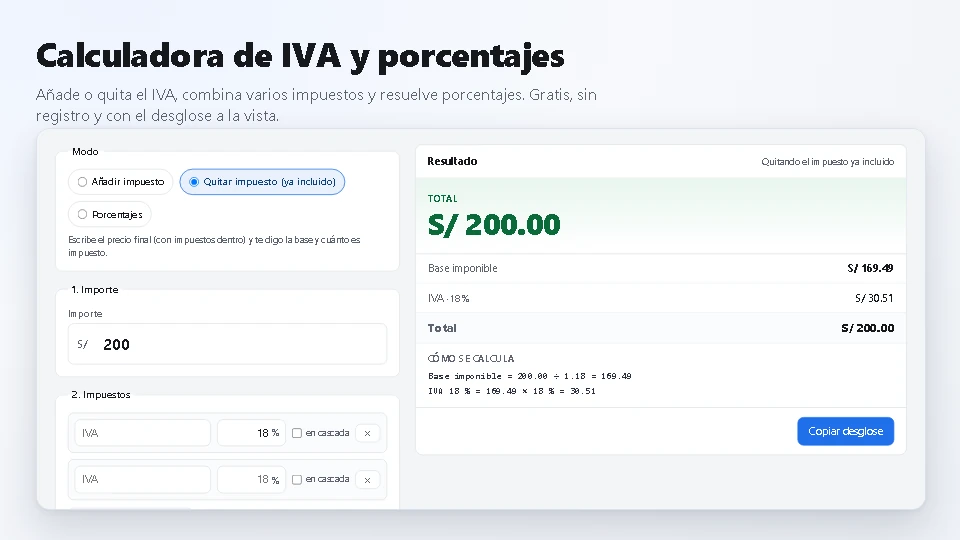
Free VAT calculator: add or remove VAT from any amount
Type the amount and the rate: the calculator gives you back the net amount, the tax and the total. It works both ways —adding the tax, or taking it out of a price that already carries it—, it handles several taxes at once (an excise duty sitting under VAT, for instance) and it also solves the usual percentages. No sign-up and nothing to download: the result is right there on screen.
How to use it
- Pick the mode: add the tax on top of the net amount, or take it out when the price already carries it.
- Type the amount. However you like it: 200, 1,234.56 or with the currency symbol.
- Set the rate (18 %, 19 %, 16 %…) and add more taxes if your transaction has them.
- Tick «on top» for the taxes that are charged on what came before, like an excise duty under VAT.
- Read the breakdown: net amount, each tax and the total, with the arithmetic in plain sight. You can copy it too.
What it solves
- A price of 200 with VAT already inside: net amount 169.49 and tax 30.51.
- Several taxes at once, cascading or all of them on the net amount.
- Percentages: what a percentage of a value is, what percentage a part represents, and the change between two figures.
- Your own format: currency, up to four decimals and separators that match the language.
This calculator is part of the free utilities of Kardex Tauro. There is also the free label generator with barcode or QR code, the sales invoice generator for the whole sale and the receipt generator to put a payment on record.
