Free label generator: barcode or QR product labels in your browser
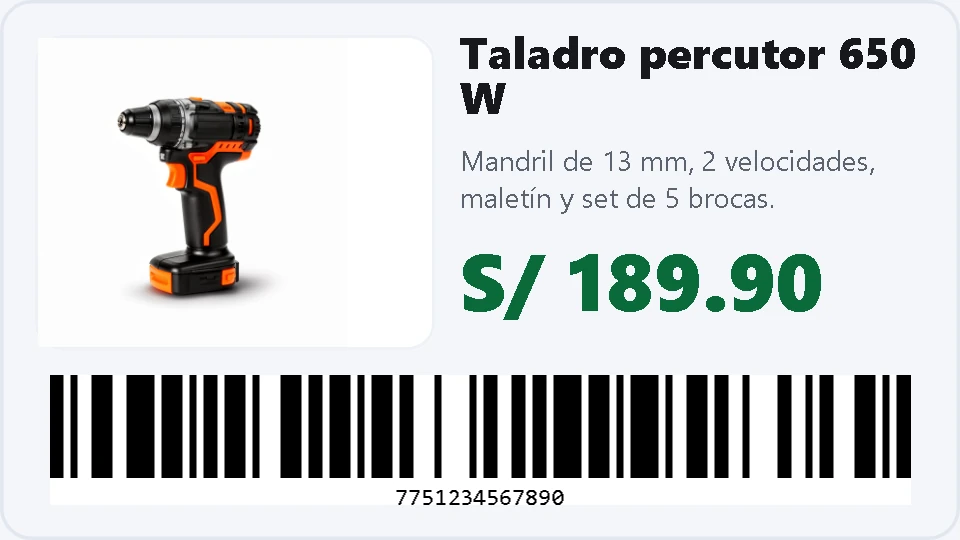
Free label generator: barcode or QR product labels in your browser
Type in the product data, pick a template and download the label as an image, ready to print. It goes from the bare minimum —title and price— to a full card with photo, description, barcode and contact details. There is no sign-up, and what you type never leaves your computer.
How to use it
- Choose the code: barcode (CODE128, EAN-13, EAN-8, UPC-A, CODE39 or ITF-14) or QR, then type the number or the address.
- Fill in the product data: title, description, price with its currency, address, phone and image.
- Whatever you leave blank disappears from the label: empty cells collapse and the layout reflows by itself.
- Pick a template and a size in millimetres; the preview updates instantly.
- Download the PNG at 150, 300 or 600 dpi. For professional printing, 300 dpi.
What you get
- Nine ready-made templates: shelf label, big price, QR with title, vertical inventory, shipping label and more.
- The product image embedded in the label, either cropped to the box or shown complete.
- Sizes from 20 × 15 mm to 300 × 300 mm, with the background colour you choose.
- Barcodes with their number underneath and error-corrected QR codes.
The tool is part of the free utilities of Kardex Tauro. If your label needs a layout that is not in the list, one can be added: every template is a table of rows, columns and cells.
