Free payment receipt generator: make your receipt as PDF, PNG or printed
Free payment receipt generator: make your receipt as PDF, PNG or printed
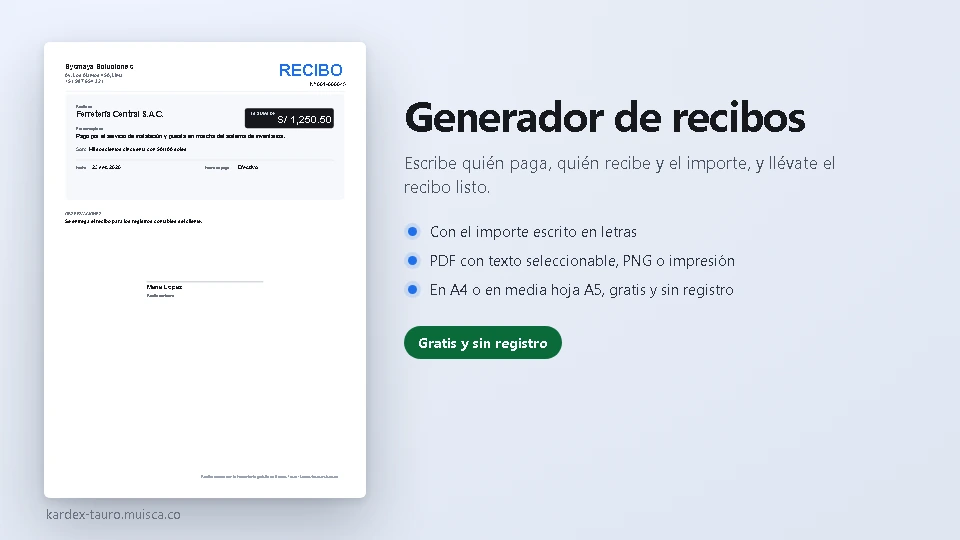
Type who pays, who receives, the concept and the amount, pick the payment method and that is it: the receipt builds itself, with the amount also written in words. Download it as PNG, as PDF (with selectable text) or print it on A4 or as a half A5 page. Everything happens in your browser: no sign-up and nothing sent anywhere.
How to use it
- Fill in your business details: name, address and phone; plus the receipt number and date.
- Enter who pays and who receives, the amount and the concept (what is being paid for).
- Pick the payment method: cash, bank transfer, deposit, card, cheque or whatever you type.
- Keep the amount-in-words box ticked and «One thousand two hundred fifty and 50/100 soles» appears on its own.
- Download the PNG, the PDF or print it, in A4 or as a half page; the preview shows the receipt while you type.
What it solves
- The amount written in words, which is what a payment receipt is expected to show.
- Two sizes: full A4 or a half A5 page (the same design, scaled without distorting).
- Vector PDF (its text can be selected and searched), PNG at 150, 200 or 300 dpi, or direct printing.
- The signature line with the name of the person receiving and «Received in agreement».
- It saves itself in the browser: close the tab and pick up where you left off.
The generator is part of the free utilities of Kardex Tauro. There is also the label generator with barcode or QR code, the VAT calculator for a single tax and the sales invoice generator to invoice the whole sale.
