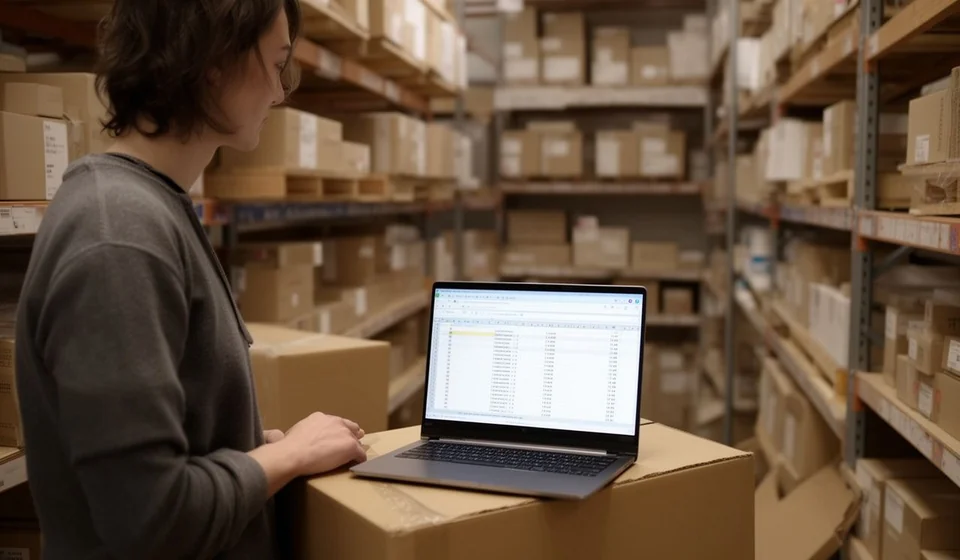
Income and expense tracker template in Excel: free download

Income and expense tracker template in Excel: free download
Closing the month and finding that the bank balance does not match what you thought you had earned is a scene that repeats itself in small businesses. Sales are known because invoices were issued, but expenses are paid one at a time: a cash purchase of merchandise, a delivery, a service that was charged automatically, a worker paid by the day. When nothing is written down at the moment it happens, the month is rebuilt from memory, and memory always loses.
This income and expense tracker template solves that with a single sheet: a daily log where every movement is recorded with its date, its category and the way it was paid. The file comes with two hundred rows, drop-down lists, automatic columns that split money in from money out, totals, a period summary and three small tables that break the month down by category and by payment method.
It is an Excel file (.xlsx) ready to use, with no macros and no add-ins. You open it, save it under the name of the business and start filling it in the same day.
⬇ Download the template (Excel .xlsx)What it is and who it is for
It is an internal control tool, not an accounting document: it exists so that whoever runs the business knows, at any point in the month, how much came in, how much went out and where it went. The logic repeats in every row and it means classifying twice. First by what the movement was, that is the category: merchandise, payroll, rent, utilities, transport, advertising, professional fees, other. Then by how it was paid, that is the payment method: cash, bank, transfer, card or credit with a supplier.
That double classification is what answers the questions that really matter at month end: how much was spent on merchandise and whether that spending grew against the previous month, how much left as cash and how much through the bank, how many payments are still owed to suppliers. A list of expenses with no categories only says the money is gone; with categories it says where it went and what can be adjusted.
It works in shops, hardware stores, bakeries, restaurants, workshops and small professional offices, and it also works for running a household. It behaves the same with twenty movements a month as with two hundred: the filling time changes, not the structure.
How this format differs from a cash flow
Here the axis is classification: what the movement was and how it was paid. In a cash flow template the axis is cash itself: the balance left after each movement and the date the money truly comes in or goes out. The two tools complement each other and should not be confused: this log is filled with what happened during the day, while the cash flow is filled with collection and payment dates to know whether the money will stretch. If the business sells and buys on credit, it needs both.
What the file includes
Everything sits inside one sheet and the lists are already built: there are no formulas to create, no ranges to name and no categories to invent every month.
| Item | What it brings |
|---|---|
| Month log | Two hundred rows, one per movement, with the totals row at the end. Enough for a busy month and reusable for several if the sheet is copied. |
| Type list | Two options: income or expense. That choice decides which of the two automatic columns fills. |
| Category list | Merchandise, payroll, rent, utilities, transport, advertising, professional fees, other and the income categories. It can be adjusted to the activity without breaking the formulas. |
| Payment method list | Cash, bank, transfer, card and credit with a supplier. |
| Automatic columns | Income and expense. The amount is added in the column that matches the chosen type and the other stays at zero; neither is typed by hand. |
| Period totals | Total income, total expenses and period balance. |
| Period summary | A short box with the totals, the number of movements by type and the daily average. |
| Expenses by category | How much was spent in each category and what share of total spending it represents. |
| Income by category | How much came in under each income category. |
| Payment methods table | How much moved through each payment method and how the total splits between them. |
| Period header | Business name, period, person responsible for the log and the opening balance for the month. |
The analysis tables feed themselves from the log: nothing has to be copied over or typed twice, and that is why the control survives over time.
The columns of the sheet
The sheet has ten columns and only seven are typed; the rest are calculated. It pays to understand what goes where before starting, because almost every error in a log comes from writing in the wrong place.
| Column | What is written there | Calculated |
|---|---|---|
| Date | The day the movement happened, not the day it was written down. It orders the log and allows closing by period. | No |
| Type | Income or expense, chosen from the drop-down list. It decides which automatic column fills. | No |
| Category | What the movement was: merchandise, payroll, rent, utilities, transport, advertising, professional fees, sales, other. This is the column that allows analysing spending. | No |
| Description | A short, concrete phrase such as “electricity bill for August”. It must be understandable months later without asking anyone. | No |
| Document | The number of the supporting paper: purchase invoice, cash receipt or transfer slip. Without it the movement cannot be checked later. | No |
| Payment method | How the money came in or went out: cash, bank, transfer, card or credit with a supplier. | No |
| Amount | The value of the movement, always positive. The sign comes from the automatic column. | No |
| Income | Takes the amount when the type is income and stays at zero when it is an expense. | Yes |
| Expense | Takes the amount when the type is expense and stays at zero when it is income. | Yes |
| Notes | What does not fit anywhere else: whether the purchase went to stock or whether a payment is still pending. | No |
The rule is simple: the amount is typed once and the type decides where it lands. If someone types directly into the income or the expense column, the totals stop matching the detail.
How the month is calculated: an example with numbers
The calculation holds no mystery: income is added on one side, expenses on the other, and the difference between the two totals is the period balance. The classic example is a month with two million in income and one million five hundred and twenty thousand in expenses.
| Item | Amount |
|---|---|
| Sales for the month | 1,200,000 |
| Services delivered | 800,000 |
| Income for the period | 2,000,000 |
| Merchandise | 900,000 |
| Payroll | 500,000 |
| Utilities (power, water, internet) | 120,000 |
| Expenses for the period | 1,520,000 |
| Period balance | 480,000 |
The period balance is the subtraction: 2,000,000 minus 1,520,000 equals 480,000. That number says whether the month left something behind or merely kept the operation alive. The small tables also show that merchandise takes around sixty percent of the spending.
Two warnings about that balance. First: it is not the bank balance. A sale paid by card may be recorded as income and not have reached the account yet; a purchase on credit is recorded as an expense and has not left the cash box. Second: if the merchandise bought is still in stock, that expense belongs to the stock, not to the month, and the note column settles the doubt.
Step by step
- Download the file and save it with the business name and the period. Use one file per month so the close is clean.
- Fill the header with the business name, the period and the person responsible for the log, so you know whom to ask when a figure does not match.
- Write each movement the same day it happens, even if it goes first into a phone and is transferred later. Quality depends on how close the entry is to the event.
- Choose the type, the category and the payment method from the lists, then write the amount with a short, concrete description.
- Keep the supporting paper in a folder by month and write its number in the document column.
- At month end check the totals, compare bank and card movements against the statement, count the cash left in the box and note the differences.
Tips and common mistakes
- Recording from memory at month end. It is the mistake that ruins the exercise: small expenses are forgotten and large ones remembered. Daily entries take minutes; rebuilding a month takes hours.
- Using “other” for everything. When half the movements land there, the analysis by category stops working. If an expense repeats three months in a row, it deserves its own category.
- Typing the amount into the automatic column. The amount is typed once. If the income or expense column is forced, the totals stop matching the detail.
- Forgetting the small expenses. Deliveries, stationery, fares and tips look minor on their own, but added up they can weigh more than the rent. All of them belong in the log.
- Not separating stock purchases from the month's expenses. Merchandise still in the warehouse is not an expense of the month being closed.
- Confusing the period balance with the bank balance. They are two different numbers: one measures the result of the month, the other the cash available.
When to move to a software
While the business moves a few movements a day and one person keeps the log, the template is enough and it does something no system can do: it teaches the logic of classifying before automating it. Moving to software makes sense when clear signs appear: two or three people should be entering data, there is more than one cash box or more than one location, the same purchase must be recorded in the expense control and again in inventory, or you need the balance per supplier and per customer without opening four files.
At that point a system such as Kardex Tauro is the sensible step, because there the movement is born from the document that starts it — a purchase invoice, a sales invoice or a cash receipt — and the daily log becomes a by-product of the operation. With Kardex Tauro the totals, the categories and the payment methods update while the work is being done. The template remains useful to audit a single month and to understand the numbers before automating them.
Download the template, save it under the name of the business and enter today's first movement. With the log up to date, decisions stop being a guess.
⬇ Download the template (Excel .xlsx)