Attendance tracker template in Excel
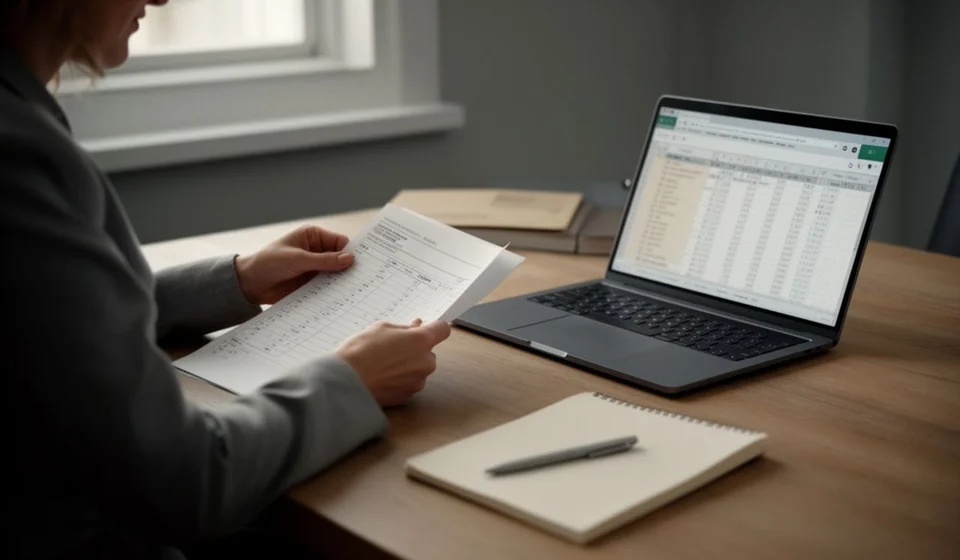
Attendance tracker template in Excel
Few things disorganise a payroll like not knowing for sure who came to work. On payday the questions start: did this person miss Tuesday or ask for leave, is that absence justified or should it be deducted, how many days were really spent away on holiday. Without a daily record, the answer comes from somebody's memory and hardly ever matches the version on the other side of the counter. The result is a payment made by eye, a complaint from the worker and an awkward argument that comes back every month.
This attendance tracker template in Excel solves that problem on a single sheet. It records, day by day, who was present, who was not and for what reason, keeps the clock-in and clock-out times when they are needed and builds the period summary by itself, with the counts per status and the attendance rate.
⬇ Download the template (Excel .xlsx)What this format is and who it is for
An attendance record is the orderly log of the event of the day: who came to work, who did not come and for what reason. It is not the same as a time clock. The time clock says at what hour each person came in and went out, and it is used to value hours; the attendance record says, rather, whether the day was served or not and what happened to that day when it was not. The two look alike, both are filled in daily, and still they are not the same: one counts time and the other counts days and reasons.
This format works for any business that has staff and wants its attendance in writing, from the workshop with five operators to the store with twenty people spread across warehouse, counter and office. It is kept by the personnel officer, the administrator, the area supervisor or even the owner, when the company is still small and there is no formal human resources area. It also works for the school that tracks its teachers, the clinic that organises nursing shifts and the building site that tracks the crew day by day.
The logic of the format is simple, and that is its greatest virtue. Each row is one day for one person. In each row a status is marked, the hours are noted if the day was served, and a short remark is written when there is something to explain. With those three decisions a history is built that later settles the payroll, supports a sanction and explains any absence to anyone who asks. A well kept attendance record does not only avoid arguments about money: it also shows patterns nobody sees at a glance, such as the weekday when people miss most or the employee who piles up leave without justification.
What the template includes
The file brings a working sheet with room for two hundred daily records and a summary section that calculates itself. The status column is filled from a drop-down list, so that nobody has to invent names or write the same reason in two different ways.
| Block | What the sheet does |
|---|---|
| Attendance records | Two hundred rows with date, employee, status, clock-in time, clock-out time, hours and remarks. |
| Status drop-down list | Five statuses: present, justified absence, unjustified absence, leave and holiday. One is chosen and it is always written the same way. |
| Automatic hours | When the day is served, the sheet subtracts the clock-in time from the clock-out time and writes the total hours of the day. |
| Period summary | Count of records for each status, total hours in the period and attendance rate. |
| Instructions sheet | The step by step and the meaning of each status, so that anyone who opens the file can use the format. |
With those five blocks, the template covers what any basic staff review asks for: to know how many days were served, how many were not and for what reason. It does not promise to replace a payroll system or a time clock; it promises to leave in writing, with name and date, what happened each day in the team.
The columns on the sheet
There are seven columns and each one has a clear job. It is worth reading them in order, because that is the same order in which they are filled in daily.
| Column | What is written there | How it is used |
|---|---|---|
| Date | The day being recorded. | One date per row, with the month grouped in a block so it can be filtered later. |
| Employee | The worker's name, exactly as it appears on the payroll. | Always repeat the same name, with no nicknames, so it can be counted and filtered without confusion. |
| Status | The event of the day, chosen from the drop-down list. | This is the column in command: if it says present the hours are calculated, and if it says any of the other four statuses the hours stay at zero. |
| Clock-in time | The time the person arrived, when the day was served. | Only entered if there was attendance; in the other statuses the cell stays empty. |
| Clock-out time | The time the person finished the shift. | As with the previous one, it only makes sense when the day was served. |
| Hours | The total hours of the day, calculated by the sheet. | The formula subtracts the clock-in from the clock-out and only does so when the status is present. |
| Remarks | The short explanation of the event. | This is where the medical note, the reason for the leave or the detail that will need to be remembered later is noted. |
The calculated columns, the count of statuses, the total of hours and the attendance rate all feed themselves from the ones above. The attendance rate comes from dividing the days with the status present by the total days recorded, and it is the number that sums up the period at a glance.
The example with numbers: how the summary reads
Take a short period of twenty days recorded for one employee. Of those twenty days, eighteen had attendance, one was a justified absence and one was leave. The table shows how the summary looks once the sheet finishes counting.
| Item | Value | How it reads |
|---|---|---|
| Days recorded in the period | 20 | Twenty rows with a date for the same employee. |
| Present | 18 | Eighteen days on which the worker served the shift. |
| Justified absence | 1 | One day without attendance, with a justified and documented reason. |
| Leave | 1 | One day without attendance for leave authorised in advance. |
| Unjustified absence | 0 | None in this period: there are no unexplained misses. |
| Total records | 20 | The sum of the statuses gives the total days recorded. |
| Attendance rate | 18 of 20 | It equals ninety per cent: eighteen days of attendance out of twenty recorded. |
What matters in the example is not the final number but how it is composed. A period with an attendance rate of ninety per cent can hide two very different situations: that of the stable team, where the two misses are a medical note and a leave, and that of the team in trouble, where the misses are spread across several people and the unjustified absences start to repeat. That is why the summary counts each status separately and does not settle for an average.
It is also worth looking at which status came out at zero. A zero in unjustified absence is the good news of the period, and a zero in holiday across several months in a row is a sign that the team is piling up rest without taking it. When the figures do not match what the person remembers, the number is not changed: the proof is looked for. The usual causes are a duplicated row, a status marked on the wrong row or an event written as free text and therefore left out of every count.
How to use the template, step by step
- Download the file and save one copy per month and per site, with the name of the period and the workplace, for example attendance-2026-09-north-site. That way each monthly close sits in its own file and the periods are not mixed up.
- Write the list of employees once and keep it tidy. The name should be the same one that appears on the payroll and should repeat identically on every row, because all the counts in the summary depend on that repetition.
- Record daily, at the end of the shift and not at the end of the month. An attendance record filled in from memory on the last day of the period ends up with gaps, with statuses marked wrongly and with remarks nobody remembers any more.
- Choose the right status from the drop-down list and do not write the reason by hand when a status already covers it. The list of five statuses is meant to let the events count themselves, and an event typed as free text goes into no total at all.
- Enter the hours only when the day was served and leave them empty in the other statuses. Mixing hours with absences is the mistake that most throws off the total hours of the period.
- At the close of the period, review the summary, count the unjustified absences and check every event against its proof before running the payroll. The summary is there to argue the pay better, not to replace the conversation with the person.
Tips and common mistakes
- One single person in charge of filling in the sheet. When three people write the same thing in a different order, three different versions of the same day come out.
- Record on the same day, not at the end of the month: memory gives out before the format does.
- Use the right status: not everything that is not attendance is a miss. Authorised leave and holiday are planned days, and confusing them with an unjustified absence creates complaints.
- Back every event with its document, filed in the folder of the period. A status without proof is a decision nobody can defend later.
- Review the attendance rate at the close, month against month: a drop of a few points explained in time can be corrected; found three months later, it cannot.
- Do not mix this record with the record of hours worked. They are two different formats with two different questions: one records whether the person came and the other how long they stayed.
When to move to payroll and staff software
The template works well while the team is stable and the record is kept daily by a single person. When the business grows, when there are several sites, when workers come and go every month or when the payroll needs to cross attendance with hours and overtime, keeping everything on one sheet starts to cost more than it should and the risk grows that an event goes unrecorded.
At that point it is worth looking at Kardex Tauro: it brings staff, attendance and hours onto the same base, so that the payroll close is built from what each officer recorded on the day and not from a sheet that is put back together at the last minute. Attendance stops being a loose file and becomes a piece of data the system reads when it calculates pay.
That said, no tool fixes a record kept carelessly. If statuses are marked without looking, the system will only spread the mistake faster. The healthy sequence is always the same: first the record is kept daily and every event is backed with its proof, and only then is the tool decided on. Knowing who came to work and why they did not is the basis of a calm payroll, and with Kardex Tauro that same data is read when the pay is closed without being put together by hand again.
⬇ Download the template (Excel .xlsx)