SWOT analysis template for Word

The SWOT matrix is the simplest tool there is for sitting down and thinking about a business in an orderly way. It is four boxes: strengths, opportunities, weaknesses and threats. Nothing more. And yet, when it is filled in with real facts instead of good intentions, it is the conversation that most often ends up changing the direction of a shop, a warehouse or a store.
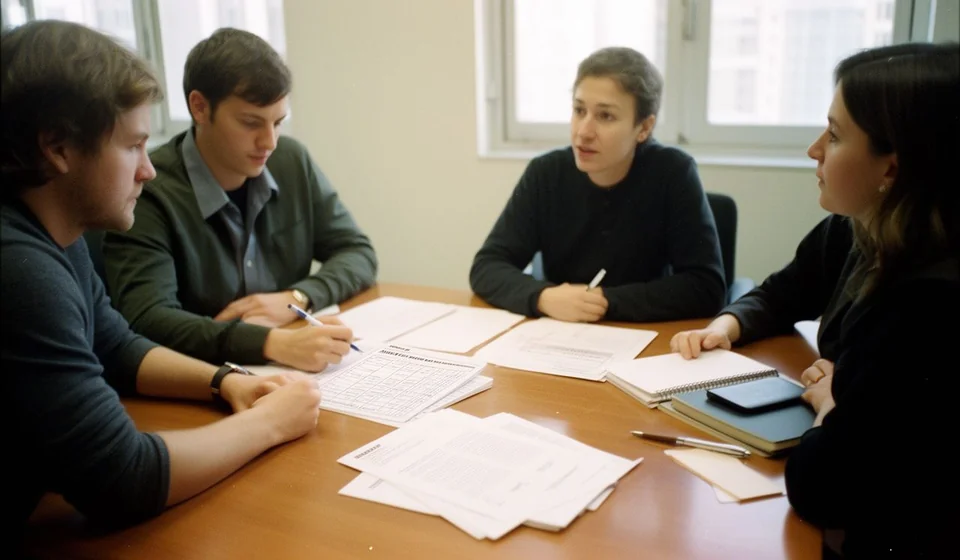
This SWOT analysis template for Word is an editable two-page document, written for the size of business that has no planning department. You open it, fill it in with the team that stands at the counter every day, sign it and file it. It asks for no half-day meetings and no outside consultants: it asks for the four lists to be filled in honestly and for a short list of tasks to come out of them, each with an owner and a date.
It works for any unit of analysis that fits on one sheet: the whole company, a single outlet, a product line, one shift, a warehouse, the purchase from a new supplier or the opening of a new premises. The file is available in Spanish, English and Portuguese, with the labels in the language of each version.
⬇ Download SWOT analysis (.docx)SWOT analysis template for Word
What it is and what it is for
A SWOT analysis separates two worlds that almost always get mixed up in meetings. On one side is what is inside, the part you control: the strengths that already work for you and the weaknesses that cost you money every month. On the other side is what is outside, the part you do not control but can anticipate: the opportunities opening up in your market and the threats that are moving closer. When that separation is done well, the diagnosis stops being an opinion and starts to look like a map.
The real value of the template is not in filling it in, but in the crossover at the end. A strength on its own does nothing. A strength crossed with an opportunity produces a concrete strategy. A weakness crossed with a threat produces a risk that has to be dealt with before it turns into a problem. That is the part almost every analysis done in a notebook skips, and it is exactly the part that turns the exercise into a work plan.
- Deciding whether to open a second outlet: before signing the lease, sorting out what is in your favour and what you are still missing to serve two premises at once.
- Reviewing a new supplier or a change of supplier: comparing prices, lead times and back-up instead of deciding on first impressions.
- Reorganising the warehouse or stockroom: writing down where time is lost looking for goods and what can be fixed this month.
- Launching a new line or dropping a product: seeing which items hold up with the customers you already have and which ones only take up shelf space.
- Preparing a big negotiation: arriving with your own arguments when an important customer asks for discounts or longer payment terms.
- Reviewing the year with family or partners: putting on the table what held up, what fell away and what gets looked at first, with a signed document rather than with memories.
What the template includes
The file is a two-page form with a control table at the top (document code, version, date and document owner) and nine numbered sections plus the signature block. These are the real sections and what is written in each one:
| Section | What is written there |
|---|---|
| 1. General information | What is being analysed (company, area, product or project), the period covered, who took part in the analysis and the date. |
| 2. Purpose of the analysis | What it is for and which decision should come out of it: entering a market, launching a line, reorganising the warehouse or reviewing a supplier. |
| 3. Strengths | Four-column table: strength, how it shows, impact (high, medium or low) and how it is sustained. |
| 4. Opportunities | Same structure: opportunity, where it comes from, impact and how it is taken. |
| 5. Weaknesses | Weakness, how it shows, impact and how it is fixed. |
| 6. Threats | Threat, where it comes from, impact and how it is reduced. |
| 7. Strategy crossover | Table with the crossover, the question it answers and the strategies it produces. Here strengths are crossed with opportunities, strengths with threats, weaknesses with opportunities and weaknesses with threats. |
| 8. Priorities and action plan | Numbered table: priority, what will be done, owner, due date and status. |
| 9. Conclusions | A close of two or three sentences: what was decided from the analysis and what is reviewed first. |
| Signatures | The person leading the analysis and the person approving it, with name, position and signature. |
At the end there is a filing note: once signed, the document is kept with its attachments in the area folder and a copy is left for each of the signing parties. That detail looks minor, but it is what allows the analysis to survive a change of manager or a change of year.
How to use it, step by step
- Download the file and save it under a name of your own. Before writing a single line, save the document as "SWOT central shop 2026-03". That way, next year you will find the previous analysis without opening five folders.
- Replace the document code. At the top, in the control table, it says [FD-___]. Write in the internal running number your business uses to number documents, and update the version and the date as well.
- Replace the company name in the footer. The file carries the line "[Company name] · SWOT analysis" at the foot of the page. Change that line to the real name of your business, so the document is identified on every page.
- Fill in the general information precisely. What is being analysed, the period covered, who took part and the date. If the analysis covers a single outlet, say so: a SWOT that mixes the good shop and the bad shop is no use for deciding anything.
- Write the purpose in one sentence that contains the decision. "Decide whether to open the second shop this year" is a purpose. "Analyse the company" is not.
- Fill the four tables with five or six points each. In the "how it shows" column write a verifiable fact, not an adjective. "Orders are delivered the same day across the district because we run our own route" is a strength. "Good service" says nothing.
- Do the strategy crossover before closing. Look at the strengths next to the opportunities and write down which strategy comes out. Repeat with the other three combinations.
- Number the priorities, sign and file. Move the crossovers into the action plan table with owner, due date and status, write the conclusions in two or three sentences, sign and keep the document with its attachments in the area folder.
Common mistakes and what to check before signing
- Confusing strengths with virtues. "We are responsible" is a virtue. A strength is something you can show and the customer notices.
- Listing a complaint as a weakness. If a customer left over prices, the weakness is not "the customer": it is the cost structure or the lack of a cheaper option.
- Filling the document in from behind a desk. A SWOT written by one person usually describes the ideal business, not the one that exists. If there are three areas, there should be three voices.
- Accepting "improve service" as an action. An action can be closed: "cut the response time at the counter", "train the two new salespeople on the spare parts line". Anything else is a wish.
- Leaving the strategy crossover blank. It is the section with the most value and the first one skipped when people are in a hurry. Without the crossover, the analysis is just an inventory of opinions.
- Not dating it, not signing it and not filing it. A SWOT with no date cannot be compared with next year's, and comparing two analyses is the best way to know whether the decisions worked.
How to prioritise what comes out of the analysis
The priority table almost always produces a longer list than can be done. The simplest way to sort it is to score each action on two things: how much it hurts if it is not done, and how much it costs to do. What hurts a lot and costs little goes first, no argument. What hurts little and costs a lot is dropped or postponed. The rest is spread across the calendar according to the cash available.
| Priority | When it is used | What is expected |
|---|---|---|
| High | When the problem is already costing sales, customers or goods, or when the opportunity closes within a few weeks. | It is solved in the current month, with one person assigned and a specific date. |
| Medium | When the effect is felt, but the business can hold out another month or two without dealing with it. | It enters the quarterly plan and is reviewed at the monthly meeting. |
| Low | When it is worth doing, even though its impact still cannot be measured clearly. | It stays written down in the document and is picked up again in the next analysis. |
When it is worth moving to a system
A SWOT analysis every three or four months is enough for most shops, stores and workshops, and the template covers that work at no cost. But it is worth being honest about what the document cannot do. When the "how it is fixed" column fills up with phrases like "measure better" or "check stock levels", the problem is no longer the analysis: it is that the numbers of the business are not within reach. Counting stock by hand, adding up the day's sales and working out which products are not moving, every time a decision has to be made, is a job that gets abandoned by the third week.
If, filling in the fourth box, you realise the same weaknesses keep appearing year after year with no figures to track them, that is the moment to move to an inventory and sales system that keeps the data ready: goods in and out per product, real stock levels, low-stock alerts and rotation reports. With that information on screen, the next SWOT takes an hour and is built from data rather than impressions. Kardex Tauro is exactly that: the step that follows when the diagnosis no longer fails for lack of judgement, but for lack of information. And if your business still fits in a notebook, the Word template is enough and you need nothing more.
This template is part of the index of Word templates, which gathers them grouped by family.
⬇ Download SWOT analysis (.docx)