Free payment voucher: make your cash payout voucher as PDF, PNG or printed
Free payment voucher: make your cash payout voucher as PDF, PNG or printed
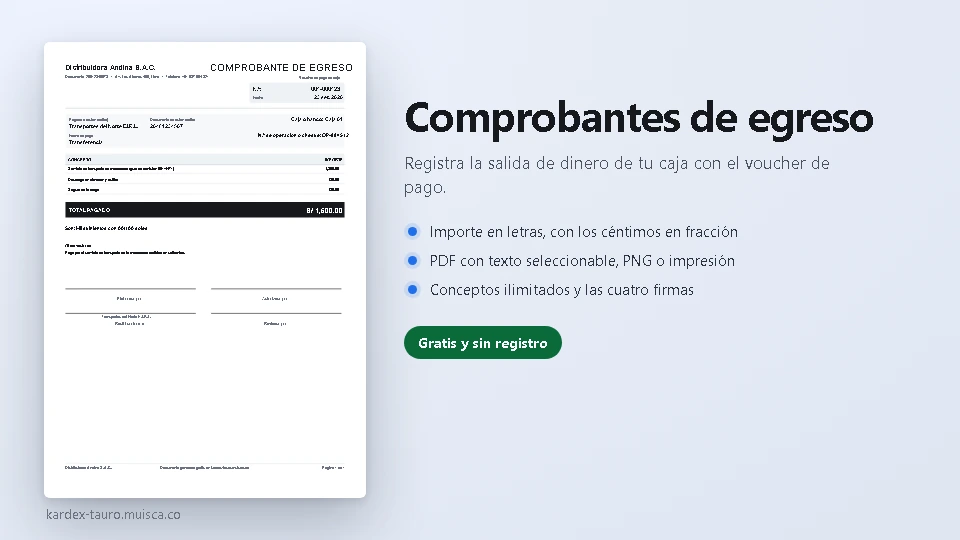
Record the money leaving your cash desk with the payment voucher. Fill in the company, who is being paid and their ID, the payment method and its transaction number, and the lines with their amounts: the document adds up the total and, if you want, writes it in words too, as a cash report requires. It ends with the four signatures —prepared, authorised, received and reviewed— and everything saves in your browser.
How to use it
- Fill in the paying company, the voucher number, the date and the cash desk or bank the money comes from.
- Write who is being paid and their ID, the payment method (cash, transfer, cheque…) and the transaction or cheque number.
- Add the lines with their amounts: the total works itself out.
- Leave «also write the amount in words» ticked and the document writes it out with the cents as a fraction.
- Download the PDF (several sheets if there are many lines), the PNG at the quality you want, or print it on A4.
What it solves
- The amount in words with the cents as a fraction, in Spanish, English and Portuguese.
- Unlimited lines: each with its amount and the total added up instantly.
- A tick box removes the amount in words if your format does not need it.
- Automatic multiple sheets with the header repeated when there are many lines.
- The four signatures of a cash payout, with the payee's name printed.
- All in the browser: no sign-up, nothing sent anywhere and the data stored on your computer.
The generator is part of the free utilities of Kardex Tauro. There is also the valued inventory card, the stock issue slip, the label generator with barcode or QR code, the VAT calculator, the sales invoice generator and the receipt generator.
