Trial balance template in Excel
Trial balance template in Excel
When the month closes, the journal is full of entries and the ledger already has a balance for every account. What is missing is the answer to a simple question: is everything that was recorded complete and balanced? Checking every movement by hand is slow and, more importantly, it guarantees nothing. The trial balance exists for exactly that purpose: it is the final check made before preparing any report.
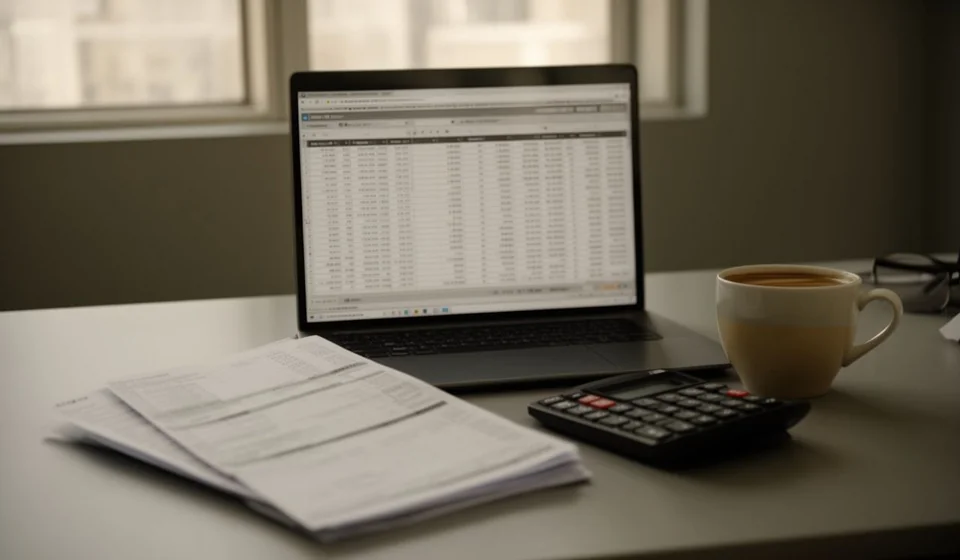
This trial balance template in Excel gathers 90 accounts with their opening balance, their movements for the period and their closing balance, each one split into debit and credit columns. It also includes an automatic status column and a block that checks the three pairs of columns. It is an internal control file, not an official document or a filing.
⬇ Download the template (Excel .xlsx)What a trial balance is and who it is for
A trial balance is a list of the accounts, each one with four pieces of data: what it brought at the start of the period, what moved during the period and what remains at the end, always separating the debit side from the credit side. It does not invent new information. Its raw material is the entries in the journal and the balances in the ledger; its task is to organise them and subject them to a test of sums. If the journal was the record and the ledger the classification by account, the trial balance is the exam: the last verification before the financial statements are assembled.
That is why it serves anyone who keeps accounts in Excel: the owner of a small business who reviews their own paperwork, the administration person who prepares the monthly report, and the accountant who receives someone else's folder and needs to know whether the information can be trusted. It is also useful when the work is shared between several hands, because it lets someone who took no part in the recording review the result without starting over.
The test of the three pairs
The trial balance is called eight-column because it repeats four pairs: opening debit against opening credit, debit movements against credit movements, and closing debit against closing credit. There are three comparisons and all three must give the same total on each side. If all three agree, the information is consistent; if one fails, there is an error somewhere in the process and it is worth resolving it before going any further. The logic comes from double entry: in every entry what goes in on one side comes out on the other, so when the whole system is added up it must stay in balance.
What it checks and what it does not
It is worth saying this clearly: a trial balance that agrees does not mean everything is right. It means the sums are in balance. An entry recorded in the wrong account, a sale written at twice its value or an expense charged to an account that does not belong there can all pass the test without difficulty, because the error affects two accounts at once and the total stays balanced. The trial balance catches errors of addition, the omission of one side of an entry and figures carried wrongly from one sheet to another. For everything else the content of the records has to be reviewed.
What the template includes
The file is designed so that the mechanical part of the review does not consume time:
| Item | What it is for |
|---|---|
| 90 accounts ready to use | Enough room for a small or medium chart of accounts, with rows to spare for growth |
| Opening balance columns | They record debit and credit separately, without forcing a decision up front about the nature of the account |
| Movement columns | They accumulate the debits and the credits of the period as they stand in the ledger |
| Closing balance columns | They show the result after the movements, again split into debit and credit |
| Automatic status column | It marks each row according to the side where the balance ended up, so the nature is read at a glance |
| Check block | It compares the three pairs of columns and warns when one of them does not match |
| Totals per column | It adds up each of the eight money columns at the end of the list |
| Notes column | It leaves room to write the explanation of an account with an unexpected balance |
Columns of the sheet
| Column | What goes in it |
|---|---|
| Code | The number from the chart of accounts, exactly as it appears in the catalogue |
| Account name | The wording by which the account is recognised in the other books |
| Opening debit balance | What the account brought on the debit side at the start of the period |
| Opening credit balance | What the account brought on the credit side at the start of the period |
| Debit movements | The sum of the debits of the period, taken from the ledger |
| Credit movements | The sum of the credits of the period, taken from the ledger |
| Closing debit balance | The balance that remains when the debit movement is larger than the credit movement |
| Closing credit balance | The balance that remains when the credit movement is larger than the debit movement |
| Status | An automatic column that shows which side the account ended on |
| Notes | Remarks from the person preparing the balance for whoever reviews it later |
How the calculation works: an example with seven accounts
To see it with concrete figures, suppose a period with these seven accounts. The opening balances are Cash 300,000 debit, Bank 1,500,000 debit and Capital 1,800,000 credit. During the period three transactions are recorded: a cash sale that charges 1,200,000 to Cash and credits the same amount to Sales; a purchase on credit that charges 800,000 to Inventory and credits the same amount to Suppliers; and rent paid in cash that charges 500,000 to Rent and credits the same amount to Cash. With that, the trial balance looks like this:
| Account | Opening debit | Opening credit | Debit movements | Credit movements | Closing debit | Closing credit |
|---|---|---|---|---|---|---|
| Cash | 300,000 | 0 | 1,200,000 | 500,000 | 1,000,000 | 0 |
| Bank | 1,500,000 | 0 | 0 | 0 | 1,500,000 | 0 |
| Inventory | 0 | 0 | 800,000 | 0 | 800,000 | 0 |
| Rent | 0 | 0 | 500,000 | 0 | 500,000 | 0 |
| Suppliers | 0 | 0 | 0 | 800,000 | 0 | 800,000 |
| Sales | 0 | 0 | 0 | 1,200,000 | 0 | 1,200,000 |
| Capital | 0 | 1,800,000 | 0 | 0 | 0 | 1,800,000 |
| Totals | 1,800,000 | 1,800,000 | 2,500,000 | 2,500,000 | 3,800,000 | 3,800,000 |
The three pairs give the same total on each side: opening balances 1,800,000 against 1,800,000, movements 2,500,000 against 2,500,000 and closing balances 3,800,000 against 3,800,000. The status column marks Cash, Bank, Inventory and Rent as accounts with a debit balance, and Suppliers, Sales and Capital as accounts with a credit balance. That split is what later feeds the statement of financial position and the income statement, so a mismatch here turns into a problem in both reports.
Step by step
- Download the file and save it with the name of the period you are going to review.
- Fill in the code and the name of each account, following the order of the chart of accounts.
- Write the opening balances, each one in the column that matches its nature.
- Carry the movements from the ledger: the total debit and the total credit of each account.
- Check the status column and the closing balance columns, and confirm that each account ended on one side only.
- Look at the check block: if the three pairs agree, the balance is ready to be filed with the period.
Tips and common mistakes
- Do not mix the opening balance with the movements. If you add the wrong way round, the closing balance comes out inflated and the check fails for no reason.
- Write each account only once. Two rows for the same account double the balance and the mismatch shows up at the end of the work.
- Watch for mismatches in round figures. A difference of 100,000 or 800,000 is usually a line omitted from an entry, not an addition error.
- Check the sign before changing a figure. When a balance appears on the side opposite to the expected one, it is almost always a movement entered the wrong way round.
- Write down in the notes whatever you cannot resolve today. A short remark saves the next person from repeating the same analysis.
- Do not delete the check block. It is the only part of the sheet that gives early warning when something has stopped balancing.
- Use the template as internal control and nothing more. It is a review tool; it does not replace any document or record of an official nature.
When to move to accounting software
This manual trial balance works while the volume is manageable. If the business already has two or three people recording transactions, if there are several points of sale or if the month closes with more than a hundred entries, carrying every figure by hand stops making sense: the time spent copying is greater than the time spent reviewing, and every copy is a chance for error. At that point the trial balance stops being a working tool and becomes a repetitive chore.
An inventory and billing program helps that information be produced from the recording itself. Kardex Tauro accumulates the receipts and issues, calculates balances and builds the reports without anyone typing the figures again. The template remains useful for understanding how a trial balance is built, for reviewing an old period or for running a small business that does not yet justify a system. Kardex Tauro is the natural next step when the spreadsheet runs short.
If you are going to use the template, start with the most recent period and confirm that the three pairs agree before moving on to earlier months. A trial balance that agrees is not a perfect trial balance, but it is an honest starting point for reviewing any report.
⬇ Download the template (Excel .xlsx)