Cash book template in Excel: receipts, payments and balance
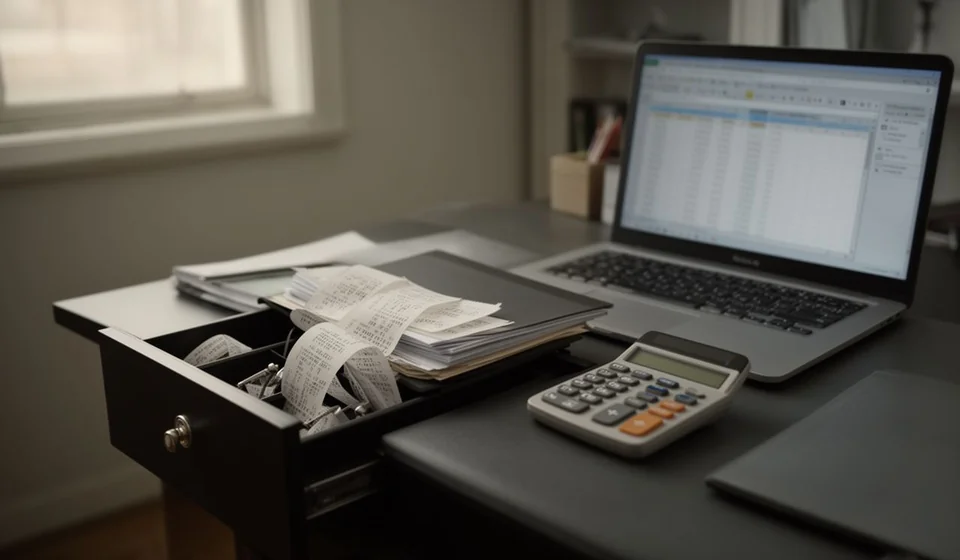
Cash book template in Excel: receipts, payments and balance
Cash is the account that moves the most in a small business and leaves the least trace. You take payment in notes, pay the courier, buy a toner cartridge and, by the end of the day, nobody knows for certain how much should be in the drawer. That gap between what you think is there and what is actually there is the problem a cash book solves.
This cash book template in Excel gathers every cash movement in a single sheet, with the running balance calculated for you. It comes with 200 movement rows, an editable opening balance at the top, period totals, a closing block and a monthly summary sheet with twelve rows and totals.
⬇ Download the template (Excel .xlsx)What a cash book is and who it is for
A cash book is the orderly record of physical cash: every receipt and every payment, in the order it happened. The receipts column holds the money that came in, such as cash sales, owner contributions and petty cash reimbursements. The payments column holds the money that went out: supplier payments, small expenses, supplies and withdrawals. The running difference between the two columns is the balance, and that balance is what should be in the drawer when you close the day.
It fits any business that handles cash daily: corner shops, bakeries, workshops, clinics, restaurants, hardware stores, stationery shops and also offices that keep a small petty cash box. It does not require a full accounting system or advanced training; it requires the discipline to write each movement down on the day it happens.
It is worth saying clearly what this file is and what it is not. It is an internal control tool, a working format for the private use of the business. It is not an official document, it does not replace any mandatory record, and it does not try to be one. What it does is put the information in order so you can review it, support it and explain it when someone asks.
Cash only, not bank
One point that often causes confusion: this is the book of the physical till, the money you count by hand. It is not the cash flow report published in financial statements, because that one mixes cash, bank accounts and short-term investments. When you need the detail of a bank account, that is a different record, the bank book. Only the notes and coins that pass through the drawer belong here, plus the cash you withdraw from the bank to work the day.
What the template includes
The main sheet is ready to work from the very first movement: you type the date, the concept and the amount, and the balance does the rest. This is what the file brings.
| Item | What it is for |
|---|---|
| 200 movement rows | Room for a full month of a busy cash box, and easy to extend by copying the formula in the last row downwards. |
| Opening balance in the header | Typed once, when the period opens, and it feeds the whole balance column. |
| Automatic running balance | Adds what comes in, subtracts what goes out and shows the balance after each movement, with no manual formulas. |
| Period totals | Adds the receipts and payments columns at the foot of the table and compares them with the closing balance. |
| Closing block | Summarises the opening balance, the movements and the closing balance so the daily or monthly count can be signed off. |
| Monthly summary sheet | Twelve rows, one per month, with total receipts, total payments and the balance of each period. |
| Voucher column | Stores the number of the receipt or the supporting document behind each movement. |
The columns on the sheet
The table has eight columns. Seven are typed by hand and the balance column is calculated. The last one stays free for the notes of the day.
| Column | What goes in it | Type |
|---|---|---|
| Date | The day the money entered or left the cash box. | Manual |
| Voucher | Number of the receipt, the invoice or the internal document for the movement. | Manual |
| Concept | Short explanation: cash sale, rent payment, customer collection. | Manual |
| Third party | Customer, supplier or person who hands over or receives the money. | Manual |
| Receipts | Amount coming into the cash box. Numbers only, no currency symbol. | Manual |
| Payments | Amount going out of the cash box. Numbers only, no currency symbol. | Manual |
| Balance | Balance after that movement, calculated from the balance of the row above. | Automatic |
| Notes | Remarks: count shortage, change of cashier, pending document. | Manual |
How the balance works, with an example
The calculation is a chain of subtractions: the balance on each row is the balance of the row above, plus whatever came in through receipts, minus whatever went out through payments. With an opening balance of 500,000, a period of three movements looks like this.
| Date | Concept | Receipts | Payments | Balance |
|---|---|---|---|---|
| Start | Opening balance | 500,000 | ||
| 03/09 | Cash sale | 1,200,000 | 1,700,000 | |
| 04/09 | Rent payment | 500,000 | 1,200,000 | |
| 05/09 | Customer collection | 300,000 | 1,500,000 | |
| Total | Period totals | 1,500,000 | 500,000 | 1,500,000 |
Read the table from top to bottom. The balance starts at 500,000. The sale on 03/09 adds 1,200,000 to receipts and leaves the balance at 1,700,000. The rent payment on 04/09 goes to payments for 500,000 and brings the balance down to 1,200,000. The collection on 05/09 adds 300,000 to receipts and leaves the balance at 1,500,000. At the foot, period receipts total 1,500,000, payments total 500,000 and the closing balance is 1,500,000.
The check is simple and always worth doing: opening balance plus total receipts minus total payments must equal the closing balance. In the example, 500,000 plus 1,500,000 minus 500,000 is 1,500,000, which matches the last row. If that does not hold, a row was mistyped or a formula was not dragged all the way down.
Step by step
- Open the file and type the opening balance in the header, which is the cash counted at the moment you start. If you begin from zero, type 0.
- Record each movement the same day: the date, the voucher number, a short concept, the third party and the amount in the right column.
- Check that the balance column reaches the last row you filled in. If you added rows, drag the formula down from the row above so no gaps are left.
- When you close the day, count the cash in the drawer and compare it with the balance on the last row. If the two do not match, review the documents before adjusting anything.
- At the end of the month, read the closing block and write the count difference in the notes column, with the explanation and the date it was settled.
- Save a copy of the file per month, with the month in the name, so the history stays separate and easy to look up.
Tips and common mistakes
- One person in charge. If two people handle the same cash box, each one signs for the movements they make and the shift change is written in the notes. With no clear owner, a shortage cannot be traced.
- A document is not optional. Every line needs a receipt, an invoice or an internal note. A movement with no paper gets forgotten, and three months later nobody remembers what it was about.
- Do not mix cash with bank. A withdrawal from the bank that goes into the drawer is recorded here; a payment made by transfer is not. If the money never passed through the physical box, it does not belong in this book.
- Watch the dates. Date order is what makes the running balance readable. If you type a movement from 04/09 under the 09/03 date, the balance in between is distorted and the review becomes a puzzle.
- Do not type the percent sign or currency symbols. The columns are for numbers; the symbols dirty the totals and complicate the formatting.
- Remember what this file is. It is an internal control format for private use; it is not an official document and it does not replace any mandatory record.
When to move to software
A cash book in Excel works well while there is one box and one person handling it. When two cashiers share a shift, when there are several locations, when card and cash are taken on the same sale, or when the volume of movements no longer fits comfortably on a sheet, the file starts to fall short. That is where Kardex Tauro enters the conversation: the system records the movement once, ties it to the document and the third party, and builds the closing figures without retyping a single amount.
The clearest sign that the moment has arrived is time. If closing the cash box takes longer than serving customers, or if every count ends in an argument about which row is wrong, manual control is already costing more than it gives back. With Kardex Tauro the cash information sits in the same place as purchases, sales and the other books, and the summary of the day is read without opening five different files.
Until that moment comes, an orderly cash book is still the cheapest way to know how much you have and why you have it. Download the template, type the opening balance and start today with the first movement.
⬇ Download the template (Excel .xlsx)