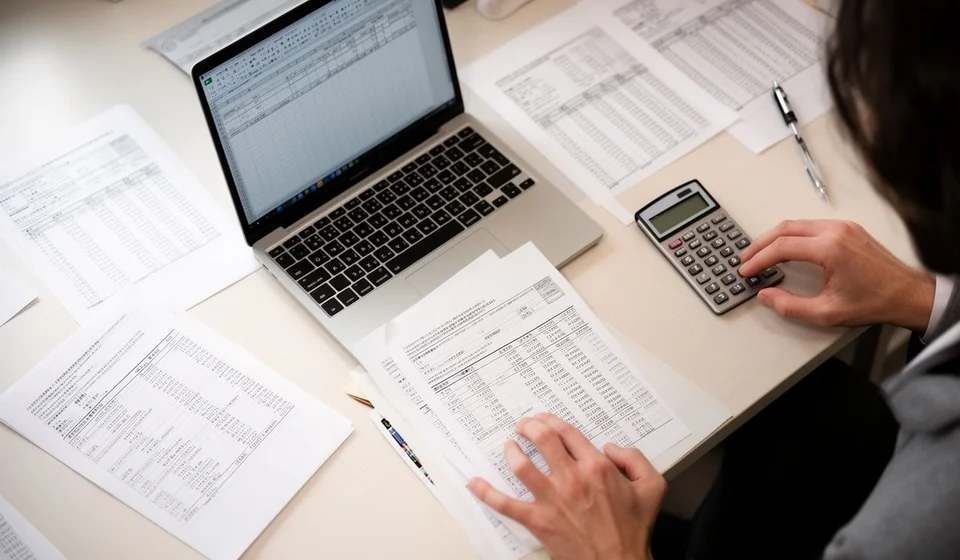
12-column accounting worksheet template in Excel
12-column accounting worksheet template in Excel
Month-end closing usually gets stuck at the same point: the balances coming out of the books are not ready to build the financial statements. The depreciation of the period is still missing, expenses have to be separated from what remains an asset, and the totals have to be checked after every adjustment. When that work is done on loose sheets, any correction means repeating all the sums and the close drags on for days.
This template brings the twelve money columns into a single Excel file: trial balance, adjustments, adjusted balances, income statement and balance sheet. It comes ready to use, with the totals in view and a closing block that shows the profit of the period.
⬇ Download the template (Excel .xlsx)What it is and who it is for
The worksheet is the preparation table for the close. The balances arrive exactly as they leave the books, the missing adjustments are written down, and each account is then sent either to the income statement or to the balance sheet. It is an intermediate step: it is not published, it is not filed as support, and it does not replace any book; its value is that it orders the final assembly and shows where every figure comes from.
It fits the accountant of a small or mid-sized business that closes every month, the assistant who keeps the books, and the owner who wants to understand why the profit of the month does not match the money in the bank. It is also useful when the business does not have accounting software yet and the close is built in Excel, because it forces every adjustment and its explanation to be written down.
From the start, be clear about this: the template is an internal control and office tool. It is not an official document and it does not replace any record the business must keep by another route; its job is to organise the closing calculations so they can later be moved where they belong.
The twelve columns, grouped in five blocks
The twelve money columns are not twelve separate steps: they are five blocks read from left to right. The first, the trial balance, mirrors the balances already in the books. The second holds the adjustments that were missing. The third adds the two previous ones, that is, the adjusted balances. The fourth distributes accounts to the income statement and the fifth distributes them to the balance sheet. Two text columns complete the sheet: account type and notes.
Read that way, the sheet tells a story: what existed, what changed, what is left and where each account goes. When one block does not balance, the review stays inside that block instead of covering the whole month.
What the template includes
The file brings what is needed to build the close without inventing your own formulas:
| Item | What it does |
|---|---|
| Twelve money columns | Trial balance, adjustments, adjusted balances, income statement and balance sheet on the same row. |
| Account type column | Drop-down list to mark whether the account is an asset, a liability, equity, revenue, expense or cost. |
| Automatic distribution | Takes every adjusted balance to the income statement column or to the balance sheet column, depending on the account type. |
| Totals per block | Adds the twelve money columns and shows at once which block does not balance. |
| Closing block | Compares revenue and expenses and shows the profit of the period. |
| Notes column | Room to explain an adjustment or flag an account that is still open. |
The columns of the sheet, one by one
These are the columns you see in the sheet. The automatic ones calculate themselves and are not typed by hand.
| Column | What goes in it |
|---|---|
| Code | The account code from the business chart of accounts. It is the key that orders the sheet. |
| Account name | The name that matches that code. |
| Trial balance debit | The debit balances exactly as they come from the books, before adjusting. |
| Trial balance credit | The credit balances exactly as they come from the books, before adjusting. |
| Adjustments debit | The debit side of the adjustments for the period. |
| Adjustments credit | The credit side of the adjustments for the period. |
| Balances debit | Trial balance plus adjustments on the debit side. Automatic column. |
| Balances credit | Trial balance plus adjustments on the credit side. Automatic column. |
| Income statement debit | Expenses and costs that go to the income statement. Automatic column. |
| Income statement credit | Revenue that goes to the income statement. Automatic column. |
| Balance sheet debit | Assets that stay on the balance sheet. Automatic column. |
| Balance sheet credit | Liabilities and equity that stay on the balance sheet. Automatic column. |
| Account type | Drop-down list that decides where the account is distributed. |
| Notes | Comments to explain an adjustment or record that a review was done. |
How the calculation works with an example
The example below walks through a simple business with five accounts and one depreciation adjustment. The values carry no currency symbol, so they can be replaced with the ones from your own business.
| Account | Trial balance debit | Trial balance credit | Adjustments debit | Adjustments credit | Adjusted balances | Income statement | Balance sheet |
|---|---|---|---|---|---|---|---|
| Cash | 1,500,000 | — | — | — | 1,500,000 debit | — | 1,500,000 debit |
| Inventory | 800,000 | — | — | — | 800,000 debit | — | 800,000 debit |
| Rent | 500,000 | — | — | — | 500,000 debit | 500,000 debit as expense | — |
| Depreciation | — | — | 100,000 | — | 100,000 debit | 100,000 debit as expense | — |
| Suppliers | — | 800,000 | — | — | 800,000 credit | — | 800,000 credit |
| Accumulated depreciation | — | — | — | 100,000 | 100,000 credit | — | 100,000 credit |
| Sales | — | 1,200,000 | — | — | 1,200,000 credit | 1,200,000 credit as revenue | — |
| Capital | — | 800,000 | — | — | 800,000 credit | — | 800,000 credit |
| Totals | 2,000,000 | 2,800,000 | 100,000 | 100,000 | 2,900,000 on each side | 600,000 of expenses against 1,200,000 of revenue | 2,300,000 debit against 1,700,000 credit |
Read the example block by block. In the trial balance, Cash keeps 1,500,000, Inventory 800,000 and Rent 500,000 on the debit side, while Suppliers, Sales and Capital add 800,000, 1,200,000 and 800,000 on the credit side. The adjustment of the period touches two accounts: Depreciation on the debit side and Accumulated depreciation on the credit side, both for 100,000. After adjusting, the balance columns come to 2,900,000 on each side.
The distribution is the part that saves the most time. Accounts marked as expense or cost move to the income statement on the debit side; revenue accounts move there on the credit side. Assets, liabilities and equity move to the balance sheet, each on its natural side. In the example, expenses of 600,000 are set against revenue of 1,200,000, and the closing block shows a profit of 600,000. On the balance sheet, 2,300,000 stands on the debit side against 1,700,000 on the credit side plus the profit of 600,000, which is how you check that no account was left out.
That profit of 600,000 is the same figure that later appears on the income statement of the period. If the number changes between the worksheet and the final statement, an account is misclassified or an adjustment was recorded on one side only.
Step by step
- Download the file and save it with the name of the period, for example close September. Work on a fresh copy every month so the trail of the previous one is not lost.
- Write the code and the name of every account, one per row, in the same order as the business chart of accounts. Keeping the accounts sorted by code makes one month easy to compare with the next.
- Move the balances from the books into the trial balance columns, debit on one side and credit on the other, and check that both sides add up to the same amount before going on.
- Record the adjustments of the period. Every adjustment needs its counterpart on the same row or on another account; an adjustment with a single side unbalances the sheet at once.
- Review the automatic columns for adjusted balances, income statement and balance sheet. If one of them came out empty, it is almost always because the account type was not set.
- Read the closing block and compare the profit with the figure you expected. Write down in the notes column any difference you cannot explain and settle it before building the financial statements.
Tips and common mistakes
- Do not type over the automatic columns. If a figure looks wrong, fix the source account and let the sheet recalculate.
- Every adjustment needs a counterpart. A one-sided adjustment is not an adjustment: it is a mistake that will show up later in the closing block.
- The account type decides the distribution. An expense account marked as an asset goes to the balance sheet and unbalances both columns at once.
- Keep the same codes from month to month. If a code changes in the middle of the year, comparisons between periods stop being reliable.
- Do not hide a block that does not balance. It is better to leave it visible with a note than to change the figure so the sheet looks even.
- Save one copy per period. The worksheet is the trail of the close: if someone asks where an adjustment came from, the answer is there.
When to move to accounting software
The worksheet handles the close of a business with few accounts and few movements very well. It stops being comfortable when adjustments repeat every month, when there are several locations or warehouses, or when many periods have to be compared at once: at that point the same information is typed twice and every repetition is a chance for error.
The natural step is software that takes the movements directly and builds the blocks on its own. Kardex Tauro points to that step: the business stops moving figures by hand and keeps the worksheet as a backup of the close, not as the place where all the calculation happens. Until that change arrives, the template does its job and leaves the records ready to migrate.
Remember that the worksheet is an internal control tool, not an official document: it is not filed with any authority and it does not replace the records the business must keep by another route. Its value is practical: ordering the numbers, leaving a trail of every adjustment and showing the profit of the period with figures that can be reviewed.
If this month's close took longer than it should, download the template, take it all the way to the closing block and compare that profit with the one you already had. That one-hour exercise usually shows where the disorder is; if you would rather have the recording and the distribution happen on their own, Kardex Tauro is the next step.
⬇ Download the template (Excel .xlsx)