Product costing template in Excel
Product costing template in Excel
Many small businesses know the price at which they sell and have no idea what it costs them to make what they sell. The price is set by copying the competition, adding a margin by eye or repeating what was done last year, and so a product can leave a profit or be selling below its own cost without anyone noticing. That gap shows up late, when the money does not add up and it is no longer clear which product carries the business and which one only creates work.
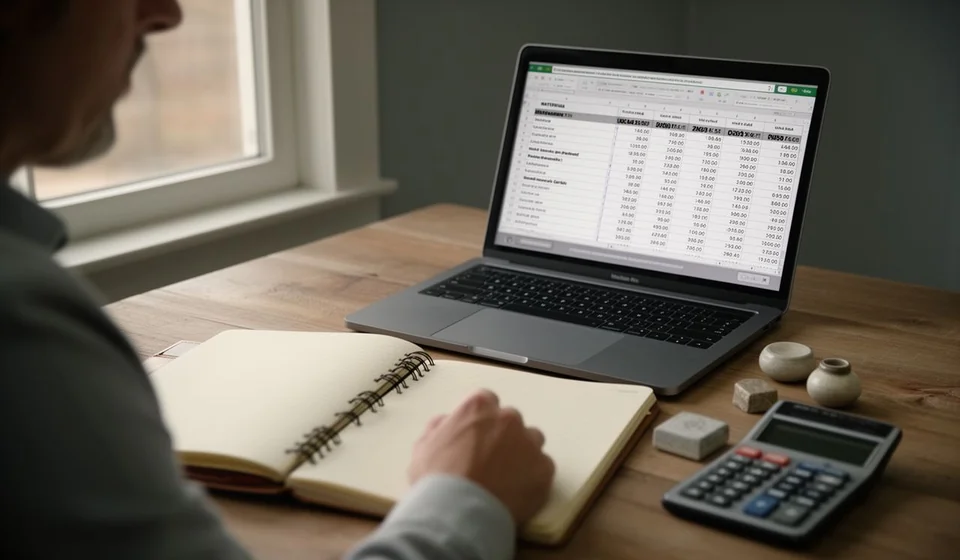
Product costing is putting a number on what each unit costs: what was spent on materials, what the labour was worth, the share of overhead that belongs to it and what is lost to waste. This product costing template in Excel is a working file with thirty products already laid out, with their materials, labour, overhead and waste, and with the batch cost and unit cost calculated automatically.
⬇ Download the template (Excel .xlsx)What product costing is and who it is for
Costing is taking a product apart into the pieces that consume money. A notebook does not cost only paper: it costs the sheets, the cover, the glue, the minutes of the person who assembles it, the light in the workshop and the notebook that came out crooked and was thrown away. Each of those pieces has a value and all of them together make up the cost. The template arranges those pieces in columns so the total does not depend on memory or on the last time someone worked it out on the back of an envelope.
It serves any business that turns materials into a product and needs to know what each unit costs: bakeries, sewing workshops, small food producers, furniture makers, print shops, shoe workshops, cleaning product makers and craft studios. It also serves anyone who buys to resell and builds bundles or presentations, because the same exercise applies to the products packed together.
It does not require advanced bookkeeping knowledge. It is enough to know what was bought, how much was paid and how long it took to make. What it does require is regularity: a cost calculated once and never looked at again ages with every supplier price change, and a stale cost is almost as dangerous as having none.
Unit cost is the base of the price
It helps to separate two things that are often confused. Cost says what it is worth to produce a unit; price is the decision of how much to charge for it. The margin lives in the space between the two. If the cost is wrong, the margin is an illusion: you can sell a lot, charge well and still be left with nothing, because every sale was replacing the product at a loss.
Waste is what separates the theoretical cost from the real one. On the bill of materials everything comes out perfect; in the workshop things break, spoil, expire, get cut badly or spill. Spreading that loss across the good units, by including waste in the calculation, is what makes the unit cost the one that actually supports the price. That figure is also where cost of sales is born: when the product is sold, that is what leaves inventory and enters the income statement.
What the template includes
| Block | What it brings |
|---|---|
| Products | Thirty rows ready for the product name, its unit and its notes. |
| Direct cost | Columns for materials, labour and overhead per batch. |
| Waste | An editable column, pre-filled, adjusted per product for what gets lost. |
| Automatic calculation | Batch cost and unit cost, worked out from the columns above. |
| Unit list | A drop-down list so the same unit is not written in several ways. |
| Totals | Sum of materials, labour, overhead and batch cost. |
| Summary | Products costed, average unit cost and most expensive batch. |
The sheet does not ship with required sample figures: products are filled in with your own data. It does not ask for official documents or third party data either. All it needs are purchase values, hours of work and an honest estimate of what gets lost.
The columns of the sheet
| Column | What is written |
|---|---|
| Product | The name of the product or the item being costed. |
| Unit | The unit it is made and sold in: unit, box, dozen, kilo, metre or litre, chosen from the list. |
| Materials | The value of the materials that go into the whole batch. |
| Labour | The value of the working time it takes to assemble the batch. |
| Overhead | The share of power, water, workshop rent, tools and maintenance that belongs to the batch. |
| Waste | The share lost in the process; it comes pre-filled and can be edited. |
| Batch cost (automatic) | The sum of materials, labour and overhead, plus the waste. |
| Batch units | How many good units the batch yields, not how many started the process. |
| Unit cost (automatic) | The batch cost divided by the batch units. |
| Notes | The supplier, the presentation or the batch the figure came from. |
The materials, labour, overhead and waste columns are typed in; the batch cost and unit cost columns calculate themselves. The notes column takes what does not fit into a number: the supplier, the presentation, the size or the batch the figure came from. Leaving that column empty is a waste, because the note explains where the cost came from and when it is worth reviewing.
How the calculation works: from materials to unit cost
The calculation adds the three cost groups, adds the waste and spreads the total across the good units in the batch. With the sample figures: materials of 120,000, labour of 60,000 and overhead of 20,000. The subtotal is 200,000. A waste of five percent adds 10,000, the batch cost comes to 210,000 and, if the batch yields one hundred units, the unit cost is 2,100.
| Batch line | Value |
|---|---|
| Materials | 120,000 |
| Labour | 60,000 |
| Overhead | 20,000 |
| Subtotal | 200,000 |
| Waste of five percent | 10,000 |
| Batch cost | 210,000 |
| Batch units | 100 |
| Unit cost | 2,100 |
Reading that table is what matters. Materials are the most visible part and sometimes the only one anyone looks at, but they are not the whole cost. Labour and overhead usually weigh more than they seem, especially when the product takes time to assemble or when the workshop keeps light, water and rent running every day. And waste, even when it looks like a detail, is what separates a profit from breaking even.
With the unit cost in view, any conversation about price stops being an argument of opinions. You can compare cost with selling price, see how much is left per unit and decide on the basis of a number. If the margin falls short, there are two ways out: raise the price or lower the cost, and to lower the cost you must first know which of the three groups weighs most.
Step by step to cost a product
- Gather the purchases for the product. Take the invoices or receipts for the materials and write down the value of what goes into a batch, not the value of a single unit.
- Measure the working time. Time or estimate the hours it takes to assemble the batch and multiply them by the hourly value of the person doing it.
- Spread the overhead. Add up what is spent on power, water, workshop rent, tools and maintenance for the period, and assign a reasonable share to each product.
- Estimate waste with your own data. Count what was damaged last month and turn it into a share of the batch; if you do not have the figure, start low and adjust it once you measure it.
- Let the sheet calculate. Batch cost and unit cost come out on their own; check that the batch units are the good units, not the ones that started the process.
- Compare the cost with the price and repeat the exercise every quarter. A cost that is never reviewed ages with every supplier change or hourly rate change.
Tips and common mistakes
- Do not forget your own labour. The owner's time costs too, even when it is not paid as a salary.
- Do not load all the overhead onto a single product. Spread it by time used or by units, but do not let the best seller carry everything.
- Do not confuse cost with expense. The rent of the sales office is not product cost; the light in the workshop is.
- Do not use the supplier's list price without discounts or freight: the material costs what you pay for it delivered to the business.
- Do not leave waste at zero. A cost without waste is a catalogue cost, not a workshop cost.
- Do not cost once and stop. The cost changes when the supplier, the packaging or the assembly time changes.
When to move to software
While the business has few products and values change now and then, a spreadsheet is enough: it is understood at a glance, it does not depend on the internet and anyone can open it. Things change when the catalogue grows, when the same material goes into several products and when the purchase price moves every month. Then the sheet starts to fall behind, because someone has to update every row by hand and, if one is forgotten, the unit cost lies without warning.
A management system such as Kardex Tauro keeps the cost current, because purchases and inventory movements are already recorded and the product cost is recalculated from that data, without retyping the sheet. The file remains the natural place to understand the calculation and to review assumptions; the system is the place where the cost holds itself up, product by product, week after week. When the business handles hundreds of items or several people need the same figure, the decision is no longer about saving a spreadsheet: it is about working with a cost you can trust.
Costing is not a bookkeeping exercise: it is knowing what what you sell is worth. Start with your own materials, your own time and your own waste, let the sheet do the subtraction and review the result every quarter. The day your supplier changes the price, you will already have an answer.
⬇ Download the template (Excel .xlsx)