Inventory and balance book template in Excel
Inventory and balance book template in Excel
When the cut-off date arrives, a business needs two things at the same time: to know how the accounts ended up and to know what is actually in the warehouse. The first usually lives in the accounting program and the second in a notebook or a loose sheet of paper, and on the day someone asks for an explanation there is no way to show where a balance came from.
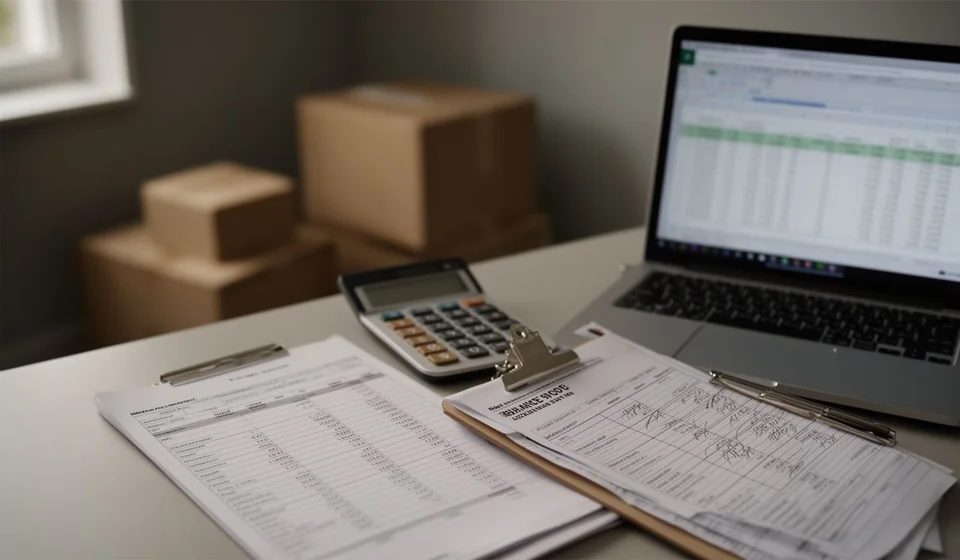
This template brings the two views into a single Excel file: one sheet with the list of accounts and its balance check, and another sheet with the inventory counted and valued. It has one hundred rows on each sheet and seventeen sample accounts already loaded, so you can see how the calculation works before clearing them and starting with your own data.
⬇ Download the template (Excel .xlsx)What it is and who it is for
A closing in two sheets that are read together
The inventory and balance book is the summary a business uses to close a period. On one side are the accounts with their balance at the cut-off date; on the other, the inventory counted and valued at that same date. The template keeps the two apart in two sheets but leaves them connected: the total value of the inventory on the second sheet is the number that should back the inventory account balance on the first one. When the two numbers do not match, the gap is in plain sight and the mistake can be traced calmly.
It is meant for the person who keeps the books of a small or mid-sized company, for the outside accountant who needs an ordered base to review, and for the owner who wants to understand the closing without reading a list of hundreds of rows. It also helps when the business does not yet have a full accounting system and builds the closing by hand every month or every year.
It is worth saying clearly: this is a working format for internal control. It is not a financial statement for publishing, it does not replace any official record and it does not file anything with any authority. Its value is that it shows the numbers complete, ordered and checked, and that it leaves a trail of how each balance was reached.
What the template includes
| Item | What it brings |
|---|---|
| Accounts sheet | One hundred rows with the code, the name, the account type, the opening balance and the debits and credits of the period |
| Current balance | Automatic column that adds the opening balance plus the debits and subtracts the credits |
| Debit and credit split | Two automatic columns that send the balance to one side or the other depending on its sign, never to both |
| Balance check | Totals of debit balances and credit balances, with a warning when the two sides do not add up |
| Account type | Dropdown list to classify each account (asset, liability, equity, income, cost and expense) |
| Inventory sheet | One hundred rows with code, product, unit, counted quantity, unit value and automatic total value |
| Inventory totals | Sum of units and sum of value, with the comparison against the inventory account balance |
| Sample accounts | Seventeen accounts already loaded: cash, bank, receivables, inventory, suppliers, capital, sales and cost of sales |
The columns of the accounts sheet
| Column | Type | What it is for |
|---|---|---|
| Code | manual | Identifies the account inside the list and keeps the file in order |
| Account name | manual | The name the whole team uses for that account |
| Account type | list | Classifies the account and allows subtotals by group |
| Opening balance | manual | The balance the account starts the period with |
| Debits | manual | The total of the movements that push the balance up |
| Credits | manual | The total of the movements that push it down |
| Current balance | automatic | Opening balance plus debits minus credits |
| Debit balance | automatic | The balance when it stands in favour of the business |
| Credit balance | automatic | The balance when it stands in favour of third parties |
The columns of the inventory sheet
| Column | Type | What it is for |
|---|---|---|
| Code | manual | The same code used by the inventory account |
| Product | manual | The name the item is ordered and counted under |
| Unit of measure | manual | Unit, box, pack or metre, so that unlike things are not compared |
| Counted quantity | manual | What was counted on the shelf, not what the system says |
| Unit value | manual | The value of one unit at the cut-off date |
| Total value | automatic | Counted quantity times unit value |
| Notes | manual | Counting notes, differences or damaged goods |
How the calculation works, with an example
The accounts sheet follows one simple rule: the current balance is the opening balance plus the debits minus the credits. If the result is positive the account ends with a debit balance and the amount shows up in the debit column; if it is negative the account ends with a credit balance and the amount shows up in the credit column. The two columns never show an amount at the same time, and that is exactly the sign that the balance landed on the right side.
The check sits at the bottom of the sheet: the sum of all accounts with a debit balance must equal the sum of all accounts with a credit balance. While the two totals agree, the list is square. If they stop agreeing, there is a wrongly recorded movement, a mistyped opening balance or a repeated account, and any of those three shows up when the list is reviewed calmly.
| Account | Opening balance | Debits | Credits | Current balance | Debit | Credit |
|---|---|---|---|---|---|---|
| Cash | 300,000 | 1,200,000 | 500,000 | 1,000,000 | 1,000,000 | - |
| Bank | 1,500,000 | - | - | 1,500,000 | 1,500,000 | - |
| Receivables | 800,000 | - | - | 800,000 | 800,000 | - |
| Inventory | 600,000 | 400,000 | 300,000 | 700,000 | 700,000 | - |
| Cost of sales | 300,000 | - | - | 300,000 | 300,000 | - |
| Suppliers | - | - | 700,000 | 700,000 | - | 700,000 |
| Capital | - | - | 2,400,000 | 2,400,000 | - | 2,400,000 |
| Sales | - | - | 1,200,000 | 1,200,000 | - | 1,200,000 |
| Totals | 4,800,000 | 2,700,000 | 2,700,000 | - | 4,300,000 | 4,300,000 |
In the example, cash opens with 300,000, takes 1,200,000 of debits and records 500,000 of credits, so it closes with a debit balance of 1,000,000. Bank closes with 1,500,000 on the debit side, receivables with 800,000, and inventory, which opens with 600,000, adds 400,000 of entries and takes out 300,000, closes with 700,000 on the debit side. Cost of sales stands at 300,000 on the debit side. On the other side, suppliers close with 700,000 on the credit side, capital with 2,400,000 and sales with 1,200,000.
The period totals are the proof of the format: opening balances of 4,800,000, debits of 2,700,000, credits of 2,700,000 and, at the end, 4,300,000 of debit balances against 4,300,000 of credit balances. Debits and credits add up the same because every movement was recorded in its two accounts; debit and credit balances add up the same because every balance landed on a single side.
The second sheet is filled in by counting. In the example there are 100 notebooks at 5,000, which come to 500,000; 40 boxes of pens at 12,500, which come to 500,000, and 25 packs of paper reams at 12,000, which come to 300,000. The total is 165 units and 1,300,000 in value, and that is the number that has to talk to the inventory account balance on the first sheet.
| Product | Quantity | Unit value | Total value |
|---|---|---|---|
| Notebooks | 100 | 5,000 | 500,000 |
| Boxes of pens | 40 | 12,500 | 500,000 |
| Packs of paper reams | 25 | 12,000 | 300,000 |
| Totals | 165 | - | 1,300,000 |
Step by step to build the closing
- Download the file and save it under the name of the period you are closing, for example the closing of a month or of a year. Always work on a copy, never on the empty file you just downloaded.
- Review the seventeen sample accounts first to see how the current balance, the split between debit and credit, and the totals behave. Then clear them and keep only the accounts of your own list.
- Enter the opening balance of each account at the date the period starts and classify it with the account type list. If an account has no opening balance, leave it at zero and do not delete it: the code is what will let you find its movements later.
- Type the accumulated debits and credits of the period in each account. Check that every movement appears once and that its counterpart is loaded too: if a movement touched two accounts, it has to be in both of them.
- Look at the totals check. Debits must match credits and debit balances must match credit balances. If something is off, go back to the rows with a zero balance, the repeated accounts and the flipped signs.
- Move to the inventory sheet, count product by product and type the counted quantity and the unit value. Compare the total value with the inventory account balance and save the file with the cut-off date.
Tips and common mistakes
- Cut at one date and do not move it. Mixing movements from two periods in the same column is the most frequent mistake and the hardest one to undo later.
- Count the inventory for real. Copying the quantity the system shows is not counting: the point of the second sheet is to compare what the paper says with what is on the shelf.
- Watch the sign before typing. A movement loaded in the opposite column throws both totals off at once and sends the search to the wrong place.
- Do not rename an account halfway down the list. If the same account appears twice under different names, the balance splits in two and the check at the bottom gives it away.
- Keep the notes column in use. Writing down why a balance looks odd saves half an hour of searching when someone asks about that account months later.
- Keep a copy of every closing and do not overwrite it. The closed file is the backup of the period; if you keep using it for the next month, you lose the reference.
When it is worth moving to software
The template works very well while one person builds the closing and the list of accounts is short. It becomes awkward as the business grows: movements are entered by hand and one mistyped row forces the whole thing to be reviewed again; the inventory is counted in one file while purchases arrive in another; and nobody else can look at the closing without opening the file on the computer where it was saved.
That is where inventory and invoicing software comes in, keeping movements, stock and balances in the same place and building the list without retyping anything. Kardex Tauro points at that moment: when the spreadsheet has already done its job of ordering the process and what is needed is for the numbers to move on their own and stay in sight of the whole team. Until that moment arrives, the Excel template remains a good starting point, because Kardex Tauro works better once the business is already clear about its accounts and its inventory.
An ordered closing is not improvised on the last day: it is built with the accounts up to date and an inventory that has been counted. When both sheets show the same number and the totals agree, the business can explain its closing without depending on anyone's memory.
⬇ Download the template (Excel .xlsx)