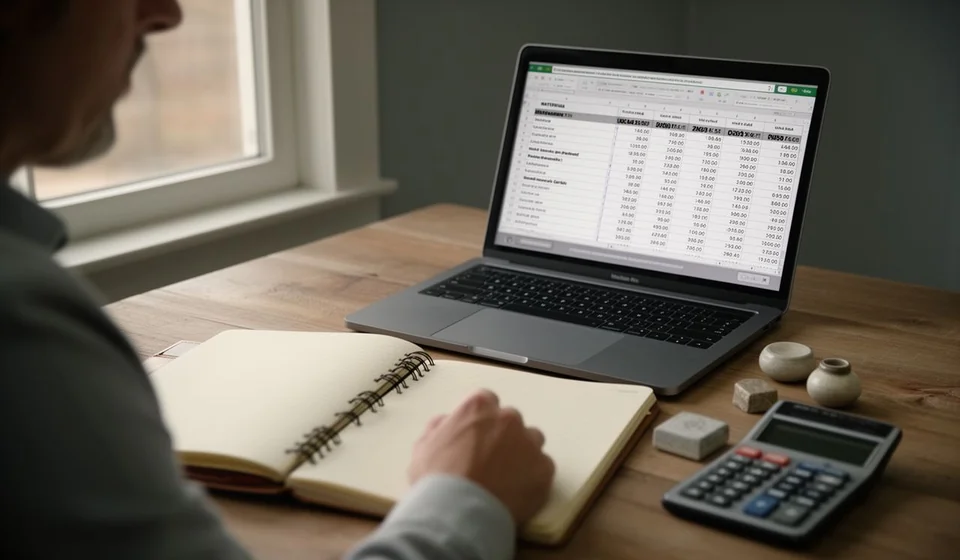
Fixed asset depreciation template in Excel

Fixed asset depreciation template in Excel
Equipment, furniture and vehicles are bought once, but their cost stays with the business for the years they are used. When that spread is kept from memory or in a separate notebook, every monthly figure tends to come out different on every sheet and nobody knows how much is left to depreciate per asset. This template keeps the whole job in one sheet.
The file has one hundred ready rows with a category list, purchase value, residual value, an editable useful life and the months of the period; it works out the monthly, period and accumulated depreciation and the book value on its own, and it warns you when the accumulated figure goes past the depreciable value.
⬇ Download the template (Excel .xlsx)What it is and who it is for
Depreciation spreads a cost that has already been paid over the life of the asset. It is not a new payment or a cash outflow for the month: it is how you recognise that a piece of equipment bought this year also works next year and that its cost should follow that use. The sheet makes that spread asset by asset and leaves the result ready to review.
It is for the business that bought equipment, furniture, vehicles or tools and needs to know how much expense belongs to each month and what its assets are worth today. It also helps whoever keeps the fixed asset register and wants a tidy figure, without depending on a separate sheet for every purchase or a note lost in a folder.
It is meant for an office user, not for a specialist. You type the purchase value, the residual value and the useful life, and the rest of the row fills itself in. Those entries are the only ones that change from one asset to the next; everything else is a formula.
How the cost is spread
The calculation takes three steps. First you take the purchase value and subtract the residual value, which is what the asset is expected to be worth at the end of its life; that difference is the depreciable value, the amount that really has to be spread. Then the depreciable value is divided by the useful life in years and again by twelve months, which gives the monthly depreciation. Multiplying that figure by the months of the period gives the depreciation for the period, and adding it to the previous accumulated figure gives the new accumulated total.
The useful life is not imposed by the sheet: the business decides it, based on how long it expects to use the asset and the conditions it works in. That is why it is an editable cell. If the business wants accelerated depreciation, it only has to shorten that useful life: spreading the same depreciable value over fewer years raises the monthly charge and the asset is fully depreciated sooner. No formula has to be changed and the structure of the file stays as it is.
The control column is what prevents the silent mistake. When accumulated depreciation goes past the depreciable value, the cell warns you instead of quietly adding more. If the business shortened the useful life to speed depreciation up, that warning is what confirms the asset has reached its limit and cannot take another month.
What the template includes
| Component | What it is for |
|---|---|
| One hundred asset rows | Plenty of room for the full fixed asset register without opening a new file every year. |
| Category list | Groups the asset as computer equipment, furniture, vehicle or other, so the totals can be read by group. |
| Purchase value and residual value | The two entries that define how much has to be spread. |
| Editable useful life | Typed in years; it is the lever that allows accelerated depreciation when it is shortened. |
| Months of the period | Lets you depreciate full months or part periods without rebuilding the sheet. |
| Monthly, period and accumulated depreciation | Automatic columns that spread the cost month by month. |
| Book value | What the asset is worth today, after subtracting what is already depreciated. |
| Control column | Warns you when the accumulated figure goes past the depreciable value. |
| Totals and a small table by category | Close the sheet with the figures for the period. |
The columns of the sheet
These are the fourteen columns, in the order they appear. The first ones are typed and the calculated ones fill themselves in.
| Column | Type | What it expects |
|---|---|---|
| Code | Typed | The short label that identifies the asset. |
| Asset | Typed | The name the business uses for it. |
| Category | List | The group the asset belongs to. |
| Purchase date | Typed | The date the asset's life is counted from. |
| Purchase value | Typed | What the asset cost. |
| Residual value | Typed | What it is expected to be worth at the end of its life. |
| Useful life (years) | Typed | How many years the business expects to use it. |
| Months of the period | Typed | How many months are depreciated in this cut-off. |
| Monthly depreciation | Automatic | The depreciable value spread over years and months. |
| Period depreciation | Automatic | The monthly figure times the months of the period. |
| Previous accumulated depreciation | Typed | What was already depreciated in earlier cut-offs. |
| Accumulated depreciation | Automatic | The previous figure plus the depreciation of the period. |
| Book value | Automatic | Purchase value minus accumulated depreciation. |
| Control | Automatic | The warning when the accumulated figure goes past the depreciable value. |
How the calculation works with an example
Three assets from the same closing show the three situations: one with no residual value, one with a long life and one with a residual value and a medium life. In all three the reasoning is the same: purchase value minus residual value, spread over the useful life in years and twelve months.
| Asset | Purchase value | Residual value | Life (years) | Monthly depreciation | Period | Accumulated | Book value |
|---|---|---|---|---|---|---|---|
| Computer equipment | 3,600,000 | 0 | 3 | 100,000 | 1,200,000 | 1,200,000 | 2,400,000 |
| Furniture and fixtures | 2,400,000 | 0 | 10 | 20,000 | 240,000 | 240,000 | 2,160,000 |
| Vehicle | 24,000,000 | 2,400,000 | 5 | 360,000 | 4,320,000 | 4,320,000 | 19,680,000 |
| Totals | 30,000,000 | 2,400,000 | — | 480,000 | 5,760,000 | 5,760,000 | 24,240,000 |
The computer equipment was bought for 3,600,000, with no residual value and a three-year life: 3,600,000 divided by three years and by twelve months gives 100,000 a month, and twelve months give 1,200,000 for the period. As this is the first cut-off, the accumulated figure is the same and the book value comes to 2,400,000. The furniture and fixtures are worth 2,400,000 and are spread over ten years: 20,000 a month and 240,000 for the year, with a book value of 2,160,000. The vehicle is the case with a residual value: it costs 24,000,000, it is expected to be worth 2,400,000 at the end, so only 21,600,000 is spread over five years and twelve months, which gives 360,000 a month and 4,320,000 over twelve months, leaving the book value at 19,680,000.
The totals for the closing are purchase value 30,000,000, period depreciation 5,760,000, accumulated 5,760,000 and book value 24,240,000. If the business decided to depreciate the computer equipment on an accelerated basis, it would only have to change the useful life from three years to two: the monthly charge would rise to 150,000 and the asset would be fully depreciated in half the time, without touching any other cell.
Step by step
- Open the file and check the category list at the top of the sheet; if the business uses another name for a group, adjust it there before loading rows.
- Type the code, the name and the category of each asset on a separate row.
- Enter the purchase date, the purchase value and the residual value. If no residual value is expected, leave the zero.
- Type the useful life in years according to the use the business will make of it, and the months that belong to this cut-off.
- If the asset was already being depreciated, enter the previous accumulated depreciation so you do not start from zero.
- Check the control column: if any row warns, that asset's accumulated figure has gone past the depreciable value and the useful life or the months have to be corrected.
- Read the totals and the small table by category for the period closing.
Tips and common mistakes
- The useful life is decided by the business, not by the template. Change it when the way the asset is used changes.
- Do not leave the residual value blank if one is expected: blank is treated as zero and the monthly charge comes out higher than it should.
- If you shorten the useful life for accelerated depreciation, check the control column the same month: it is the one that tells you the asset has reached its limit.
- Do not enter accumulated depreciation twice. The previous accumulated figure is the one from the last cut-off; adding it again sinks the book value.
- Use one row per asset. Two assets on the same row are depreciated as a single one and the register ends up badly valued.
- Match the months of the period to the real cut-off. An extra month on an asset whose life is already over is expense that does not belong there.
- This sheet is an internal control for the business: it is not an official record and it does not replace any filing.
When to move to software
While the fixed asset register fits in one sheet and one person keeps it, the template is enough and it reads at a glance. The problem appears when purchases arrive every week, when several sites hold their own equipment, when an asset is sold or written off before the end of its life, or when earlier cut-offs have to be rebuilt. That is where the loose sheet starts to fall short, not because of the calculation but because of change control.
An inventory and accounting system takes those entries as part of the same movement: the asset enters with its useful life, depreciation is generated at every closing and the book value stays up to date without loading anything again. Kardex Tauro works that way, with inventory and accounting in the same place, so the figure on screen is the one that is already recorded. The template is still useful to understand the calculation and to review a single period; software becomes necessary when the volume and the changes can no longer be controlled by hand.
In the meantime, this sheet gives you the figure for the period and the book value with three entries per asset, and leaves the control column watching so that no depreciation goes past the limit.
⬇ Download the template (Excel .xlsx)