Withholding book template in Excel

Withholding book template in Excel
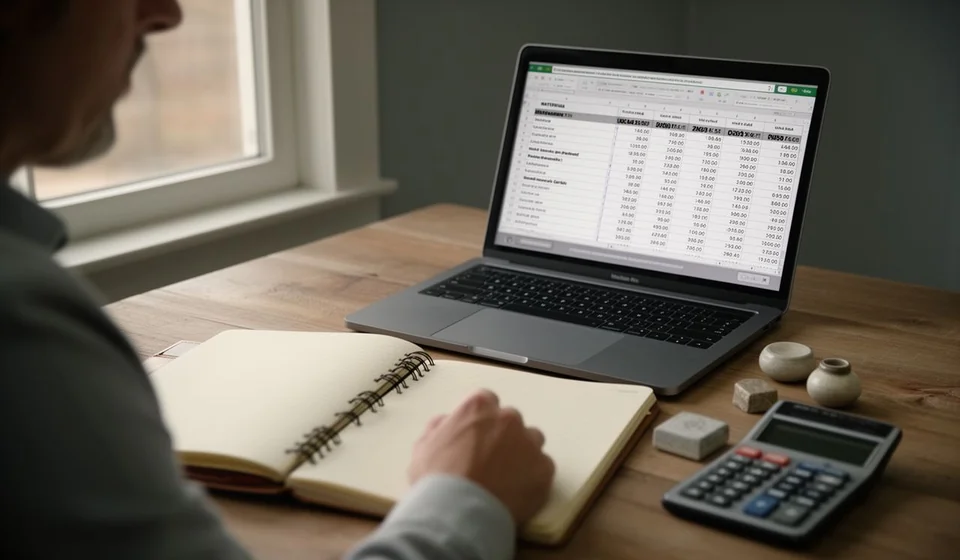
The withholding book answers one very specific question that comes up in every review: how much was withheld from each third party, and which document backs it up. When that information lives in loose papers, lost emails or the memory of whoever made the payment, rebuilding it takes longer than it should. This template gathers that detail into a single Excel sheet, with the columns already in place and the arithmetic tied down.
The file comes with two hundred ready-to-use lines: date, third party, identification, concept, document number, base, editable rate, the withholding typed straight from the document, an automatic check column and notes. It also includes totals, a summary of base, withholding and number of documents, and a small base-and-withholding table by concept.
⬇ Download the template (Excel .xlsx)What it is and who it is for
A withholding book is the record where, movement by movement, you note how much was withheld from a third party on a given base and which document supports it. It is not an accounting ledger and it is not a voucher: it is the ordered list of what was withheld, built so that you can answer quickly when someone asks about a particular payment.
It is most useful to small and medium businesses that handle several purchases of services, leases or goods and that today keep that account on loose sheets, in a notebook or simply in their heads. It is also useful to the accountant who receives the bundle of supporting documents at month end and needs to check that every entry has a document behind it. And it helps the owner, who wants to see at a glance how much was withheld in the period and from whom.
The logic is simple: each line of the sheet is one movement. You write the date, who the third party is, which concept the withholding relates to, the document number, the base, the applicable rate and the amount withheld as it appears on the document. From there the sheet builds the totals on its own and leaves a check column that compares what you typed with the result of multiplying base by rate.
It is worth being clear about the scope from the start: this file is an internal control tool and it does not replace any official record. Everything entered here is transcribed from a document that already exists; the template only orders it, adds it up and compares it. It does not issue documents, it does not compute obligations and it does not declare anything to anyone.
What the template includes
The sheet is ready to work with right away. These are the pieces it brings and what each one is for.
| Item | What it is for |
|---|---|
| Two hundred register lines | Plenty of room for a full period of withholdings, with rows reserved for the totals. |
| Concept list | Services, purchases, leases and other frequent concepts, so the same text is not retyped on every line. |
| Base and editable rate | The base is typed from the document and the rate is written by hand when it applies: the cell is not preloaded. |
| Typed withholding | The amount the document carries, written exactly as it appears, with no adjustments or rounding. |
| Calculated withholding (automatic) | Multiplies the base by the rate and shows the result so you can compare it against what you entered. |
| Totals | Sum of base, rate, withholding and calculated withholding for the whole period. |
| Period summary | Accumulated base, accumulated withholding and the number of documents registered. |
| Small table by concept | Base and withholding grouped by each concept in the list, to see at a glance where the withheld amount concentrates. |
There are no macros and no external connections: it is an ordinary Excel file that can be opened, saved and shared like any other. That also means it is worth keeping periodic copies, because there is no database behind it that can recover what gets lost.
Who gets the most out of it
The format performs best in businesses with recurring third parties: contractors who invoice every month, landlords, transport and maintenance suppliers. In those cases the sheet lets you close the month with one look at the summary and check whether the withholding of the period makes sense against the base. In a business with one or two movements a year the template still works, but its value is less visible.
Sheet columns
| Column | What goes in it |
|---|---|
| Date | The date of the document that supports the transaction. |
| Third party | The name of the supplier or third party the amount was withheld from. |
| Identification | The third party's identification number, so similar names are not confused. |
| Concept | Chosen from the list: services, purchases, leases or others. |
| Document number | The number of the document that backs the withholding. |
| Base | The amount the calculation is based on, typed from the document. |
| Rate (editable) | The percentage that is decided or that the document carries; you type it in and it is not preloaded. |
| Withholding | The withheld amount read from the document. |
| Calculated withholding (automatic) | The base times the rate, computed by the sheet with no input from the user. |
| Notes | Free notes to record whatever is needed. |
After the last data line come the totals rows and the summary block, and at the foot the small table by concept. Those three areas feed themselves from what is written above, as long as nobody moves the columns around.
How the calculation works
The heart of the template is a straightforward comparison. The withholding column takes the amount you type from the document, and the calculated withholding column multiplies the base by the editable rate. When the two figures match, the entry is tied down; when they do not, the gap stands out and it is time to review the base, the rate or the amount you entered.
The rate is not preloaded on purpose. Not every concept is handled with the same rate, and that decision changes over time and with the type of transaction, so the template leaves the cell open for each business to write its own. If the rate column stays empty, the check computes nothing either: the sheet does not guess the missing figure.
| Date | Third party | Concept | Document | Base | Rate | Withholding | Calculated |
|---|---|---|---|---|---|---|---|
| 03/09 | Supplier A | Services | F-1024 | 1,000,000 | a rate of ten per cent | 100,000 | 100,000 |
| 07/09 | Supplier B | Purchases | C-2087 | 500,000 | not recorded | 12,500 | no figure |
| Totals | Two documents | Services and purchases | 1,500,000 | 112,500 | 100,000 |
In the first entry the check tallies: one hundred thousand entered against one hundred thousand produced by applying the rate of ten per cent to a base of one million. In the second, the document carries a withholding of twelve thousand five hundred on a base of five hundred thousand, but the rate was not recorded, so the check column shows no figure: the sheet does not invent what is missing.
The totals for the period give a base of one million five hundred thousand and a withholding of one hundred twelve thousand five hundred, spread across two documents. Broken down by concept, services add up to one hundred thousand and purchases to twelve thousand five hundred. That cross-check is the one most used in a review: it shows right away how much was withheld for each type of transaction and how many documents support it.
Step by step
- Download the template and open it in Excel. The sheet already has the headers, the concept list and the automatic columns ready to work.
- Enter the general data of each movement: date, third party, identification and concept. Pick the concept from the list, because that word is what makes the small table at the end group correctly.
- Type the base exactly as it appears on the document that supports the transaction. It is not rounded or adjusted: the figure is copied.
- Write the document number. Without it the entry has nothing behind it and the review gets harder, because there is no way to trace where the figure came from.
- Type the rate in the editable cell and record the withholding the document carries. The rate is decided case by case and written by hand; it is not preloaded.
- Compare the withholding column with the calculated withholding column. If the two figures do not match, review the base and the rate before continuing. When the period closes, look at the totals and the breakdown by concept.
Tips and common mistakes
- Do not leave the rate blank when it applies. Without it the check column computes nothing and the entry stays half done, which is exactly what the template is meant to prevent.
- Always write the same name for the same third party. If a supplier appears as «Supplier A» on one line and «Supplier A Services» on another, any filter or grouping treats them as two different third parties and the totals per name come out split.
- Type the withholding from the document, not the one you remember. The check column exists precisely to cross the two figures and expose the gap.
- Record the document number and a short note on every line, even when the payment is small. It is the first thing anyone asks for when a movement is reviewed.
- Do not delete or reorder the automatic columns. If they move, the formulas end up pointing at other cells and the totals stop making sense.
- Remember that the file is an internal control tool and does not replace any official record: it is there to keep the account at hand and back it up, nothing more.
When to move to software
As long as the withholdings fit in two hundred lines and one person writes them, the sheet works well. The trouble starts when several people work on the same file, when the lines run out halfway through the period, or when someone needs the history of a third party and there are already three copies saved under similar names. At that point copying and pasting rows stops being a reasonable method, and the time the template saves is spent hunting for the right version of the file.
An inventory and invoicing system such as Kardex Tauro stores the movement once and from there come the document, the withholding book and whatever reports are needed. Kardex Tauro does not make anyone retype the withholding: it takes it from the document that was already issued or received, which removes the two classic errors of the manual sheet, the mistyped figure and the forgotten row. The template is then left for the one-off analysis or for the early days, when there is no system yet.
In the meantime, downloading the template and loading the withholdings of the period is a good place to start: the gap between what you entered and what the sheet calculates is what tells you where to look. And it bears repeating, because it is what makes the file trustworthy: it is internal control, not an official record.
⬇ Download the template (Excel .xlsx)