
Barcodes and labels: a practical guide for your inventory
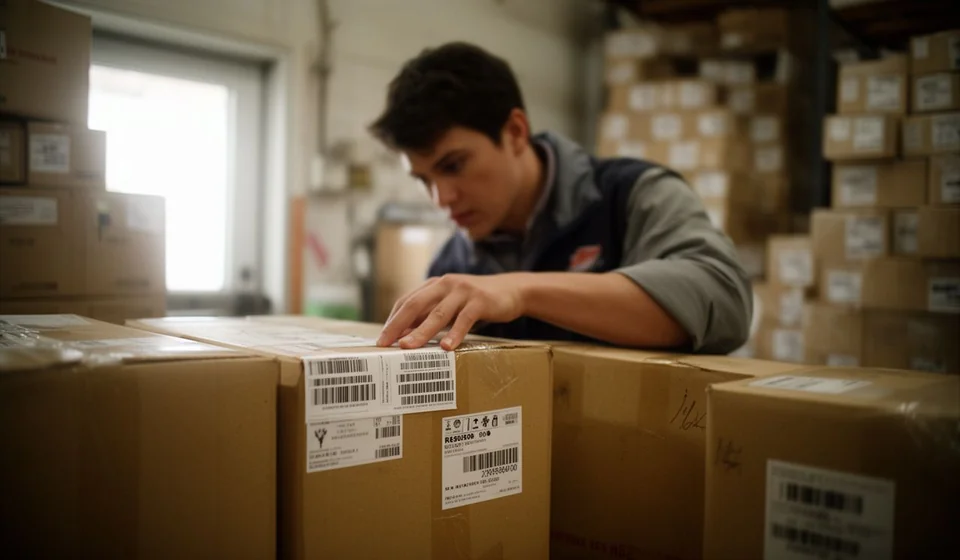
Barcodes and labels: a practical guide for your inventory
The barcode, the QR code, the thermal label and the RFID tag are the physical layer that connects each product to the system that records your inventory. Without that layer, every count depends on the eyes and the memory of whoever is counting: someone reads a box, writes it down by hand, and the data travels from paper to paper until it reaches the stock ledger. With labels and readers, a single scan replaces the handwritten note and the data arrives clean, in seconds and without transcription errors.
This guide brings together what we have published on the topic so you have the whole journey in one place: the fundamentals of barcode inventory control, the types of codes (EAN, UPC, Code 128 and QR), the comparison with RFID, how to choose a printer and labels, and the programs that read what you scan. Whether you are building your identification system from scratch or fixing one that no longer works, this is the map you need.
The basics: the barcode as the backbone of your inventory
The starting point is understanding what changes when you identify merchandise with a scanner. In our article on barcode inventory control we explain why this technology is still the most widely used in small warehouses: it is cheap, fast and does not require staff to memorize internal codes. The reader turns the bars into a number, and that number is the key the system uses to find the product, its price, its location and its stock. If you still write everything down by hand, that article shows you the before and after with concrete examples and with the errors that disappear once you stop transcribing.
The next question is where the codes come from, and the answer is almost always simpler than it looks: you do not need to hire a designer or pay for an outside service. In our guide on how to create barcodes for your products we cover the free generators, the output formats and the typical mistakes, such as printing with low contrast or on curved surfaces. The golden rule is that every product needs a unique, stable identifier: if the code changes every season, your stock ledger history breaks and your counts stop adding up for reasons you will never be able to trace later.
Once the codes are ready, you need a device to read them, and the classic question is whether any reader works or a special one is required. The article on what barcode scanner is right for inventory compares laser, CCD and imager readers, wired or Bluetooth, and explains which one handles codes printed at home best, which one survives warehouse drops best, and which one makes sense when the same device also serves the point of sale. It also covers a point almost nobody checks before buying: compatibility with the program you plan to use, because a great scanner plugged into a system that does not recognize it is useless.
Barcode types: EAN, UPC and Code 128
Not all codes serve the same purpose, and choosing the wrong one can cost you paperwork, money or failed reads at the worst possible moment. The full explanation is in our article on barcode types: EAN, UPC and Code 128, but here is the summary: EAN-13 is the retail standard and requires GS1 registration; UPC-A is its equivalent for the United States and Canada; and Code 128 is alphanumeric, free to use and perfect for the warehouse, internal inventory and parcels. If you sell in supermarkets or retail stores, EAN is practically mandatory; if what you need is to identify locations, batches or internal assets, Code 128 solves it with no paperwork at all.
| Code | Content | Typical use |
|---|---|---|
| EAN-13 | 13 digits, GS1 registration | Retail and supermarkets |
| UPC-A | 12 digits, GS1 registration | United States and Canada |
| Code 128 | Alphanumeric, free to use | Warehouse and internal inventory |
The choice is not about looks: it depends on where the code will be read and who will read it. A code designed for a checkout counter is not always the best one for a warehouse shelf, and the other way around.
QR codes: when they help and when they do not
The QR code is a two-dimensional code that stores much more information in the same space. The practical guide to QR code inventory details the cases where it makes sense: products without uniform packaging, shelf locations, fixed assets you want to link to a photo or a spec sheet, or any item whose label must carry more data than a simple number. Another practical advantage is that any smartphone can read it without extra hardware, which lowers the entry barrier for small businesses that are not ready to invest in dedicated scanners.
But the QR code does not replace everything. The comparison of QR code vs barcode for inventory shows the limits of each technology: the linear barcode is faster to read in volume and works better at the checkout, while the QR code survives more damage, prints smaller and can hold text, although reading it depends on the camera and the orientation of the phone. In practice, many warehouses use both: a barcode for the product and a QR code for the location or the batch, and each one plays the role it was designed for.
RFID: when is the smart tag worth it?
Radio frequency identification comes up in every conversation once the business grows, because it needs no line of sight and can read dozens of tags at once. The analysis of RFID vs barcodes is honest about it: RFID is worth it when you receive merchandise in complete batches, when you need to locate assets without searching for them one by one, or when the cost of an inventory error is higher than the price of the tags and the readers. For a small warehouse with a few hundred SKUs, it is almost always a premature investment: the barcode solves most of the problem for a fraction of the cost, and you can always migrate later without losing what you learned.
Labeling: printer, material and design
A perfect code is useless if the label fades, wrinkles or peels off within a week. The guide on how to choose your first label printer compares direct thermal and thermal transfer printers, roll sizes, resolution and the cost per label, which is what actually matters at the end of the month. The practical rule: if the label will live for weeks on a dry shelf, direct thermal is more than enough; if it must survive cold, sunlight or rubbing for months, thermal transfer justifies the price difference without debate.
As important as the printer is the material. The cheapest labels on the market end up being expensive when they peel off, get stained or stop scanning right in the middle of a count. It is also worth printing location labels for shelves and reserve boxes: a code stuck on the right rack prevents more searching errors than almost any other low-cost investment you can make in your warehouse.
Programs that work with barcodes
The last link in the chain is the program that receives every scan and turns it into an inventory movement. Not every system reads barcodes, and buying a reader for software that does not support it is the most common and the most expensive mistake in this story. Our list of the top 10 inventory programs with barcode support brings together options for every budget: free ones, one-time payment ones, cloud and local ones. The selection criterion should not be the number of features but how well the tool fits your volume of movements and the way your team works: a robust program nobody uses is worth less than a simple one that everyone scans with every day.
The complete flow: scan, record, count
With labels printed, compatible readers and a program that records every read, the flow becomes seamless: you scan when receiving and every inbound movement reaches the stock ledger on its own; you scan when selling or dispatching and every outbound movement is deducted immediately; you scan during the count and differences show up the same day, not at the December closing. That routine turns inventory into a task of minutes a day instead of a traumatic annual event. No technology removes the need for discipline, but it does remove the biggest source of error in manual inventory: transcription.
An honest note before you spend on hardware: always check the declared compatibility between reader and software. The inventory system from Kardex Tauro declares compatibility with barcode readers, but it is worth confirming that claim with your exact scanner model and your code type before buying. And if what you want is to organize the whole system and not just identification, the complete guide to inventory control for small businesses walks you, from start to finish, through what a small company needs to know what it has, what it is worth and what it should buy.
Further reading
- Barcode inventory control
- How to create barcodes for your products
- What barcode scanner is right for inventory?
- Barcode types: EAN, UPC and Code 128
- QR code inventory: a practical guide
- QR code vs barcode for inventory
- RFID vs barcodes
- Label printer: how to choose your first one
- Top 10 inventory programs with barcode support
- Inventory control: the complete guide for small businesses
