Loan amortization template in Excel
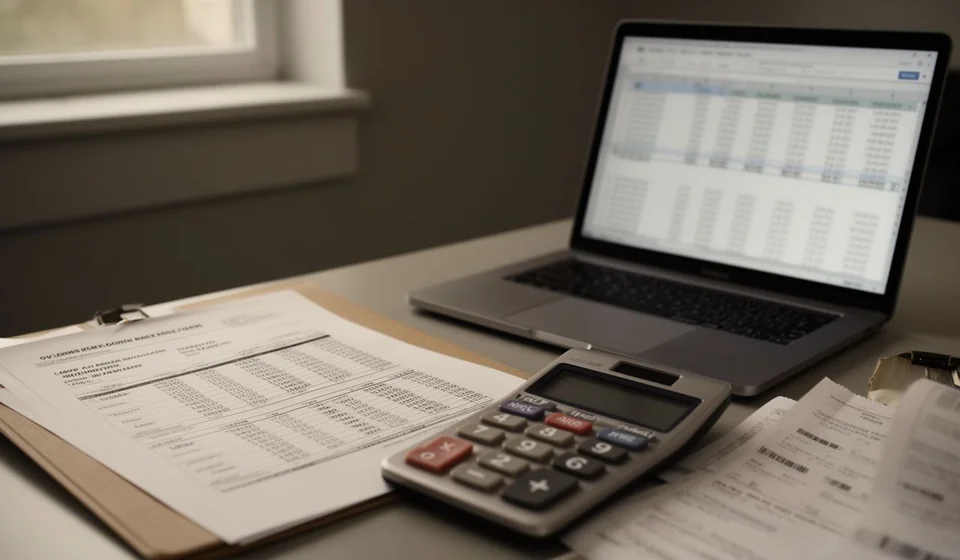
Loan amortization template in Excel
A loan is signed in one afternoon and paid for years. The hard part is not receiving the money, but understanding how much of each payment is interest and how much actually reduces the debt. Almost every statement shows the amount paid, yet almost none shows the split inside.
This loan amortization template in Excel builds the full schedule payment by payment: opening principal, payment amount, interest, principal paid and closing balance, with the formulas already in place and room for your own case.
⬇ Download the template (Excel .xlsx)What it is and who it is for
The template is an amortization schedule: the ordered list of every payment on a loan with the internal split of each one. Instead of recording only what is paid each month, it shows which part of that payment is the cost of money and which part is principal coming back. That distinction is what explains why the debt falls so slowly at first and why a long loan ends up costing far more than it appears.
It is for anyone running the finances of a small or mid-sized business who needs to know how much is left to pay and how much the money will cost. It is also for comparing two offers: with the same table you see in seconds which one is cheaper over the life of the loan, without relying only on the payment each one advertises. And it serves to record the financial expense of each period when the month is closed.
The sheet holds up to 120 payments, so it covers anything from a short consumer loan to a ten-year loan with monthly payments. Everything it calculates is in plain sight: no hidden macros, no protected sheets. Change one input and the whole schedule rebuilds itself.
The split is what matters
What sets this template apart from a plain list of payments is that it shows the split of each one. When the opening principal appears line by line, it becomes obvious why a long loan charges so much interest: each early payment barely touches the principal and the rest goes to the cost of money. Seeing it written down changes the way the debt looks.
It also helps to talk to the lender with numbers in hand. If their statement does not match the table, the difference stands out and can be questioned before accepting any change in the terms.
What the template includes
| Item | Detail |
|---|---|
| Inputs | Amount, periodic rate, number of payments and date of the first payment |
| Method | A list with two options: fixed payment or fixed principal |
| Payments | 120 lines with date, opening principal, interest, principal paid, payment amount and closing balance |
| Totals | Total interest and total principal paid over the whole life of the loan |
| Control | A check that the last payment brings the balance to zero |
The columns on the sheet
| Column | What it shows |
|---|---|
| Payment | The order number of the payment |
| Date | The date of each payment, running forward from the first one |
| Opening principal | What is owed at the start of the period, before the payment |
| Payment amount | The payment for the period, calculated by the chosen method |
| Interest | The cost of money: opening principal multiplied by the periodic rate |
| Principal paid | The part of the payment that reduces the debt |
| Closing balance | What is still owed after the payment |
| Notes | Free space for remarks, receipt numbers or adjustments |
How the calculation works
The interest on each payment comes from the principal still outstanding at that moment. That is why interest is high at the start and falls over time: as principal is paid down, the base the interest is calculated on shrinks.
There are four inputs: the loan amount, the periodic rate, the number of payments and the date of the first payment. The rate is deliberately not preloaded: it is typed by hand, because every loan carries its own and assuming a rate is the fastest way to get the whole schedule wrong.
Fixed payment or fixed principal
With a fixed payment, the amount is identical in every period: comfortable for a budget, because you know in advance what comes out each month. What changes is the composition: at the start almost all interest, at the end almost all principal.
With fixed principal, the principal portion is the same every period and the payment falls over time because interest is charged on a smaller and smaller balance. You pay more at the start and less at the end, and in total slightly less interest than with a fixed payment.
Neither is better on its own. A fixed payment protects cash flow in the early months; fixed principal cuts the total cost if the business can handle the initial effort. The template lets you test both on the same loan and compare the totals.
Worked example
A loan of 12,000,000 over 12 payments at a rate of one and a half percent per period, using the fixed payment method:
| Payment | Interest | Principal paid | Payment amount | Closing balance |
|---|---|---|---|---|
| First | 180,000 | 920,159.91 | 1,100,159.91 | 11,079,840.09 |
| Last | 16,258.52 | 1,083,901.44 | 1,100,159.96 | 0 |
| Year total | 1,201,918.97 | 12,000,000 | 13,201,918.97 | 0 |
Read the table slowly: in the first payment interest takes 180,000 and principal falls by only 920,159.91; in the last one interest is just 16,258.52 and principal paid is 1,083,901.44. Interest over the year adds up to 1,201,918.97. The payment is the same, 1,100,159.91, and only the last one rises by five hundredths to leave the balance at exactly zero; what changes completely, from the first to the last, is what the payment is made of.
With the fixed principal method on the same loan, 1,000,000 goes to principal every period. The payment starts higher and falls each month: the first is 1,180,000 and the last is 1,000,000 plus the interest on the final balance. Total interest comes to 1,170,000, slightly less than with a fixed payment, in exchange for a bigger effort at the start.
That is the detail few people notice: the last payment absorbs the rounding. The cents that pile up in every division are settled in the final payment, which is why the check at the end requires the balance to close at exactly zero.
It is also worth keeping the schedule next to the monthly close. The interest of the period is an expense that belongs in the books, and the table tells you exactly how much it is, loan by loan. With that number in hand, the entry matches the statement instead of being estimated.
Before signing, run both offers through the template. Two loans can advertise the same payment and still differ in total interest, simply because one charges more at the start. Comparing the two totals over the full term is the only way to see the real cost, and it takes only a few minutes.
Step by step
- Type the loan amount in the input cell.
- Enter the periodic rate. It is not preloaded: it is typed by hand, exactly as agreed.
- Set the number of payments and the date of the first payment; the sheet rolls the dates forward month by month.
- Pick the method from the list: fixed payment or fixed principal.
- Walk down the schedule and review the split of each payment: interest, principal paid and closing balance.
- Look at the check at the end: it must confirm that the last payment leaves the balance at zero.
Tips and common mistakes
- The rate you type is the periodic rate, not the annual one. If payments are monthly, divide the annual rate by twelve before entering it.
- Do not mix the two methods in the same file: one loan per copy, so the totals do not get mixed up.
- If insurance, service fees or paperwork charges apply, add them separately: this table splits principal and interest, nothing else.
- Always review the zero check; if the last payment does not close, there is a typing error in the rate or the number of payments.
- Save the file with the loan name and the first payment date; with several loans open it is easy to confuse the copies.
- Keep in mind that the template is an internal control tool for tracking the debt; it does not replace any official record or document.
When to move to software
While there are one or two loans, the spreadsheet is convenient: open it, type the rate and done. The trouble starts when the debt multiplies. With several loans open, each with its own rate and method, keeping copies current and adding them up by hand takes time and invites typing errors.
That is where an accounting system brings order. Kardex Tauro keeps each loan with its schedule, links the interest to the expense of the period and keeps the debt balance square with the books, with no loose sheets or duplicated versions. The template still works for a one-off case; the software, for handling the whole set. Kardex Tauro does not replace any official record: it is the tool used to control the day to day.
If your case is a single loan you want to understand well, the template is more than enough. If the debt is already part of everyday operations, it is worth making the move.
⬇ Download the template (Excel .xlsx)