Free quotation: build your estimate for the customer as PDF, PNG or printed
Free quotation: build your estimate for the customer as PDF, PNG or printed
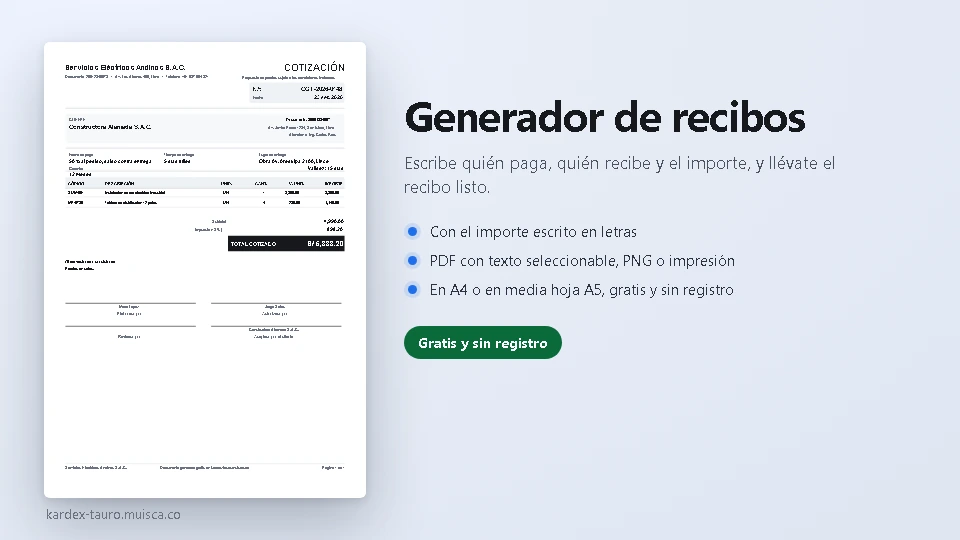
A quotation is what turns an enquiry into an order. Set your terms (validity, payment, delivery time, place and warranty), add the products or services with their quantity and value and the tool works out the subtotal, the tax and the quoted total. It comes out as a PDF with selectable text, as PNG or straight to the printer, with the signatures for the customer to accept it.
How to use it
- Fill in your company, the quotation number and the date.
- Write the customer, who it is addressed to and your terms: validity, payment, delivery, place and warranty.
- Add the products or services with their quantity and unit value; the subtotal, the tax and the total work themselves out.
- Set the tax (18 for Peruvian IGV, whatever applies in your country) or leave it empty to quote without tax.
- Download the PDF (several sheets if there is a lot), the PNG, or print it on A4 and have the customer sign their acceptance.
What it solves
- The terms people forget and then argue about: validity, payment, deadline, place of delivery and warranty, printed on the quotation.
- Product or service lines with their amount, and subtotal, tax and quoted total worked out as you type.
- Automatic multiple sheets with the header repeated when the list is long.
- Four signatures, the customer's acceptance included so it doubles as their agreement.
- All in the browser: no sign-up, nothing sent anywhere and the data stored on your computer.
The generator is part of the free utilities of Kardex Tauro. They are all on the free tools: the sales invoices, the payment receipts, the purchase orders, the credit notes, the valued inventory card, the stock issue slips, the payment vouchers, the cash counts, the barcode labels and the tax calculator.
